

A Comprehensive Copilot Training Course for Your Business
Ready for takeoff with Microsoft 365 Copilot? Stoneridge Software’s Copilot Flight Plan is your guided journey to effective, secure AI adoption across your organization. With hands-on training, expert support, and a proven framework, you’ll learn how to harness the power of Copilot to drive real business value—safely and smartly.
Expert Guidance from Your Flight Instructors
This journey is backed by expert-led training and hands-on support. You’ll identify high-value use cases, ensure governance is in place, and set your team up for long-term success with AI.
Start building your Copilot strategy today!
Complete the form and our team will reach out with next steps.
Inside the Copilot M365 Flight Plan: Building AI Champions

Flight Logs From Real Learners
The Copilot M365 Flight Plan Includes:

1. Pre-Flight Alignment: Strategic Workshopping
Format: 3-Part Interactive Engagement
Bring leaders together to define AI use cases for your organization.
This includes:
- Kickoff Session – Introduce your team to Copilot’s core features, identify key stakeholders, and review critical security and governance considerations.
- Business Value Workshop – Collaborate on identifying high-impact Copilot use cases tailored to your organization.
- Value Report – Receive a customized summary outlining key opportunities and recommendations for Copilot success.

2. Flight Readiness: Tenant & Security Prep
Ensure your Microsoft 365 environment is Copilot-ready.
This includes:
- Device Readiness – Intune deployment and configuration to ensure devices are prepared for Copilot use (as needed).
- Base-Level Copilot Prep – Aligning your environment with Microsoft’s foundational Copilot setup guidance.
- License Configuration – Verifying appropriate Copilot licensing is assigned and ready to go.
- Readiness Dashboard Review – Reviewing tenant-level dashboards to assess licensing, configuration status, and adoption readiness.

3. Flight School: Champion Enablement
Format: 7-week Copilot cohort to build power users and AI Agents
Launch your Copilot licensed users to fast success by sending them to Flight School!
Up to 10 initial selected champions will receive hands-on training, cohort support, and guidance to learn Copilot across the M365 suite and build basic agents. This team will lead adoption efforts across your business and empower broader rollout success.
The Champions will learn:
- License Activation – Ensure each Champion has access to Microsoft 365 Copilot.
- Hands-On Training – Real-world guidance on using Copilot across Microsoft 365 apps.
- Agents – Learn to use Microsoft’s pre-built Agents and create your own custom agents.
- Use Case Coaching – Help Champions identify and demonstrate high-impact Copilot scenarios.
- Ongoing Support – Provide Champions with access to experts and resources as they guide others.
Cost
Everything you need to launch Copilot confidently—for just $9,000 USD.
(Licensing not included)
Real Business Value. Everyday Impact.
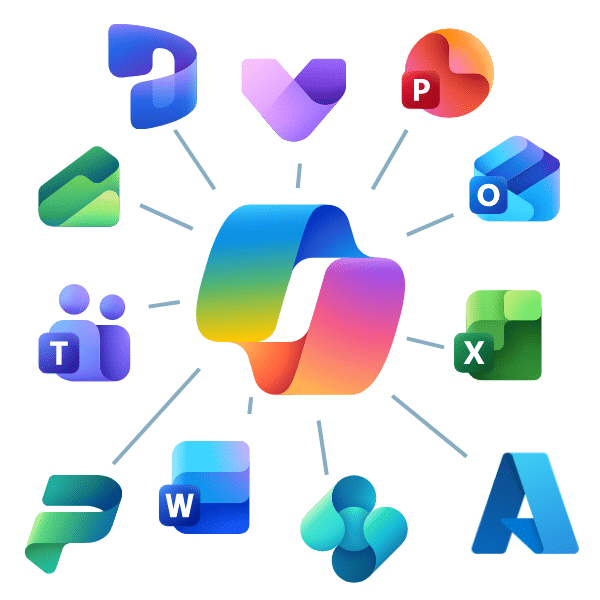
Copilot connects across Microsoft apps
What Copilot Can Do
Copilot for Microsoft 365 is like having an intelligent assistant built into the tools your team already uses—Word, Excel, Outlook, Teams, and PowerPoint. Here are some of the most popular and high-value use cases:
- Summarize lengthy email threads or Teams chats
- Draft emails, proposals, or meeting agendas instantly
- Transform meeting notes into action items or summaries
- Generate first drafts of documents or brainstorm ideas
- Build presentations from documents or Excel data
- Quickly locate answers from your company’s files and chats
- Use and build agents for efficiency and automation
- And more!
How can Copilot make your job easier?
For Executives & Leaders
- Get daily digests of key updates and team activity
- Use natural language to query business performance data
- Quickly review summarized financial or strategic reports
For Sales Teams
- Summarize customer communications across email and Teams
- Draft account updates, proposals, and pitch decks
- Analyze CRM data in Excel to identify top opportunities
For HR & People Teams
- Draft job descriptions or internal communications
- Prepare onboarding materials or policy summaries
- Summarize feedback from employee surveys
For Finance Professionals
- Create first-pass budget models or variance reports
- Get instant summaries of Excel workbooks
- Explain formulas or suggest improvements to spreadsheets
For Project Managers
- Generate status updates or project plans from notes
- Summarize risk logs or action item lists
- Quickly build presentations for project reviews
For IT & Operations
- Draft policy documentation and how-to guides
- Analyze helpdesk trends or usage logs
- Search SharePoint or Teams content using natural language
Start Mastering Everyday Copilot Benefits
Copilot M365 Flight Plan FAQ
Above and Beyond:
Fly further with these add-on courses

Lift Off Lab
Meet with our experts to learn these AI development tools, and get started with an agentic solution.
Develop a custom solution to extend generative AI features using various tools like Copilot Studio, Microsoft Foundry, Power Automate, and more!
Learn More →

Other Flight Schools
Flight Schools available for:
- D365 Sales
- D365 Operations
- D365 Finance
- D365 Customer Service
- D365 Supply Chain
- D365 Business Central
Learn and configure the features available in Dynamic’s Business Apps.
View Courses →
Request Your Copilot M365 Flight Plan Today!
Learn the basics and best practices from our experts.

Stoneridge is more than a software vendor—we view every client engagement as a partnership. We work with you side by side to ensure that your needs are met. And we don’t disappear after your go-live date. We provide the ongoing training and support you need to maximize your return on your investment.
