
Make Copilot Useful, Secure and Worth the Investment
Copilot can summarize meetings and draft emails on day one — but the real value comes when it understands your processes, your data, and your teams.
We help you move from curiosity to measurable business impact with governance, training, and real workflow integration across Microsoft 365 and Dynamics 365, connecting the entire Microsoft business technology platform.
Request a Copilot consultation today!
Complete the form and our team will reach out for next steps.


Why Choose Stoneridge for Copilot Integration?
We implement Copilot as a business capability, not a license activation. Our consultants start with your business goals, identifying the best ways to integrate AI and Copilot so you can realize the greatest benefit.
✔ Certified Microsoft Solutions Partners
✔ Configure security and governance first
✔ Integrate with real operational systems
✔ Train users so adoption sticks
✔ Align use cases to ROI
What We Help You Deploy
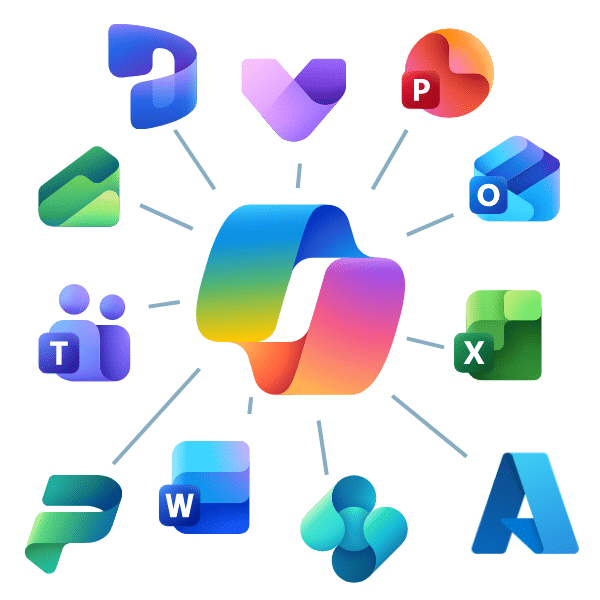
Copilot Chat, Microsoft 365 Copilot, Copilot Studio, and Agents at Work
Everyday Work
Meetings, documents, reporting, internal knowledge
- Copilot in Teams, Outlook, Word, Excel
- Secure company knowledge search
- Executive summaries and insights
Customer & Operations
CRM, service, finance, and ERP processes
- Sales prep and follow-ups
- Case resolution assistance
- Financial and operational analysis
Automation & Agents
Task completion, not just answers
- Ticket triage
- Document processing
- Multi-step workflow automation
Custom Copilots
Purpose-built assistants for your business
- HR onboarding
- IT help desk
- Compliance & policy guidance
Copilot Inside Your Dynamics 365 Business Systems
Stoneridge specializes in applying Copilot directly inside operational workflows — not just productivity apps.
We implement Copilot across:
- Sales & customer engagement
- Customer support
- Finance & reporting
- Supply chain & operations
- SMB ERP processes
Outcome Examples
- Sales teams prepare for meetings automatically
- Service agents resolve cases faster
- Finance teams analyze performance instantly
- Operations leaders spot issues earlier
Your Copilot Journey with Stoneridge
We meet you where you are — helping you plan strategically, train effectively, and innovate intentionally.
AI Readiness Assessment
A focused planning session for leadership to align on AI goals and opportunities.

Copilot Flight Schools
Hands-on training for Copilot in real-world scenarios and apply it to daily work.
Ready to Take Off?
Start your Copilot journey today with Stoneridge Software. Our team will help you plan, train, and implement Copilot the right way.
Copilot FAQ

What can I do with Copilot?
Microsoft Copilot serves to optimize and streamline your business processes in several dynamic ways:
- You can use Microsoft Copilot generative AI service with data from the public web in the Bing search index. This version of Copilot is free. You can use it to help write content, generate ideas, create images, ask questions, search the web, and more. You just ask Copilot a question and it will give you an answer.
- Copilot for Microsoft 365 integrates with the applications you use daily, such as Microsoft Teams, Word, Outlook, PowerPoint, Excel, and more. You can use new AI functionalities in these apps to create presentations, develop appealing data visualizations, automate email generation, create summaries, and more. It saves your team valuable time, allowing them to focus on work that drives your business forward.
- In Dynamics 365, you can use Copilot to enhance many business processes in your ERP and CRM systems. This includes:
- In the new Microsoft Copilot Studio, you can create custom Copilots and chatbots tailored to your business. In this studio, you can:
- Customer Copilot for Microsoft 365, giving you increased control by letting you set responses to scenarios your team might ask Copilot about.
- Create custom Copilots and chatbots tailored based on your data and can answer questions and inquiries from your team or customers.
- Use a connected platform, as Copilot Studio is built on the foundation of existing AI tools like Power Virtual Agents. It also operates with Azure AI studio and more.
Are there pre-requisites if I want to use Copilot in my CRM and/or ERP systems?
If you want to use Microsoft Copilot in your Dynamics 365 CRM or ERP systems, you need to have licenses for Copilot in Microsoft 365. If you want more information, contact Stoneridge and our licensing team can help you decipher what you need to implement Copilot.
Can I do a Proof of Concept, and who would be the best fit to champion Copilot for my organization?
You can for certain aspects of Copilot. For example, the free Copilot is there for you to try at any time. Copilot Pro comes with a free trial that you can get by contacting Stoneridge Software. However, Microsoft Copilot for Microsoft 365 and Dynamics 365 is not available for a free trial. That doesn’t necessarily mean you can’t find out if its right for your business.
Stoneridge’s cloud consulting team will sit down with you and your team to go over your environment and ensure you and your users are ready for a Copilot implementation.
Do I have a minimum spend with Copilot?
The answer to this question is a little more complex than it seems. If you want to use the regular Copilot, it is free. You can upgrade to Copilot Pro for a per user per month fee. There are different price structures for Copilot for Microsoft 365 for and Copilot for Dynamics 365. At the end of the day, it depends on your business needs. The Stoneridge licensing team can help you navigate the best programs for you.
Are there any risks I should be aware of?
It’s important to be aware of what data your team is using in Microsoft Copilot, especially the free version. Stoneridge can help you guard against the inadvertent disclosure of sensitive information by helping you set up a solid security, identity, access management, and data protection processes.
What is Copilot Studio, and how is it different from Copilot in Microsoft 365 or Dynamics 365?
Copilot Studio is a tool that lets you create and customize your own Copilot Agents—intelligent assistants designed around your unique processes and data.
While Copilot in Microsoft 365 and Dynamics 365 enhances built-in workflows, Copilot Studio allows your team to go further by building tailored experiences that automate tasks, answer questions, or connect with other systems such as Power Platform apps, Salesforce, or SAP.
Stoneridge experts help you identify the right use cases, design your agents, and bring them to life securely and efficiently.
Can I integrate Copilot with my Power Platform?
Yes. Copilot integrates with the different aspects of the Microsoft Power Platform to allow you to use AI to streamline more processes. This includes:
- The ability to use natural language requests to let Copilot help you build a Power App or Power Page
- A similar function with automating the creation of workflows in Power Automate
- Asking Copilot to help you retrieve data or build visuals in Power BI
- And more
Does Microsoft Copilot train on my company’s data?
No. Microsoft Copilot does not use your company data or user interactions to train AI models. All activity and content remain within your secure Microsoft 365 environment, governed by Microsoft’s enterprise-grade privacy, compliance, and security standards.
With Stoneridge Software’s guidance, you can be confident your Copilot setup follows the right governance and security practices to protect your business.