














Tools and Strategies for Building Smarter Copilot Agents with Copilot Studio
While AI agents rapidly become the backbone of modern business automation, tools like Copilot Studio, Power Automate, and AI Builder are jumping to the forefront.
When used together strategically, these tools empower you and your organization to create intelligent, efficient agents that automate processes, reduce manual effort, and deliver measurable return on investment. (ROI).
However, building an agent that addresses every pain point in your business isn’t yet feasible, which is why it’s important to assess your organization's AI readiness and approach agentic AI with a smart, specific plan in place.
In this blog, we’ll break down key strategies and tools that you need to design, build, and scale Copilot agents effectively so they work for your business and are intuitive for your users.
Watch the video above or keep reading to learn how you can use Copilot strategies to build a smarter business.
Agent Design Concepts: Start Simple, Think Strategic
Before you ever open Copilot Studio, success starts with smart design. Agent architecture determines whether your agent will become an asset or a tedious headache.
Focus on Specific Tasks—Not Everything at Once
Perhaps the most important design principle is that agents perform best when focused on a single, well-defined task. While it might be tempting to build a single “mega agent” that handles everything, it will likely be too complex, which is the killer of a good, automated agent. While AI continues to evolve and innovate, you don’t want to think too big.
Instead, break your automation into targeted areas. For example, instead of creating an “Accounts Receivable Agent,” you can create three separate agents that operate within Accounts Receivable, such as:
- “Credit Limit Monitoring Agent.”
- “Invoice Follow-Up Agent.”
- “Customer Payment Status Agent.”
This way, each focused agent delivers higher accuracy, better reliability, easier troubleshooting, and more predictable results.
A huge bonus in this area is that you are not charged based on the number of agents you create, only on AI consumption. This means you can build multiple agents without increasing your licensing costs.
Complexity Reduces Reliability
Think about what would happen if you unloaded all your systems' data and processes onto a single user. They would be overwhelmed, miss deadlines, and make costly errors. While agents and humans are different, AI agents still need guardrails, clear directions, and boundaries. Without them, agents may pull incorrect information, follow the wrong workflows, or provide inconsistent results.
To avoid this, focus on:
- Low-complexity, high-value tasks first
- Clear workflows
- Defined scope and responsibilities
You can scale complexity later as your AI maturity grows, but for now, think small and specific.
Provide Clear Instructions to Ground the Agent
Like any user within your system, agents need instructions to act as the agent’s “operating manual.” They define:
- How the agent should respond
- Which tools it should use within your system
- Which workflows it should follow
- What tone it should communicate in
Examples of strong instructions include:
- Always use tools to retrieve data instead of guessing
- Always follow a specific workflow sequence
- Always retrieve data from approved sources only
The more context you provide, the more accurate your agent becomes. When you provide clearly defined instructions and then tailor your prompts to support them.
Iterate on Prompts to Improve Results
With the rise of AI, effective prompting has essentially become a new programming language. And while it might be tempting to just type a sentence or two and let the agent do its thing, making refinements and adding specific information will dramatically improve outcomes.
For example, if you have an agent that does calculations and it’s consistently churning out inaccurate results, you can consider adding more specific information to the prompt, such as: “Do not perform math calculations. Only present existing values.” This small change will have huge results.
Prompt iteration is an ongoing process—not a one-time task.
Always Give Agents an “Out”
Agents must know what to do when they encounter something unexpected. For example, if you tell an agent to select between one of two things, it might run into a condition where it has to select a third thing even though it can’t. You need to have an “out” so the agent can inform its creator or others in the system that it is running into an issue.
To give your agents an “out,” build workflows that allow agents to:
- Escalate issues
- Notify administrators
- Ask for clarification
- Log errors for review
This ensures reliability and continuous improvement.
Copilot Studio: Your AI Orchestrator
Copilot Studio serves as the builder and manager of your agents. It allows you to define what the agent is going to do, its instructions, how it’s going to tackle processes, and what tools it will use to address those tasks.
Copilot Studio Defines the Agent’s Behavior
Copilot Studio allows you to configure:
- Agent instructions
- Topics and workflows
- Decision trees and branching logic
- Tool usage and integrations
- Knowledge sources
Think of Copilot Studio as the “brain directing the process,” not necessarily doing every task itself.
Copilot Studio Excels at Orchestration, Not Heavy Data Processing
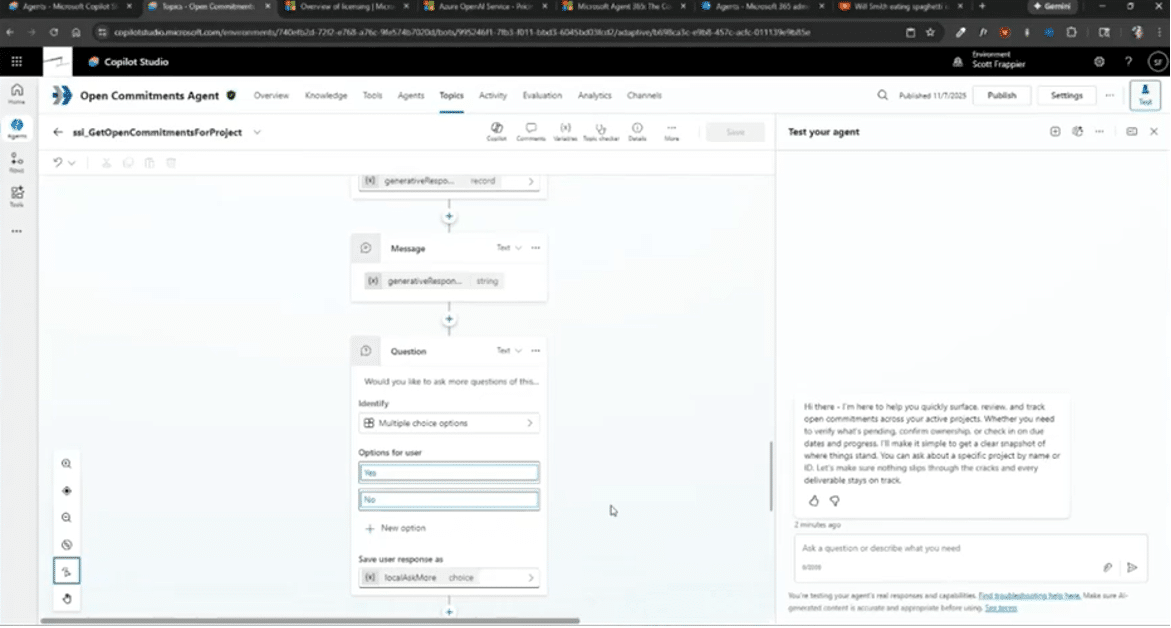
One of the most important strategic insights: Copilot Studio works best when orchestrating tools instead of doing everything and generating content by itself.
Instead of handling all logic and processing internally, Copilot Studio should:
- Decide which tools to use
- Control workflow sequences
- Manage decision-making logic
- Coordinate automation
This will improve accuracy, efficiency, and cost-effectiveness. It will also help your team with tedious manual work, allowing them to focus on what matters most.
Copilot Studio Enables Structured Workflow Pathing and Model Selection
Agents can follow structured workflows, including:
- Variable setting
- Data validation checks
- Conditional logic
- Prompt execution
- Tool invocation
This structured orchestration ensures predictable and reliable automation. Copilot Studio also allows you to select different AI models for your agent, which will lead to smarter decisions, improved orchestration, and higher accuracy.
Adding Power Automate: The Action Engine Behind Your Agent
While Copilot Studio orchestrates workflows, Power Automate performs the actual actions and ensures that they follow your workflows during every step.
Power Automate inside the Copilot studio enables agents to:
- Retrieve data from systems
- Update records
- Send emails
- Trigger workflows
- Connect to external platforms
Power Automate Connects Your Agent to Everything
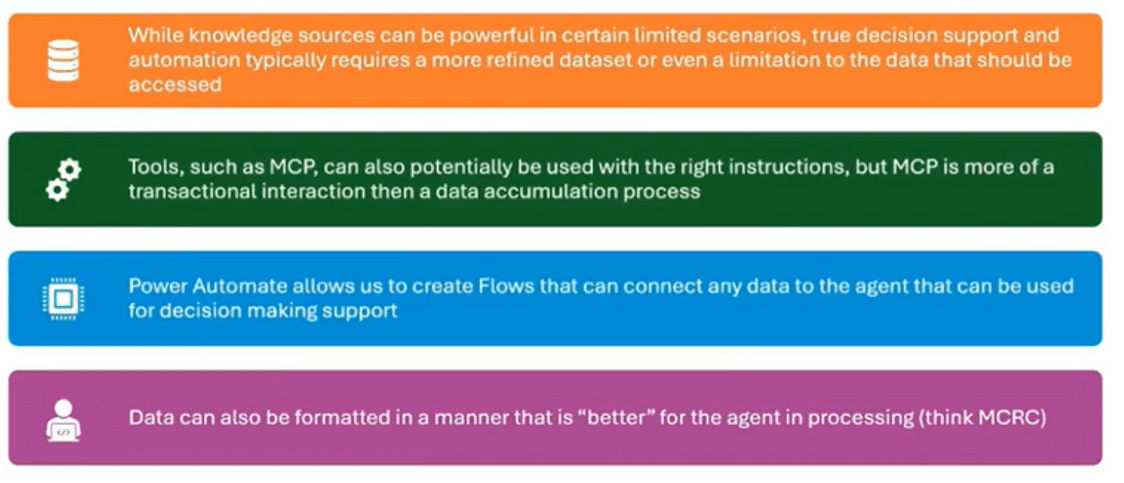
Power Automate supports triggers from:
- Microsoft systems
- Third-party platforms
- ERP systems
- CRM systems
- External APIs
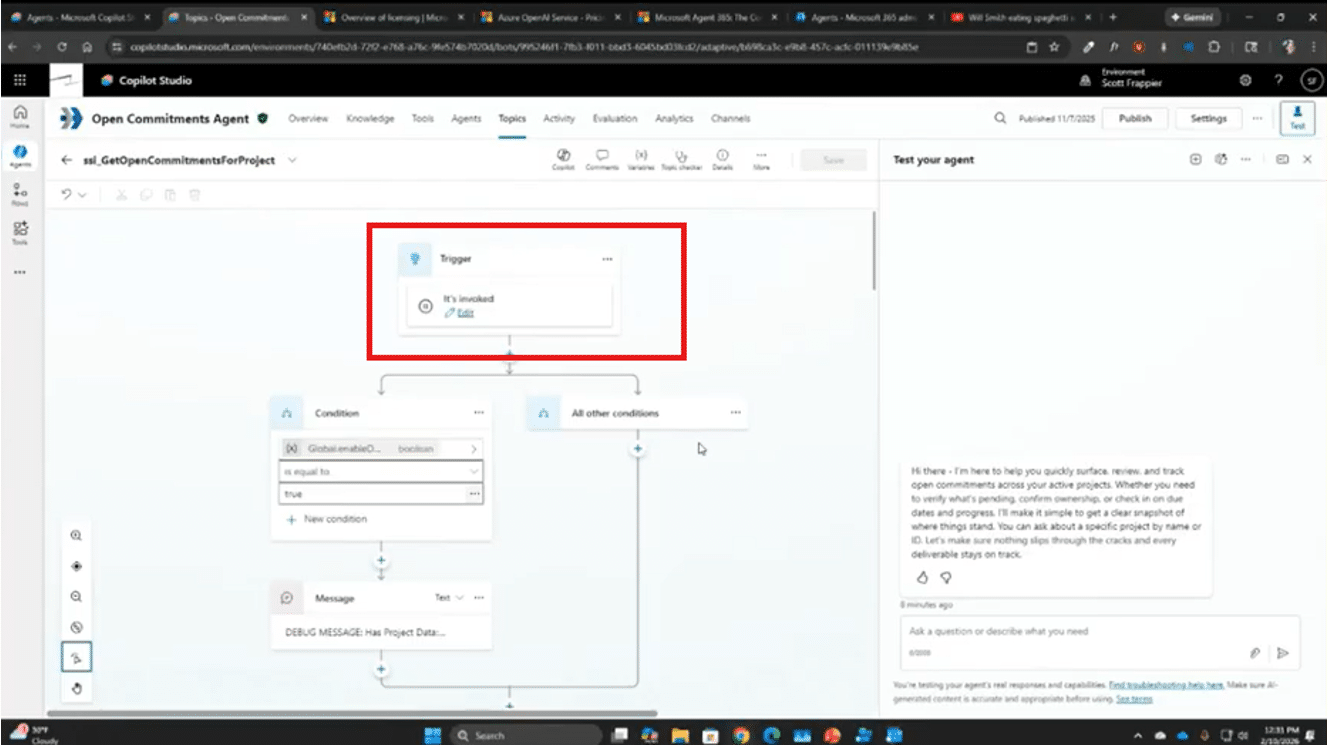
This means agents can respond to events across your entire business ecosystem. Some examples of common triggers include:
- Triggering an agent when a new order is created
- Retrieving customer account data
- Sending automated alerts
- Updating system records
You can also set up different conditions for the agent workflow. For example, if you have a Power Automate agent flow that triggers when a company receives an open commitment for a project. You can set up a condition or requirement that forces the agent to access your system and retrieve all related data for the project, store it, and use it in other processes.
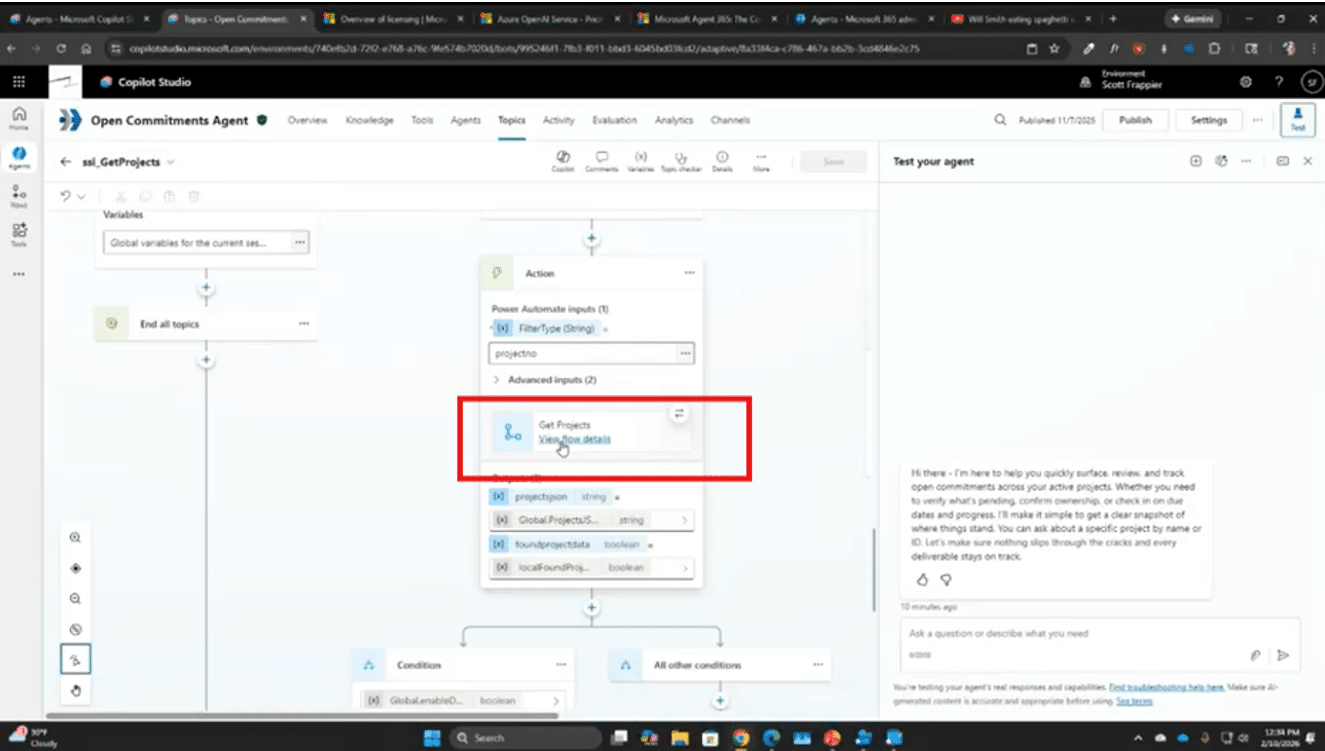
To do this, you simply need to go into your agent in Copilot Studio, select “Add a tool” and then “New agent flow.”
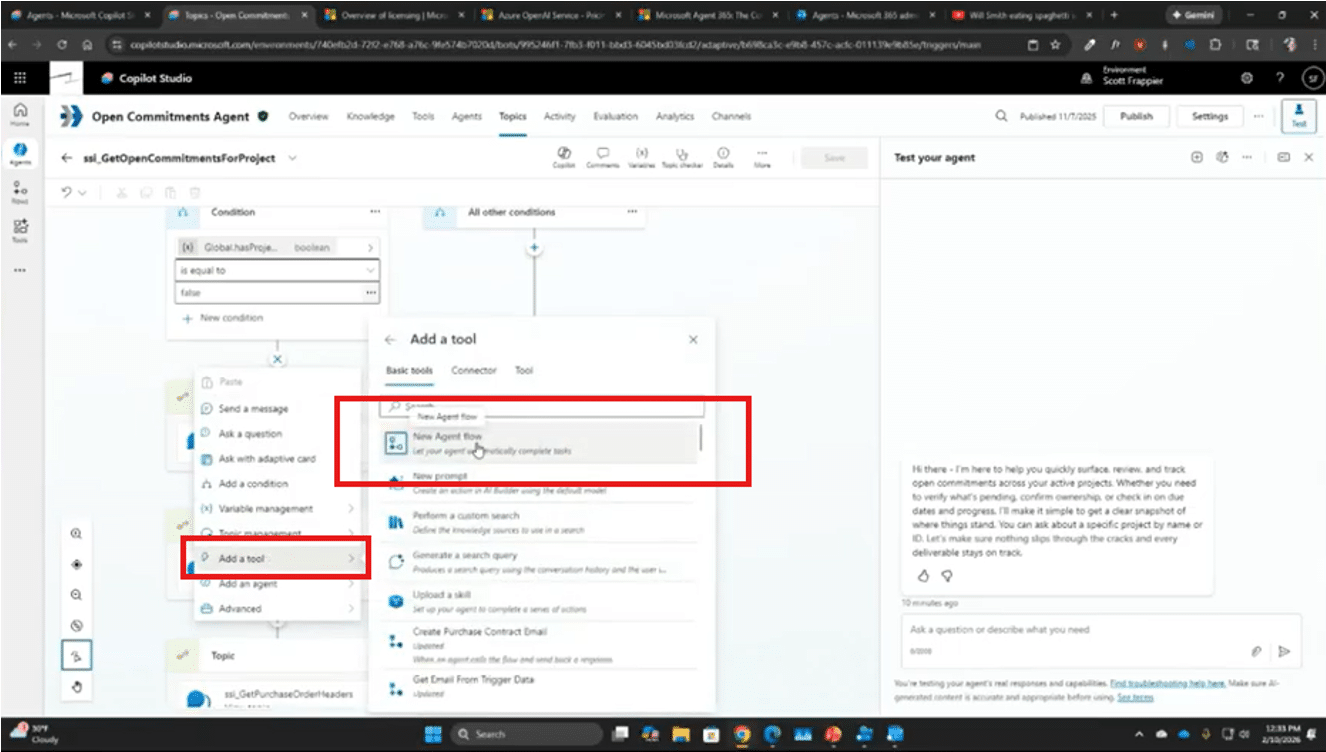
For the agent in this example, we added a flow called “Get projects”, which pulls in related information. If you want to change or edit anything within the flow (whether it’s an existing flow or a new one that needs to be structured), you can click on “View flow details” and make those edits directly through Power Automate within Copilot Studio.
Power Automate Improves Data Quality for AI
AI performs best when data is clean, optimized and formatted in a way that makes it easy to find. Having data that is in a state of disarray is one of the most common issues we see with clients who are designing agents.
Really, it’s something that your organization should focus on anyway. Cleaning up your data and optimizing it for AI not only makes it easier for agents to use, but it also helps your team members work more effectively as well.
Power Automate can help with this by:
- Formatting data correctly
- Removing unnecessary elements
- Structuring data for better AI interpretation
For example, tab-separated or comma-separated values often perform better than JSON or XML because they reduce unnecessary formatting overhead.
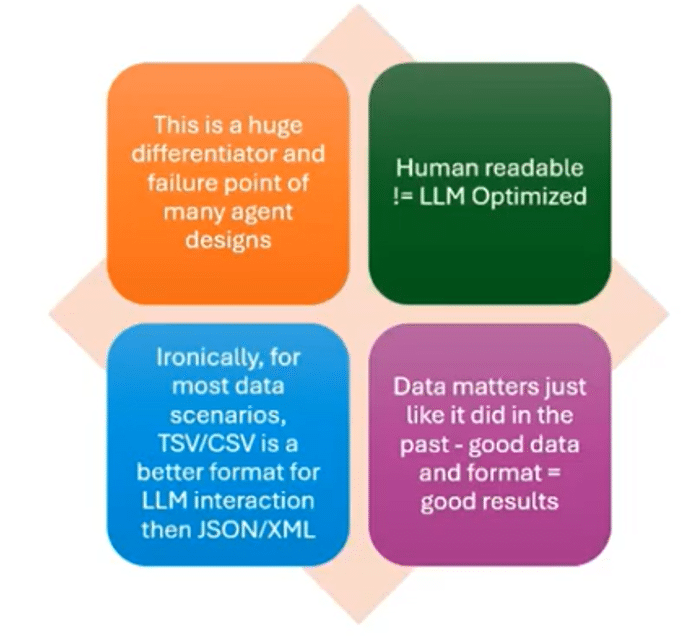
This improves what’s known as Multi-Round Co-Reference Resolution (MRCR). In simple terms, MRCR tests an AI model's ability to identify and distinguish between multiple – and sometimes similar – entities within a dataset. This breaks your data down for the agent and determines how accurately it can recall and interpret information.
It also helps alleviate data overload, which can significantly impact the agent’s accuracy.
Scaling AI Builder: Increasing Efficiency and Reducing Costs
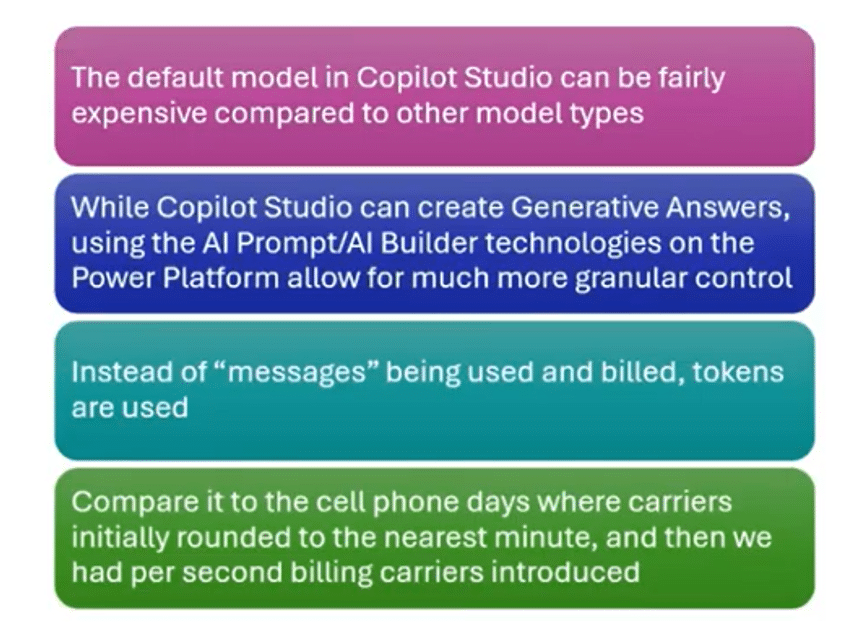
AI Builder enhances your agents by providing scalable prompt execution and AI processing capabilities. It allows you to execute prompts outside Copilot Studio, replace billed usages with a token system, reduce AI message costs, and improve scalability.
AI Builder Reduces Costs Compared to Copilot Studio Generative Messages
Copilot Studio generative messages can be expensive. AI Builder uses token-based consumption, which is often more cost-efficient. This allows organizations to scale automation affordably, optimize AI processing, and improve ROI. It also provides:
- Granular control over models through custom model tailoring, configuration, and management, allowing you to move beyond pre-built solutions to meet specific business needs and requirements.
- A greater ability to create extensive prompt structure, data formatting, processing logic, and output consistency. This boosts overall agent reliability and performance.
- Enhanced scalability and automation capabilities with seamless integration with other tools like Copilot Studio orchestration and Power Automate Workflows.
- Better cost effectiveness through a token system. 1000 tokens can serve the same function as spending $1 in Copilot studio, but those tokens only cost 1 cent in AI builder.
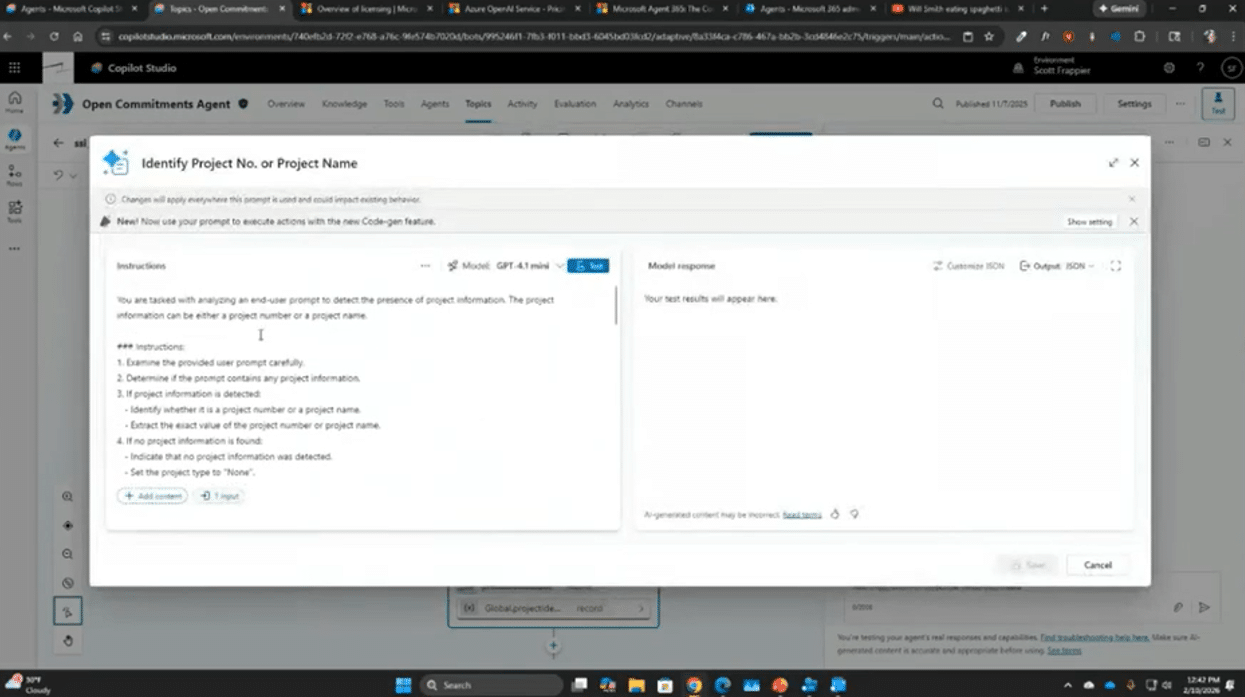
To exercise these abilities, you follow similar steps to adding a workflow. Click “Add a tool” then “New prompt.”
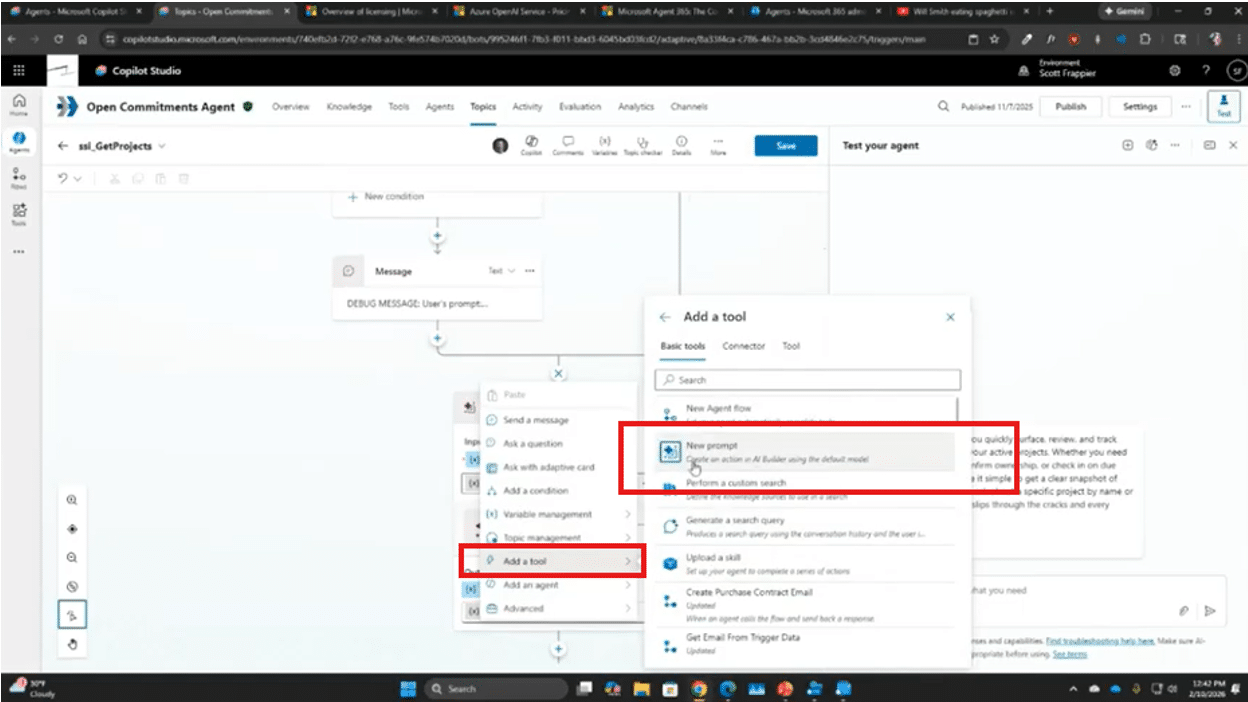
Once you are at the next screen, you can add all the details and instructions you need to make your prompt function effectively for your business.
Sneak Peek at Agent 365: The Future of AI Governance
Microsoft’s upcoming Agent 365 platform represents the next evolution in enterprise AI governance and control.
Agent 365 introduces centralized management for:
- Agent governance: Ensuring agents, like regular employees, meet mandatory governance requirements.
- Security controls: Manage who can create and edit agents.
- Standardized deployment management: You can set security levels and controls on who gets to deploy agents and where they deploy them
- Access permissions: Ensure that agents only access the data and environments they need to perform their workflows.
- Improved Security: Agents are protected by top-of-the-line cybersecurity tools like the rest of your system
- Better visibility: You will be able to view agent activity and keep track of their progress to identify areas of improvement.
Ready to Build Smarter Copilot Agents? Reach out to Stoneridge Software!
The Stoneridge team of experts can help you design intelligent agents with Copilot studio that work hand-in-hand with Power Automate and AI builder to optimize performance, lower costs, and scale AI across your organization.
Get in touch with us today to learn more!

Under the terms of this license, you are authorized to share and redistribute the content across various mediums, subject to adherence to the specified conditions: you must provide proper attribution to Stoneridge as the original creator in a manner that does not imply their endorsement of your use, the material is to be utilized solely for non-commercial purposes, and alterations, modifications, or derivative works based on the original material are strictly prohibited.
Responsibility rests with the licensee to ensure that their use of the material does not violate any other rights.