















Level Up Reporting with New Power BI Apps in Business Central
Your data isn’t just a collection of what has happened within your business; it’s a roadmap for where you’re going and how your business is performing.
One of the main challenges today is bridging the gap between raw numbers and actionable insights. Challenges such as disconnected systems, complex reporting setups, and limited data visibility can cause problems. This is where you can use Power BI apps for Business Central.
What You Need to Know About Business Central Report Packs
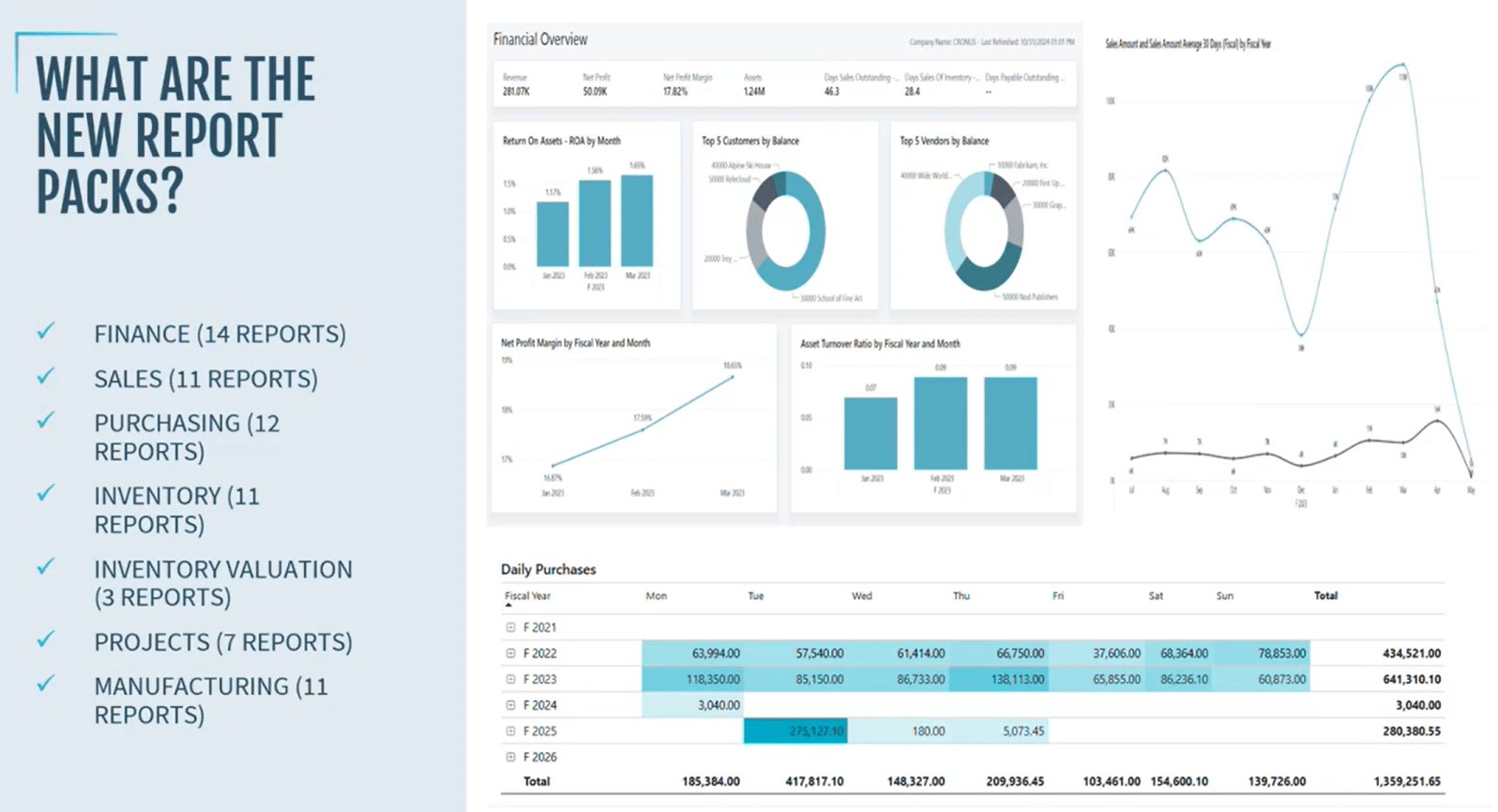
These pre-built, ready-to-use “report packs” make advanced reporting accessible to everyone, from executives to analysts, without requiring deep technical skills or complex data modelling. With just a few clicks, you can connect their Business Central data to Power BI and instantly access data-driven dashboards across finance, sales, manufacturing, and more — all automatically updated and maintained by Microsoft.
From Manual Reporting to Instant Insight
Historically, integrating Power BI with Business Central required a lot of heavy lifting. In order to access these tools together, you had to:
- Publish APIs.
- Connect web services.
- Build complex data models.
- Spend hours – or even days – with experienced developers creating semantic models, cleaning data, and building relationships between tables.
Overcoming Hurdles with the New Power BI
The new Power BI apps from Microsoft eliminate the need for all that manual setup. Instead, you can connect your Business Central data once, follow a simple wizard, and immediately start exploring dashboards. These apps are fully managed, continually updated, and completely plug-and-play.
That accessibility and user-friendliness are what make this update so effective. Whether you’re a CFO tracking profitability, a sales director monitoring trends, or a manufacturing manager optimizing production, these reports make meaningful data quickly accessible.
Additionally, you have the ability to embed these apps directly into Business Central so you can view your Power BI and ERP data at the same time. Essentially, it allows you to view and conduct all of your reporting from a single workspace.
What’s Included: Report Packs That Cover Every Corner of Your Business
Microsoft currently offers report packs for the most vital functional areas of Business Central, including:
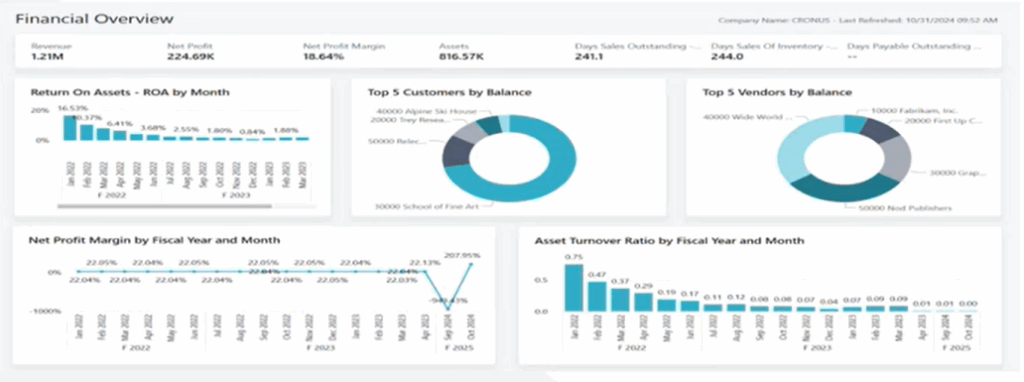
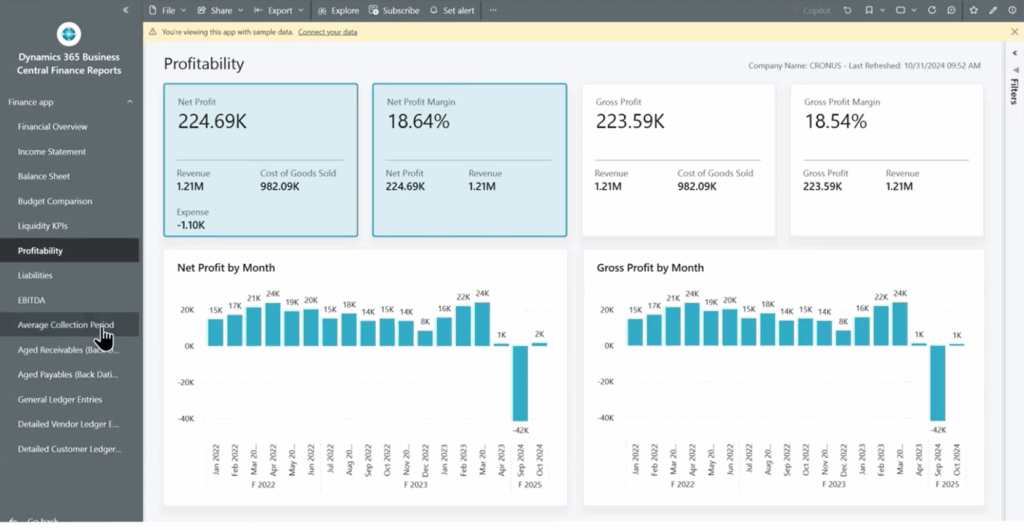
- Finance – Delivering detailed views of revenue, profit, and cash flow alongside high-level KPIs that reveal your organization’s financial health.
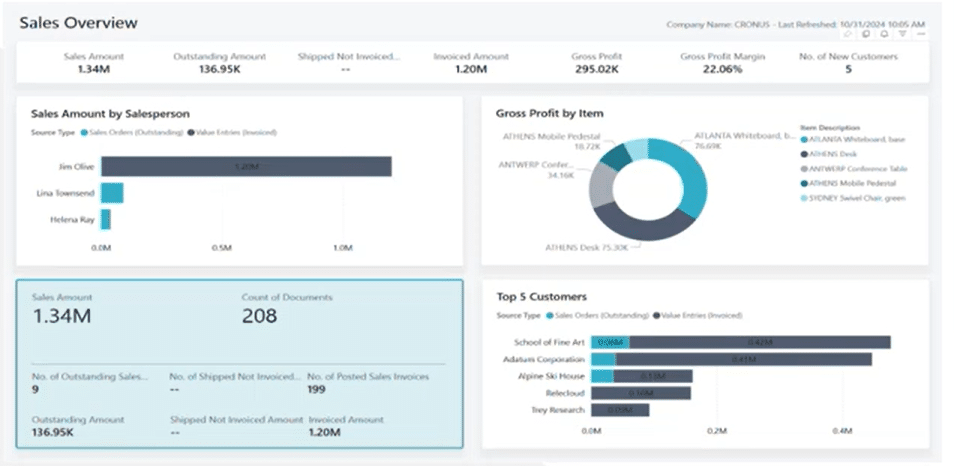
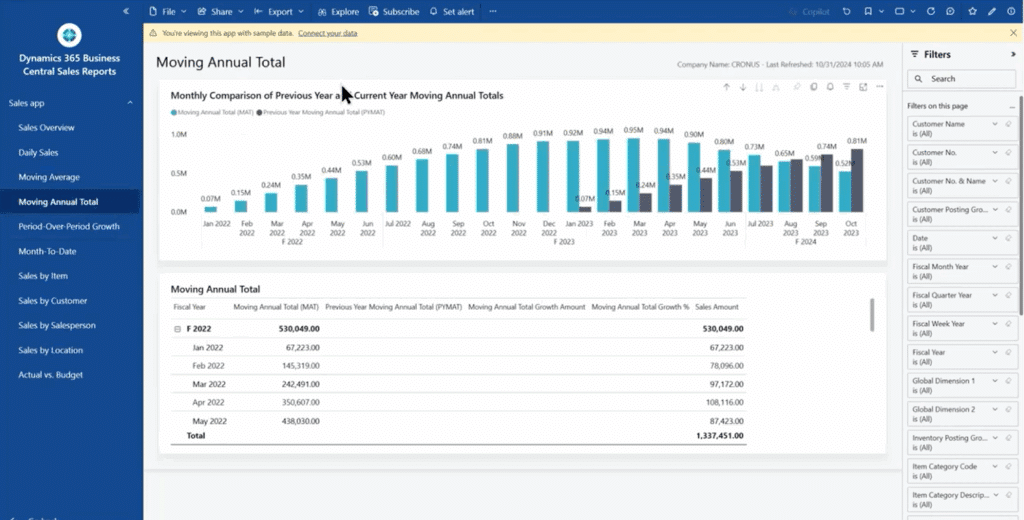
- Sales – Providing a clear picture of sales trends, top customers, product performance, and sales efficiency.
- Purchasing & Inventory – Offering insight into purchasing patterns, stock levels, and valuation across locations.
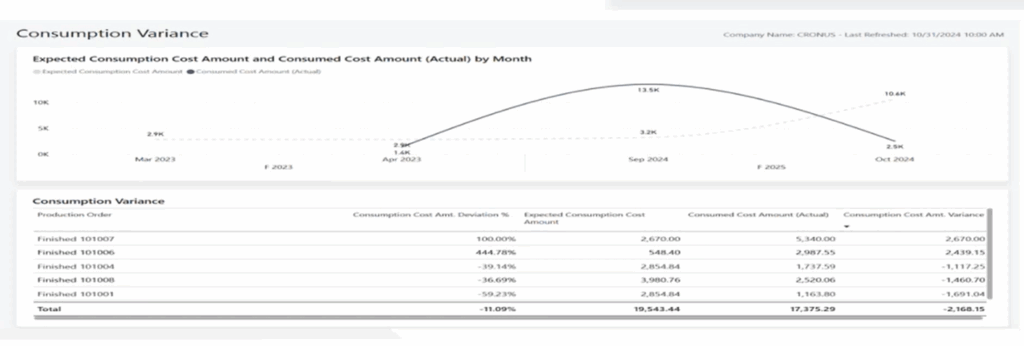
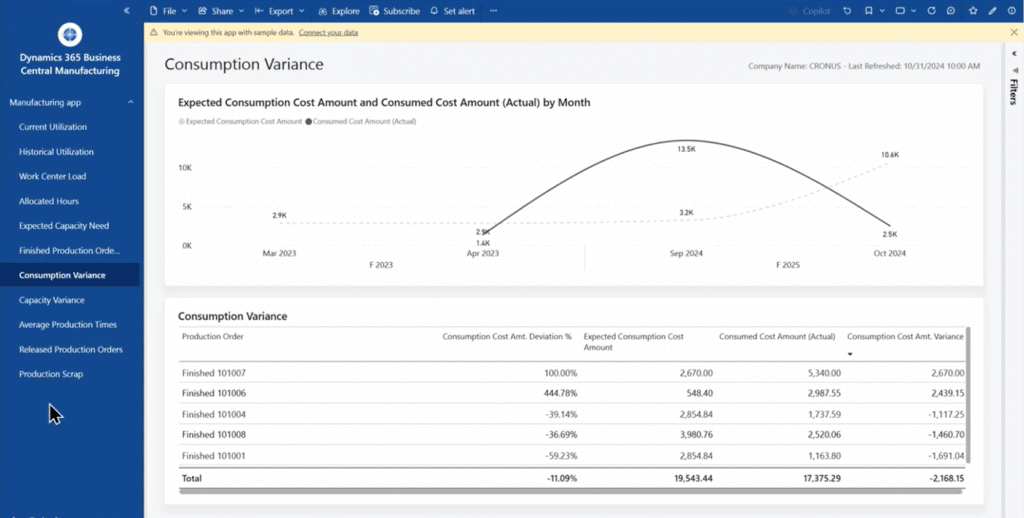
- Projects & Manufacturing – Helping operations leaders understand capacity utilization, production variance, and resource efficiency.
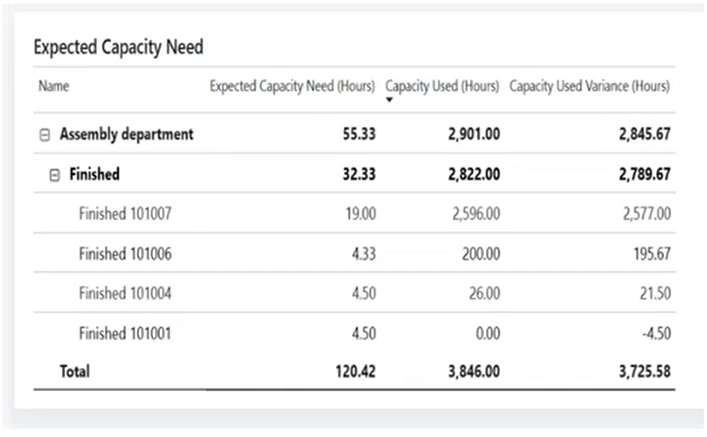
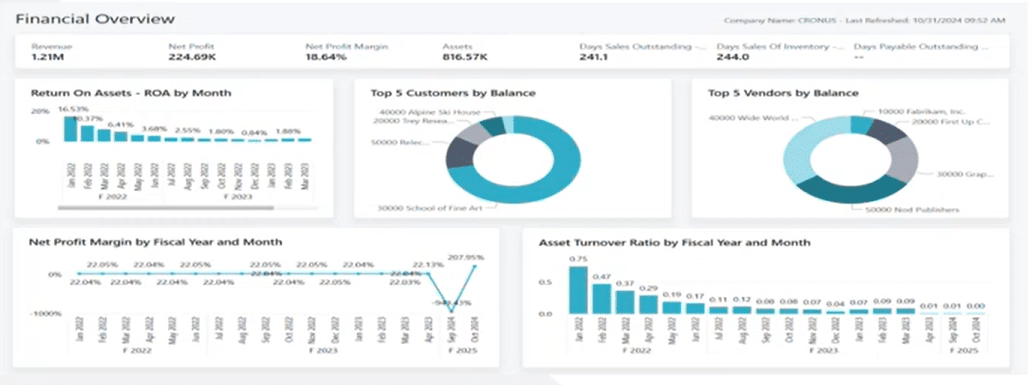
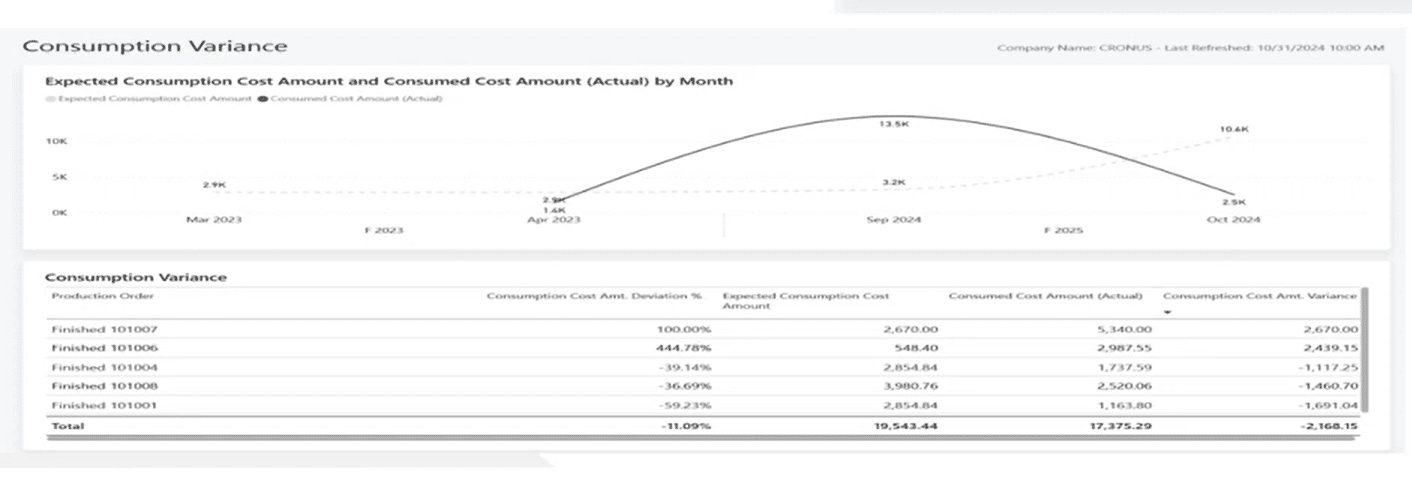
Each report pack contains a wide range of pages. For example, there are 14 for the Finance app and 11 for Sales, in addition to other smaller areas. Microsoft has also made it clear that these reports are just the first wave, as they plan on adding more soon.
Designed for Impact — Visually and Functionally
When processed and visualized properly, data tells a story of where your business has been and where it can go. Power BI’s new apps lean into that philosophy, using dynamic visuals to create dashboards that are as informative and visually appealing.
These reports include:
- Overview pages with KPI summaries for quick decision-making.
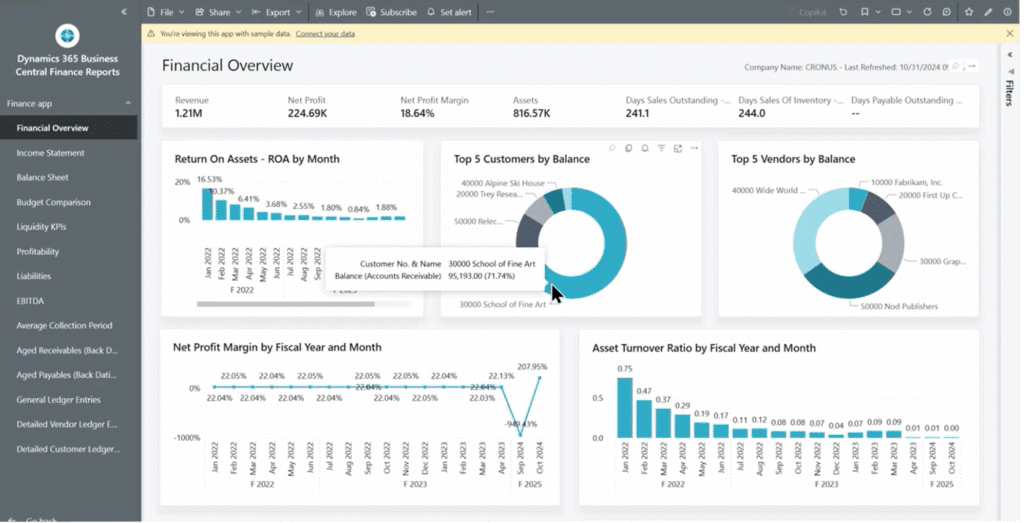
- Time-variance visuals to compare performance across months, quarters, and years.
- Drill-through features that let users move seamlessly from high-level summaries into detailed transaction data.
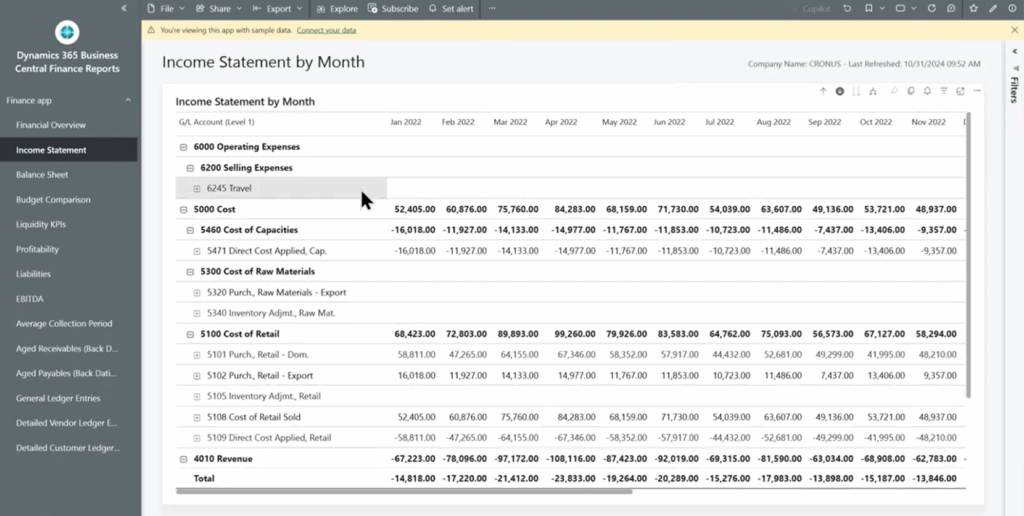
- Dynamic charts — including bar, line, donut, and time validation visuals — that bring data to life.
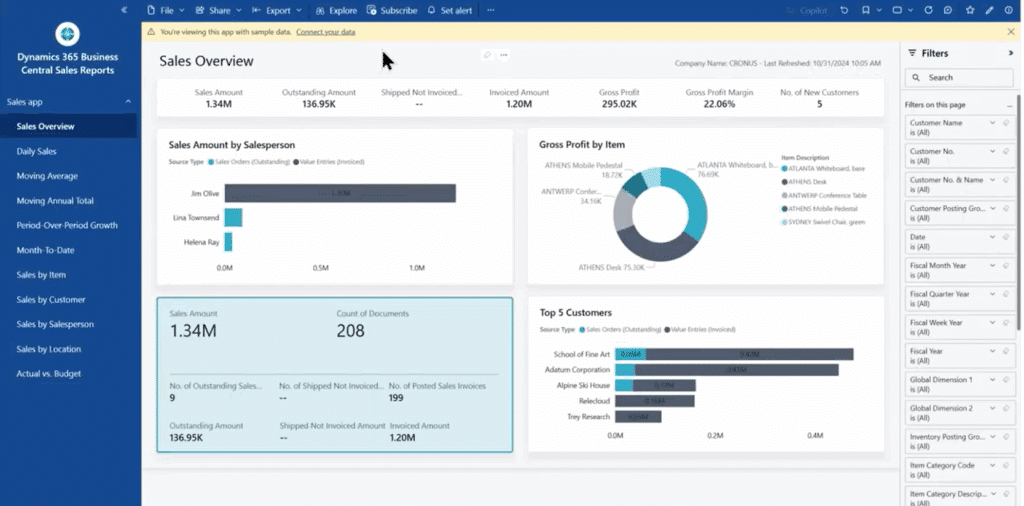
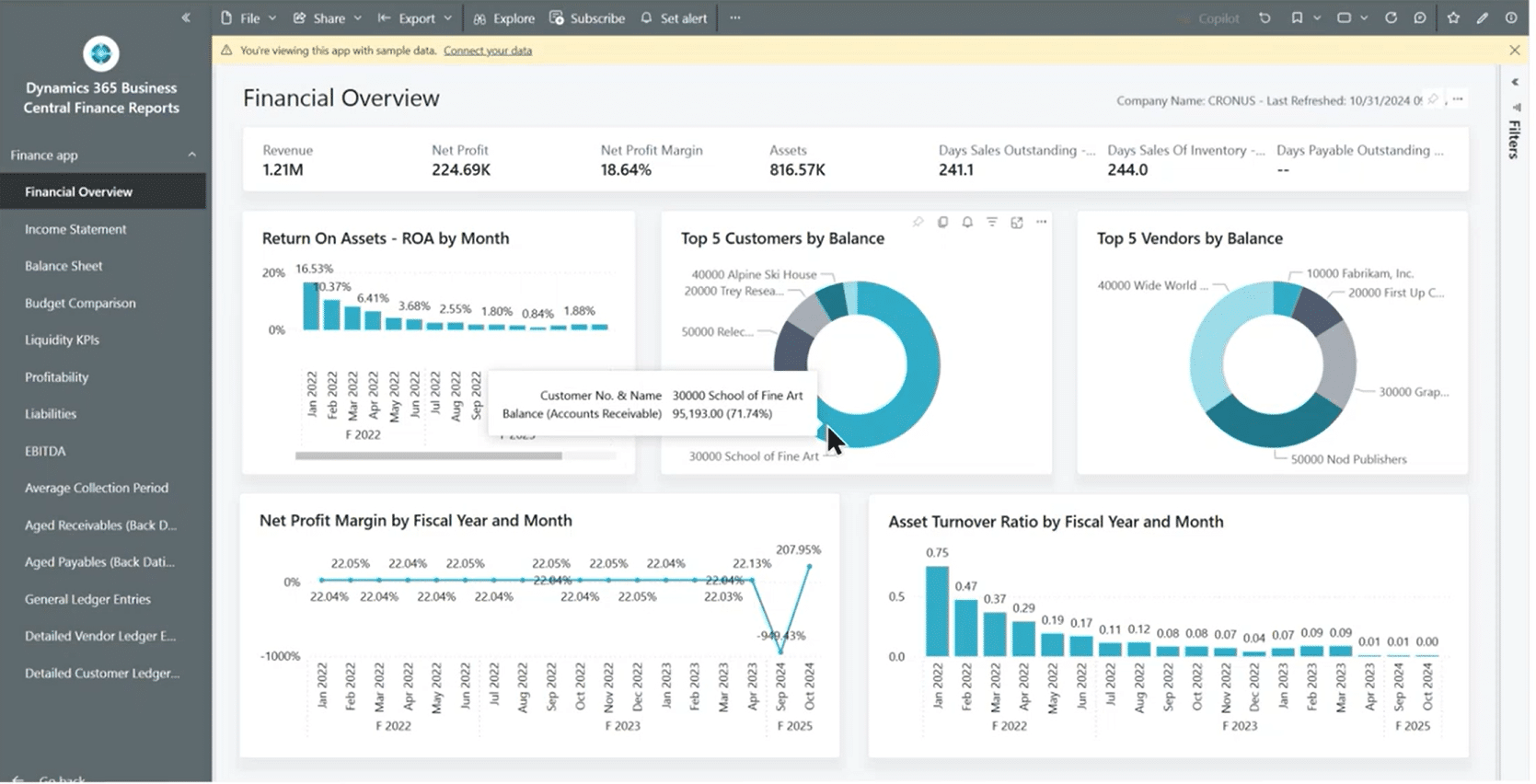
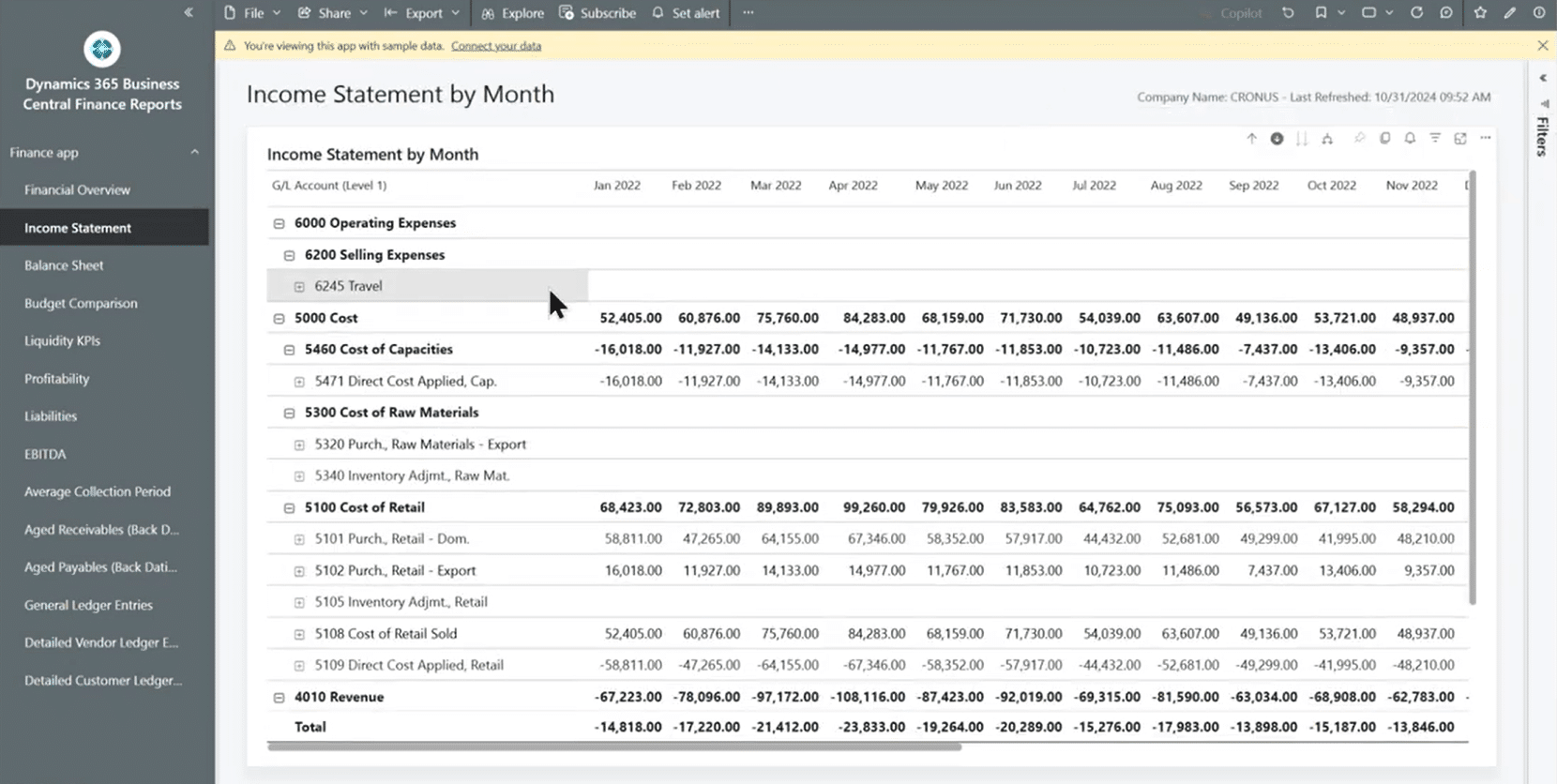
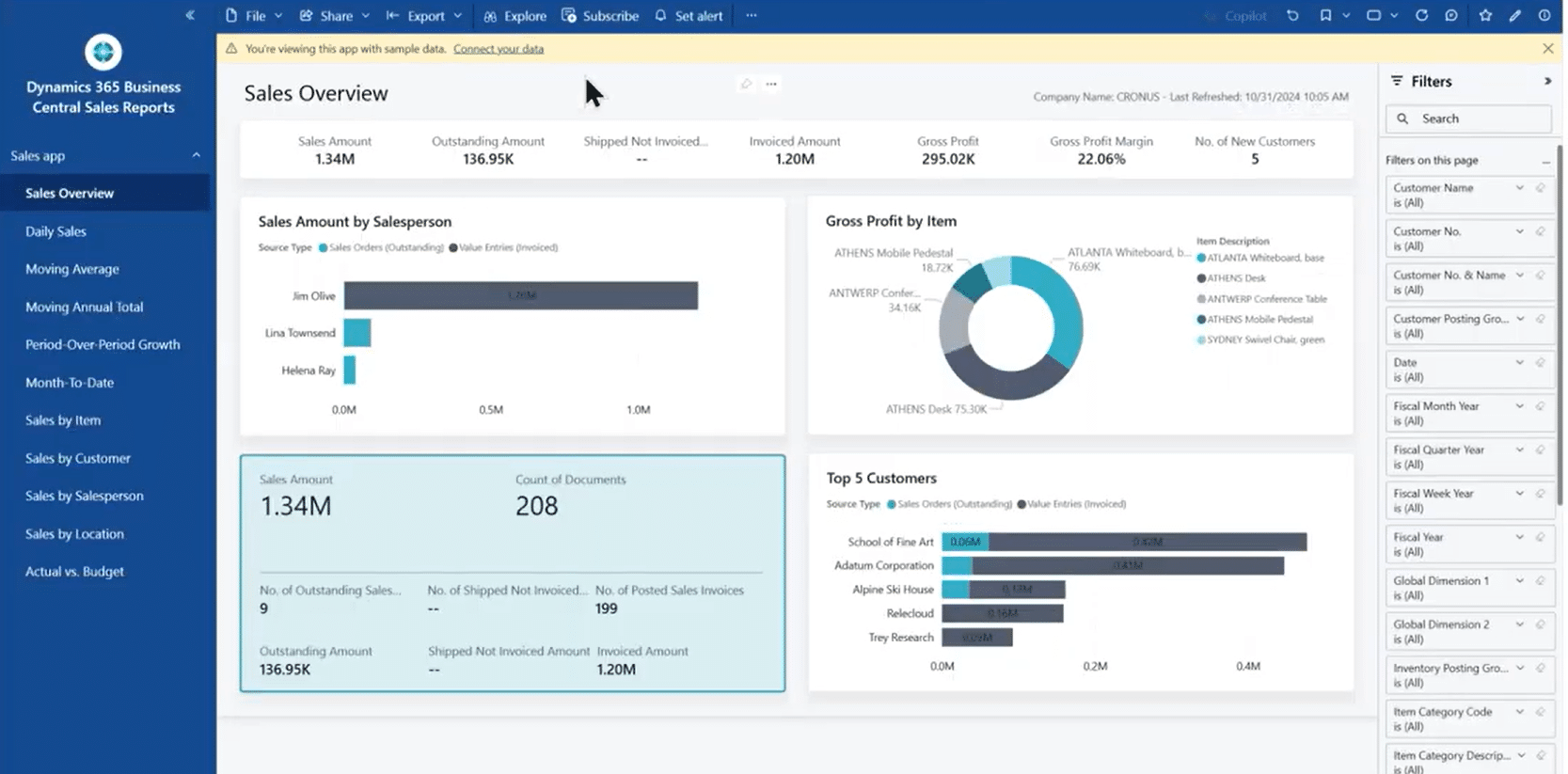
Each app follows a consistent structure: it starts with a clear overview page (like a Financial or Sales Overview) and then drills down into increasingly detailed views. You can navigate from company-wide profitability metrics down to line-item sales, seeing both the big picture and the granular details that drive it.
How these New Power BI Apps Benefit Your Business
Even for experienced Power BI developers, these apps offer undeniable advantages. Here’s why they’ve quickly become a must-have for Business Central users:
1. No More Heavy Data Modelling
Microsoft has already done the hard work — building relationships, measures, and calculations for you. There’s no need to worry about query folding, column creation, or semantic models. All you have to do is connect your data and go.
This saves you and your team a tremendous amount of time by eliminating time-consuming manual tasks.
2. Always Up-to-Date and Maintained by Microsoft
Whenever Microsoft updates Business Central or releases new Power BI features, those improvements flow automatically into your reports. That means no manual maintenance, no patching, and no rebuilding.
The usual resources you would deploy to do this work can now focus on more value-added tasks instead of routine maintenance.
3. Fast, Actionable Insights
In the past, executives waited days or weeks for analysts to build reports. Now, it takes just minutes to get high-level insights on revenue, expenses, or production efficiency — all from within the Power BI service.
The faster you get your data into an eye-catching and understandable format, the faster you can act on it to improve your business.
4. Perfect for Every Skill Level
Whether you’re a data-savvy developer or a business user who just wants answers, these apps deliver value right away. Developers can even use them as a foundation for customization, adding new visuals or combining data sources to build specialized reports.
Save money by eliminating the need to hire expensive developers or free up your developers to work on other tasks throughout your environment.
5. Completely Free (with Existing Licenses)
If you already have a Power BI Pro or Premium license and a Business Central subscription, there’s no extra cost. You can start using these apps immediately — no hidden fees or new subscriptions required.
Saving on licensing costs can have huge ripple effects on other areas of your business. Get in touch with the Stoneridge licensing team today to learn more.
How to Get Started
Getting up and running is simple and can be done in five steps:
- Go to the Power BI App Store (accessible from your Power BI service).
- Search “Business Central” to find Microsoft’s official report packs.
- Select the app you want — for example, Business Central Finance or Business Central Sales.
- Click “Get It Now” and follow the setup wizard.
- Connect your environment and company in Business Central.
Once the Power BI app and Business Central are connected, your data will instantly populate the visuals. You will see your company name and refresh dates appear at the top of reports, confirming the link is active.
Because the apps are built directly for the Power BI services, you don’t need to publish from the desktop version or push to a workspace. Everything runs in the app environment with no steps in between.
Real-World Applications Across Departments
These new Power BI apps aren’t just convenient; they’re transformative in how you can use your data to create actionable insights. Here are some examples of how business can use them in the real-world:
- Executives and Finance Leaders gain a comprehensive view of profitability, cash flow, and balance sheet performance at a glance. Drill-through capabilities make it easy to explore trends or anomalies instantly.
- Sales Managers can quickly identify top-performing products, underperforming regions, or new customer trends — empowering smarter, faster sales strategies.
- Operations and Manufacturing Leaders can track production efficiency, compare expected vs. actual output, and identify bottlenecks before they impact delivery.
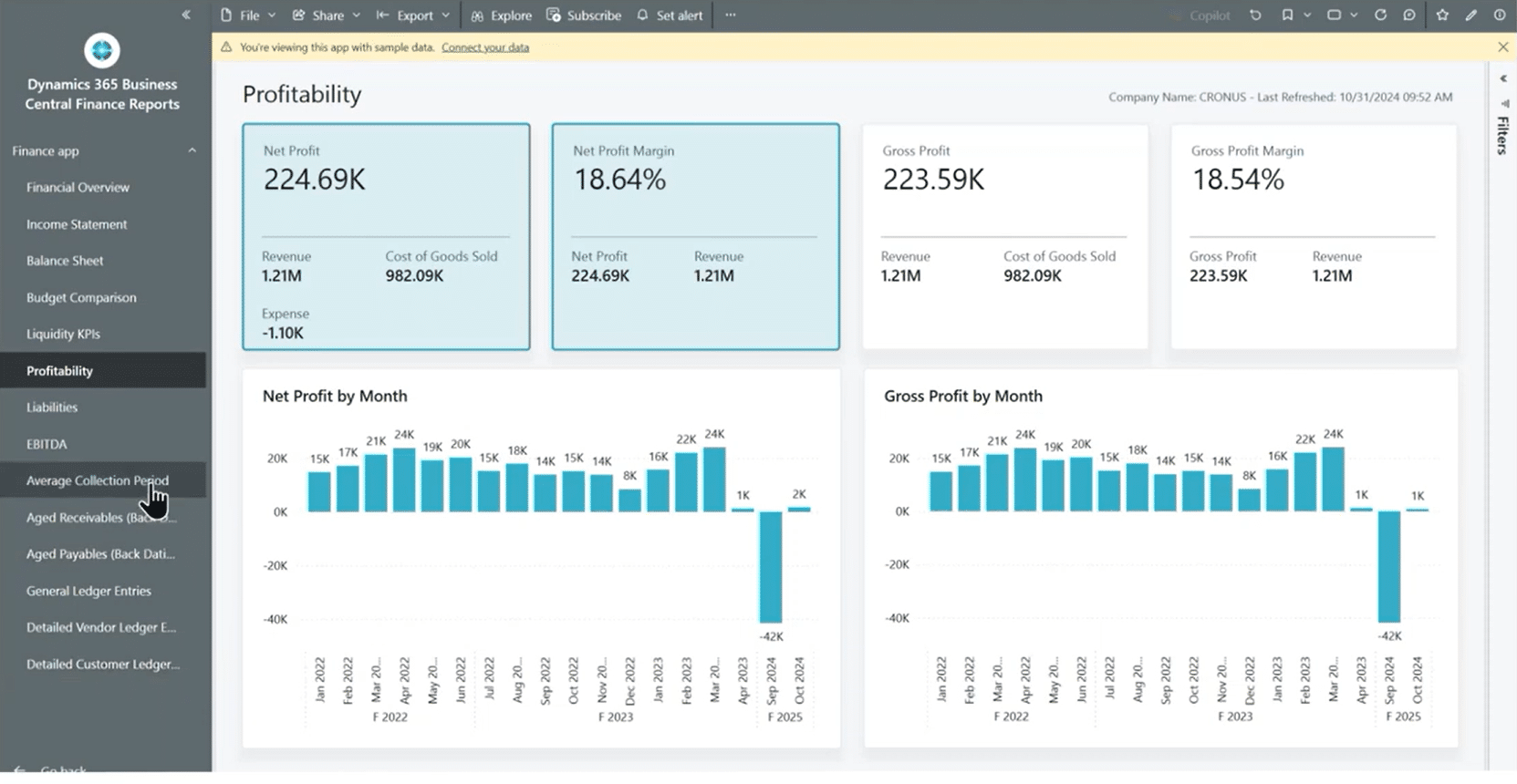
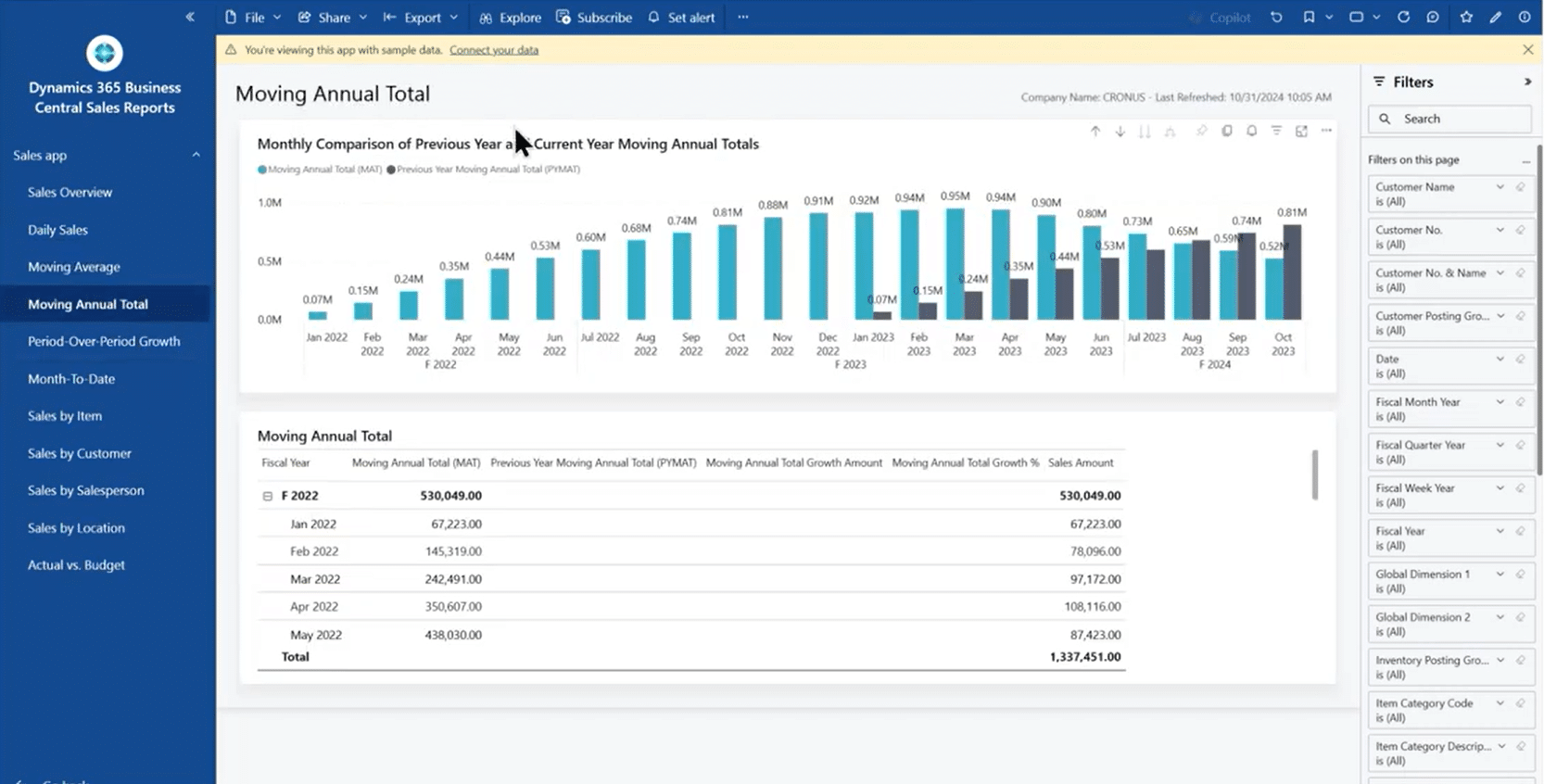
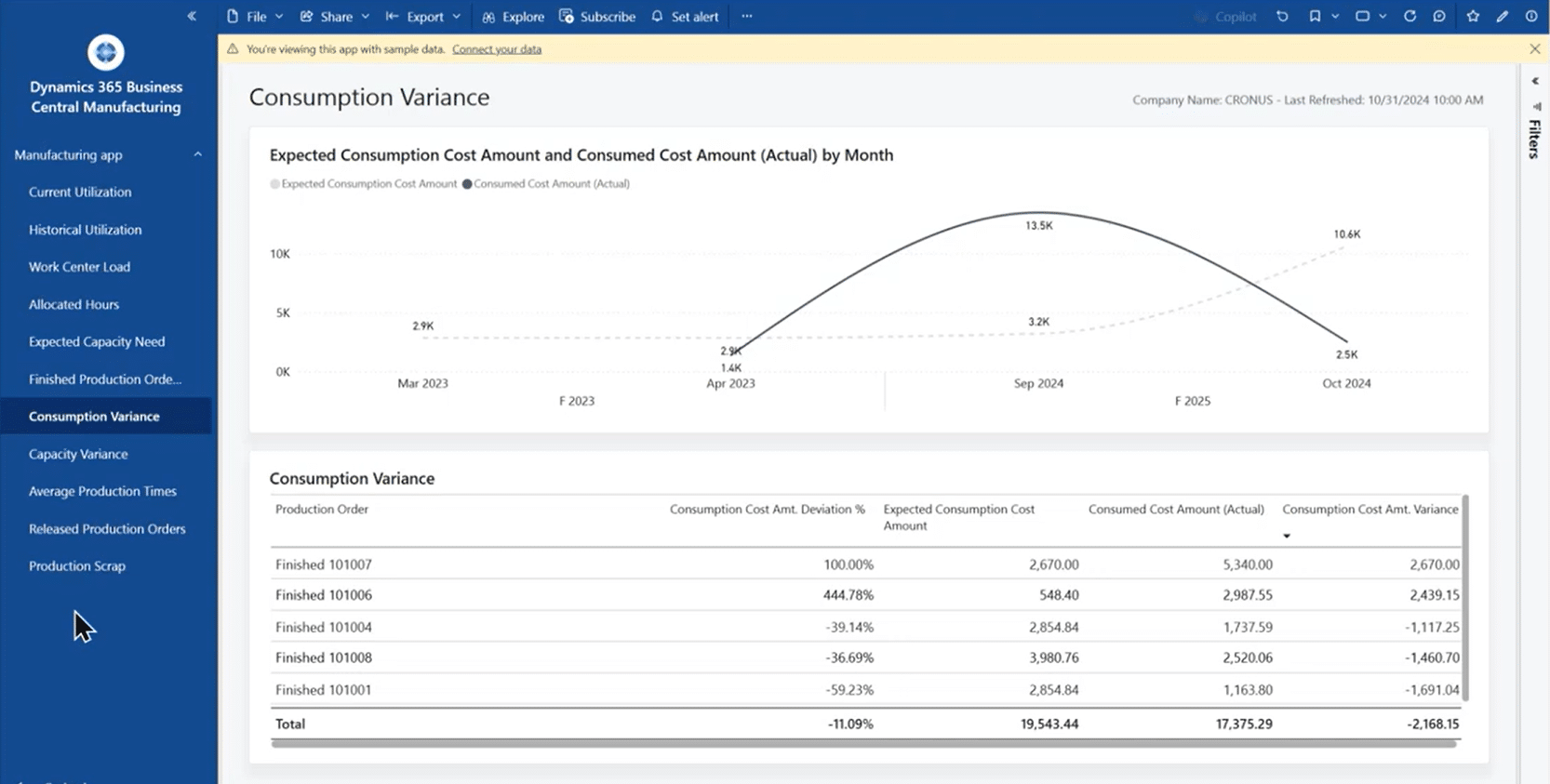
Each department benefits from real-time visibility and a shared source of truth — strengthening collaboration and aligning decisions across the entire organization.
Ready to Get Started with New Power BI Reports in Business?
For organizations that want to maximize their investment in Business Central, adopting these Power BI apps is a no-brainer. They are easy to use and continuously improving. They empower your users to make smarter data-driven decisions.
Get in touch with the Stoneridge experts today to get started on Power BI reporting in Business Central.

Under the terms of this license, you are authorized to share and redistribute the content across various mediums, subject to adherence to the specified conditions: you must provide proper attribution to Stoneridge as the original creator in a manner that does not imply their endorsement of your use, the material is to be utilized solely for non-commercial purposes, and alterations, modifications, or derivative works based on the original material are strictly prohibited.
Responsibility rests with the licensee to ensure that their use of the material does not violate any other rights.