















Connecting Systems with MCP and Copilot Studio – Part 3: Do More with Dataverse
The value of AI doesn't come from simply having another place to ask questions. It comes from giving AI access to the business context it needs to understand those questions and respond intelligently.
That's the role Model Context Protocol (MCP) is designed to play.
What is Model Context Protocol?
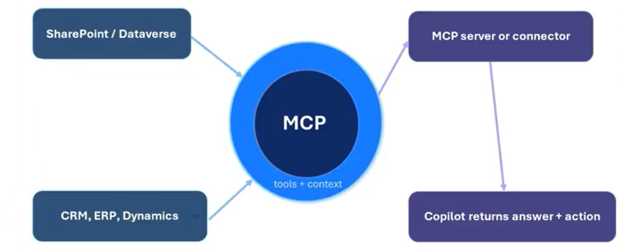
MCP is a standardized layer that allows AI applications to interface with other systems. Think of it like a USB port: instead of requiring every AI application to learn a completely different way of communicating with every business system, MCP provides a common interface built around tools, context, inputs, and outputs.
How Does MCP Work Within Microsoft Dataverse?
Using MCP becomes particularly interesting with Microsoft Dataverse.
Dataverse already contains the structured business information that powers many Dynamics 365 and Power Platform applications. For example, in a Dynamics 365 Sales environment, that might include accounts, opportunities, revenue, close dates, sales stages, and other information. The challenge isn't necessarily having the data. The challenge is building automations that can intelligently determine which information matters when the business question changes.
Traditional automation often relies on predefined queries and hard-coded decisions: which tables should be searched, which fields matter, and which filters should be applied. That can work well when the question never changes. But salespeople rarely ask the same question every time.
They're more likely to ask:
Which opportunities should I pay attention to right now?
MCP changes that dynamic by giving an AI agent runtime access to the Dataverse schema and data. Instead of embedding every query into a flow, the agent can interpret the user's intent and reason about which data it needs.
This is the final part of our three-part series. Part 1 explored MCP in Business Central, while Part 2 covered Finance and Supply Chain Management. In this final installment, we'll look at Dataverse MCP, how it works in Copilot Studio and Visual Studio Code, and a practical opportunity-insights agent.

Dataverse MCP Overview, Prerequisites, and Setup
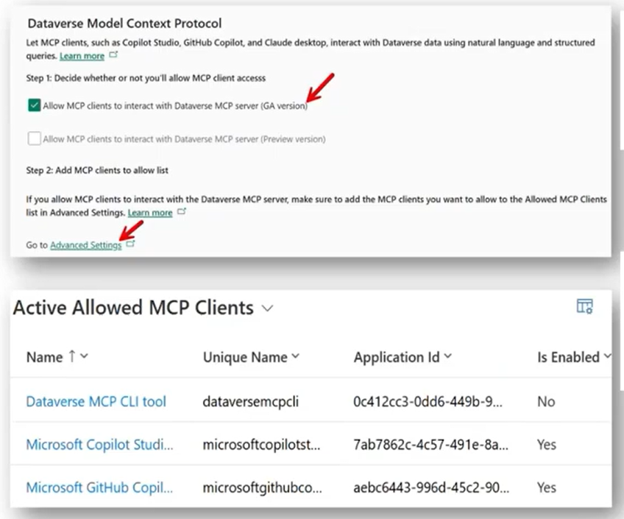
The setup for Dataverse MCP is relatively lightweight.
The environment needs to have Dataverse enabled. From there, the Model Context Protocol capability can be enabled through the environment's settings, and administrators can determine which clients are permitted to connect to the Dataverse MCP server. In the demonstration, those clients include Copilot Studio and GitHub Copilot in Visual Studio Code.
Security remains an important part of the configuration, as MCP connection respects the authenticated user's access. If a user doesn't have permission to access certain Dataverse information, the AI agent doesn't simply bypass those permissions.
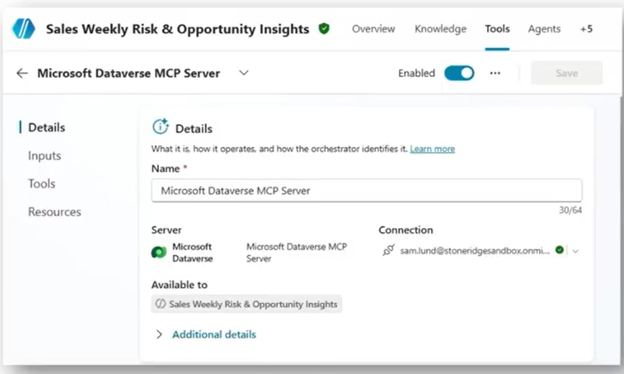
Within Copilot Studio, administrators can also determine which MCP tools an agent should have access to.
The Dataverse MCP server provides tools for working with tables, schema information, records, and queries. Not every agent needs every capability. For example, an opportunity-insights agent that only needs to analyze sales information has little reason to have the ability to delete tables or records. Limiting the available tools reduces unnecessary access and helps keep the agent focused on its intended purpose.
That principle is worth keeping in mind as organizations begin experimenting with MCP:
Give the agent the tools it needs, not every tool available.
Dataverse MCP in Copilot Studio and Visual Studio Code
For our use case, we’ll look at sales pipeline intelligence.
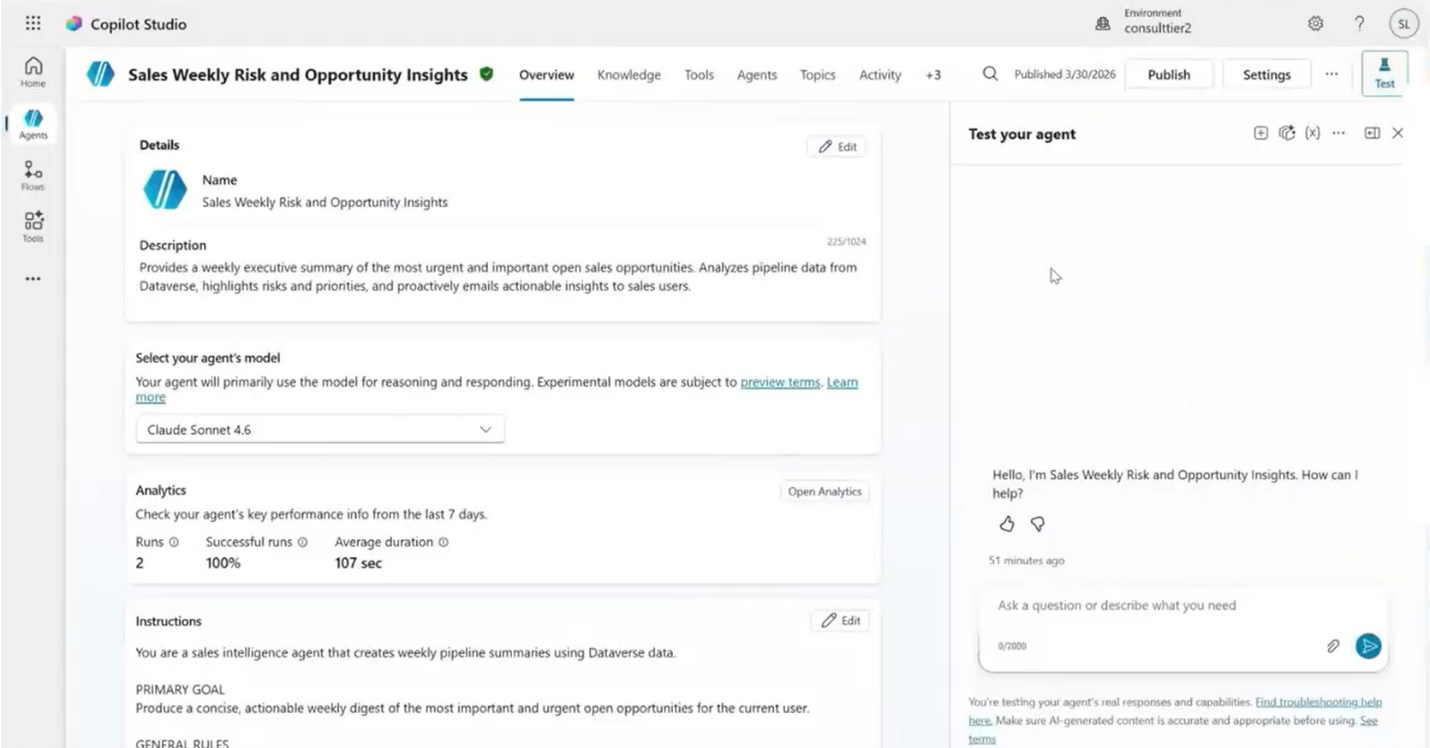
The goal is an agent that can analyze opportunity data, reason about it, and identify the opportunities salespeople should focus on. The agent can operate interactively through Copilot Studio while also supporting an automated weekly report that summarizes the most important opportunities for the sales team.
Copilot Studio provides a low-code/no-code experience.
The Dataverse MCP server can be added as a tool, credentials can be configured, and individual tools can be enabled or disabled. The agent's behavior is then largely driven through its instructions rather than a collection of hard-coded topics and queries.
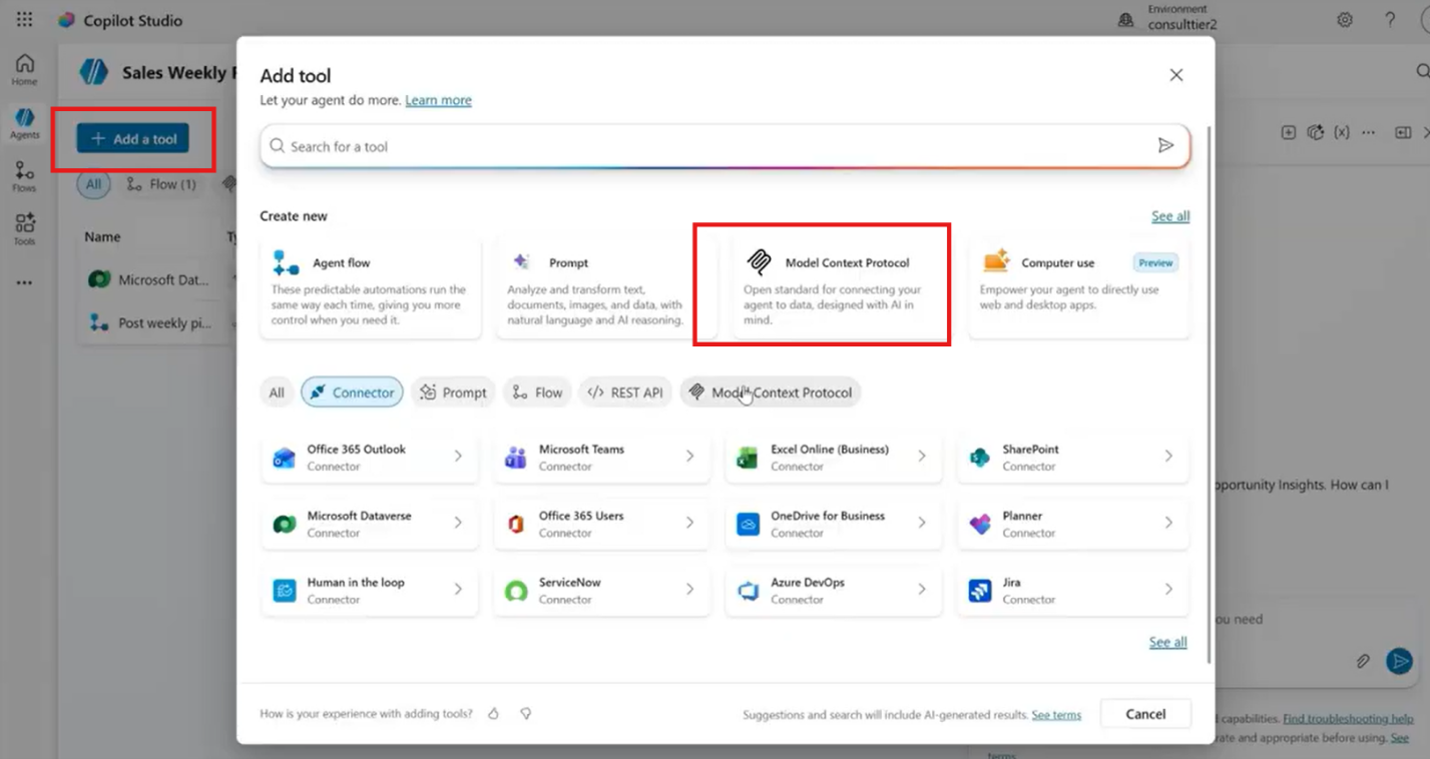
This is where MCP's reasoning capabilities become particularly useful.
The agent can inspect the Dataverse schema, understand available tables, and perform read queries based on natural-language requests. It can also be combined with traditional automation. In the demonstration, a Power Automate-triggered process runs every Monday, asks the agent for a weekly pipeline digest, and then uses deterministic logic to post the resulting report to a Teams channel.
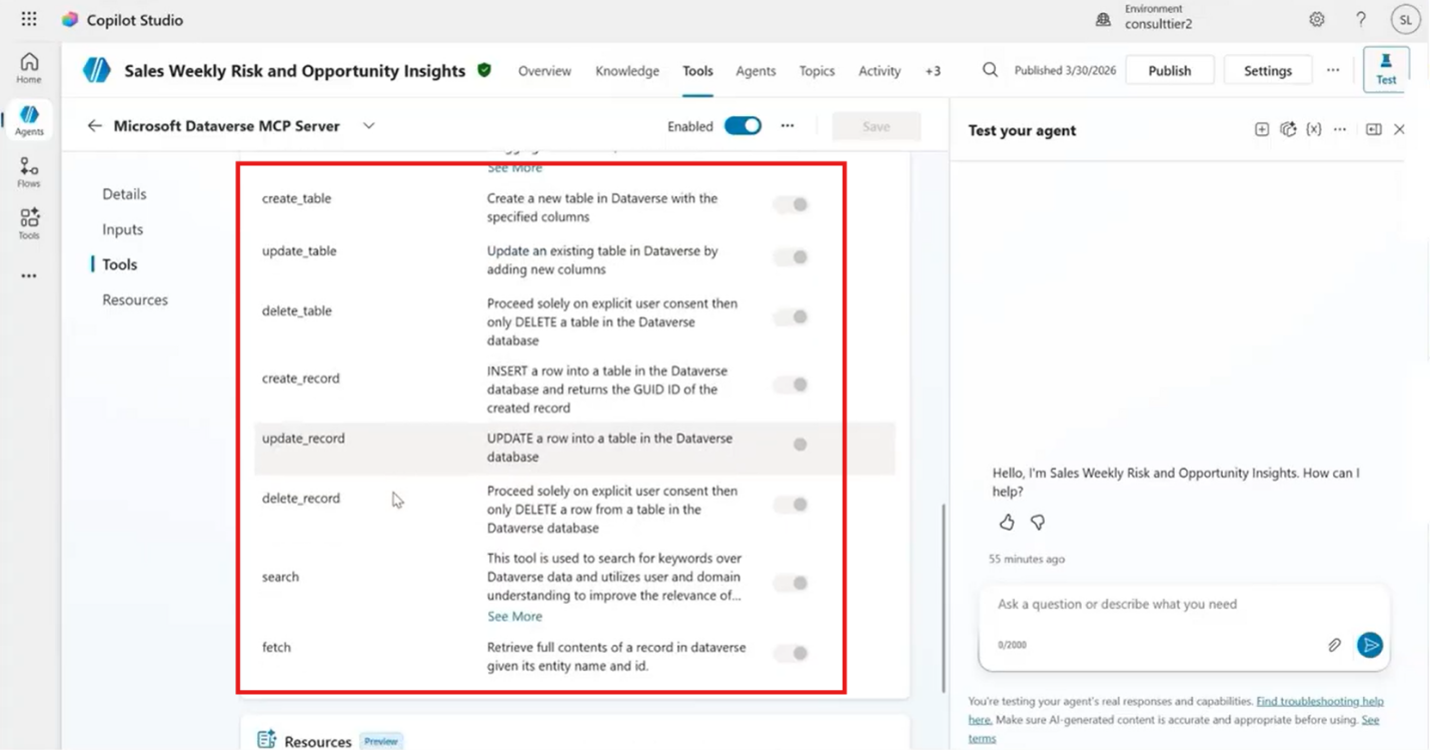
That combination is powerful.
MCP provides the reasoning. Traditional automation provides predictable execution.
Developers can also use the same Dataverse MCP connection through Visual Studio Code and GitHub Copilot.
Instead of leaving the development environment to navigate CRM or build an advanced find query, a developer can ask GitHub Copilot questions about Dataverse data and schema directly. The demonstration uses queries for open opportunities and retrieves information while maintaining the user's existing permissions.
That can make development considerably less friction heavy.
Demo: Dataverse MCP in Copilot Studio — Building an Opportunity Insights Agent
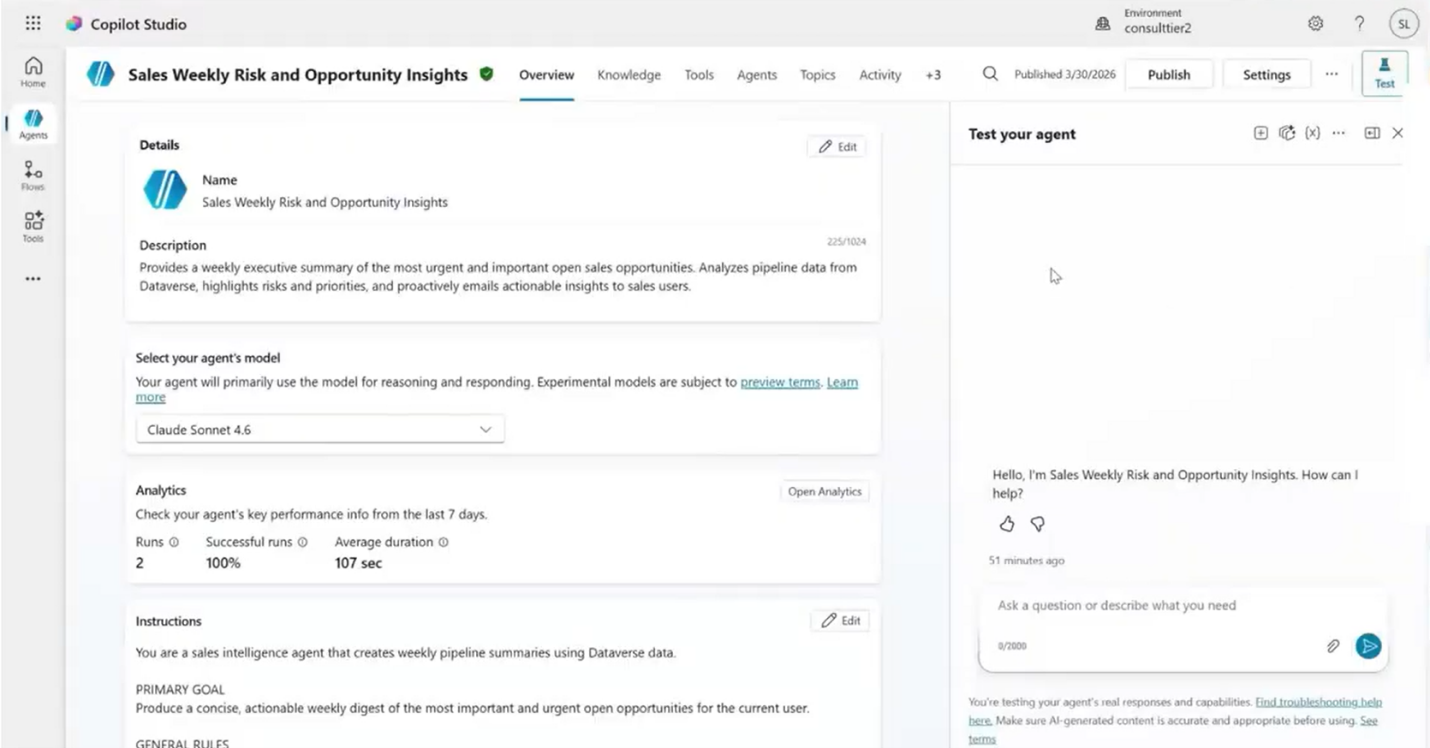
Let's look at the agent in action by creating a Sales Weekly Risk and Opportunity Insights agent. Its purpose is to identify important and urgent opportunities and generate a weekly summary for the sales team. First, we’ll ask the agent about the opportunity table.
Rather than requiring the developer to know the underlying schema, the agent can use its Dataverse MCP tools to describe the table and explain how it is structured.
Then comes a much more practical question:
How many open opportunities do we have?
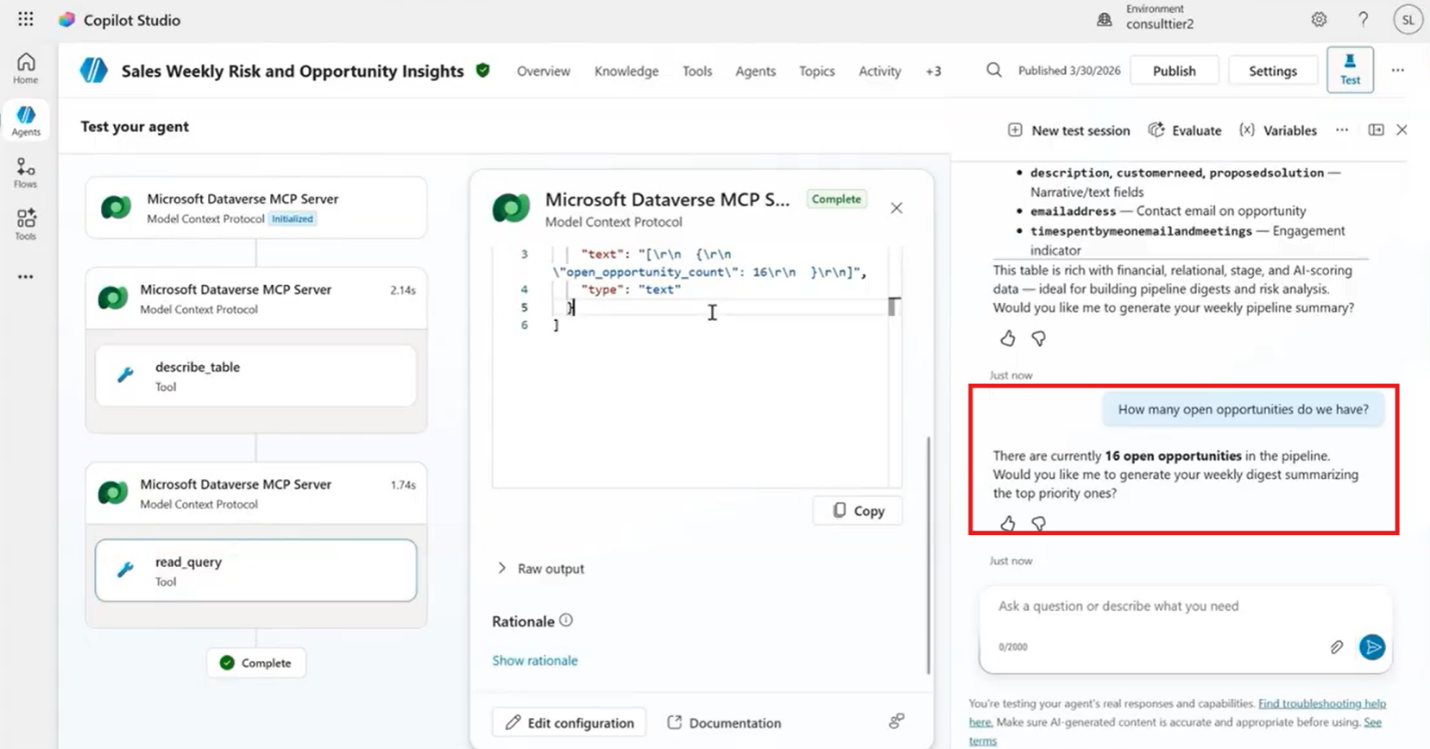
The agent uses a read query based on the natural-language request. Nothing has been hard-coded specifically for that question. The agent determines what information it needs and returns the result.
The most interesting request, however, is:
What should I focus on in my pipeline this week?
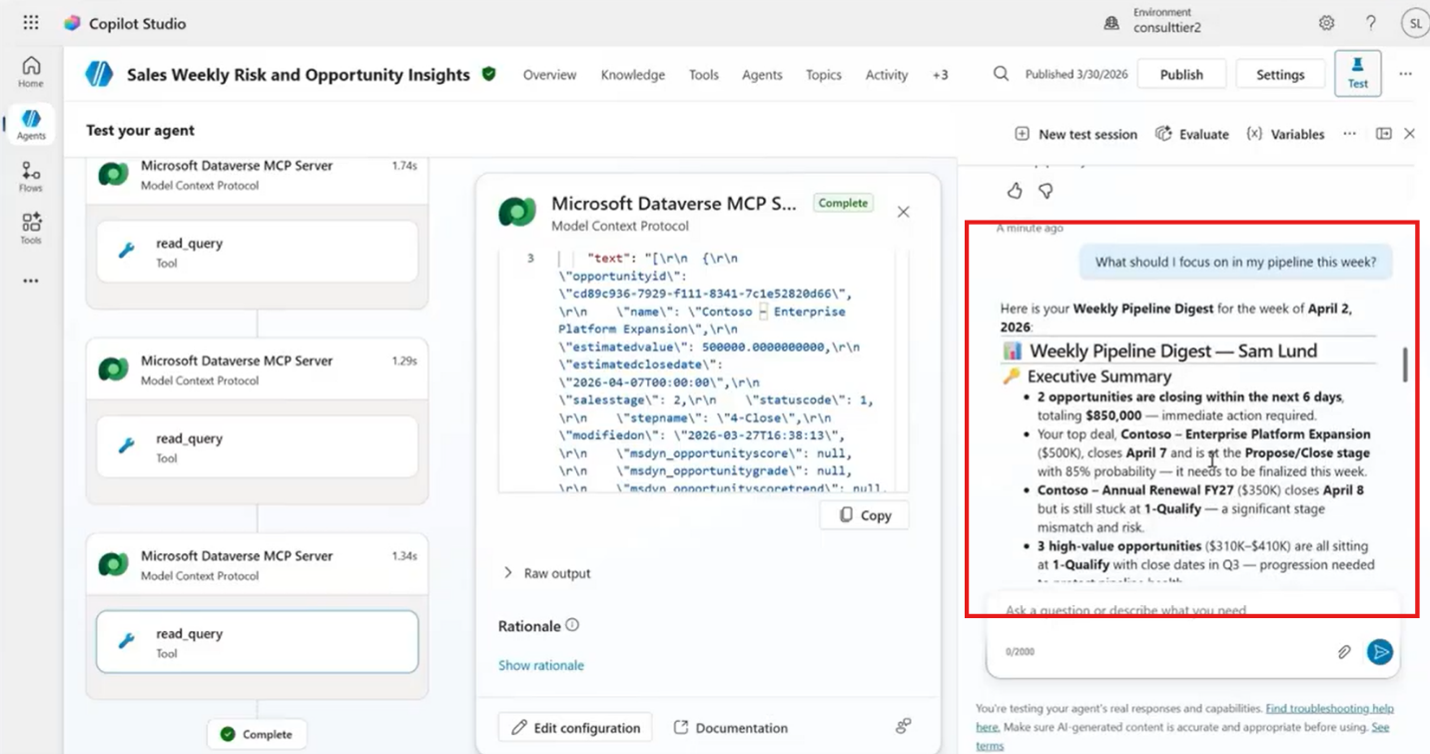
The agent looks across the open opportunities and considers information such as revenue, close dates, the last modification date, and sales stage. It then reasons over those factors to produce a prioritized report.
The resulting report can identify top priorities, opportunities that may be stalled, and links to the relevant records so salespeople can act. The automation takes this one step further with a weekly trigger that runs every Monday, sends the appropriate request to the agent, and then posts the resulting report to a Teams channel. The sales team receives the information automatically, along with links to the underlying opportunities.
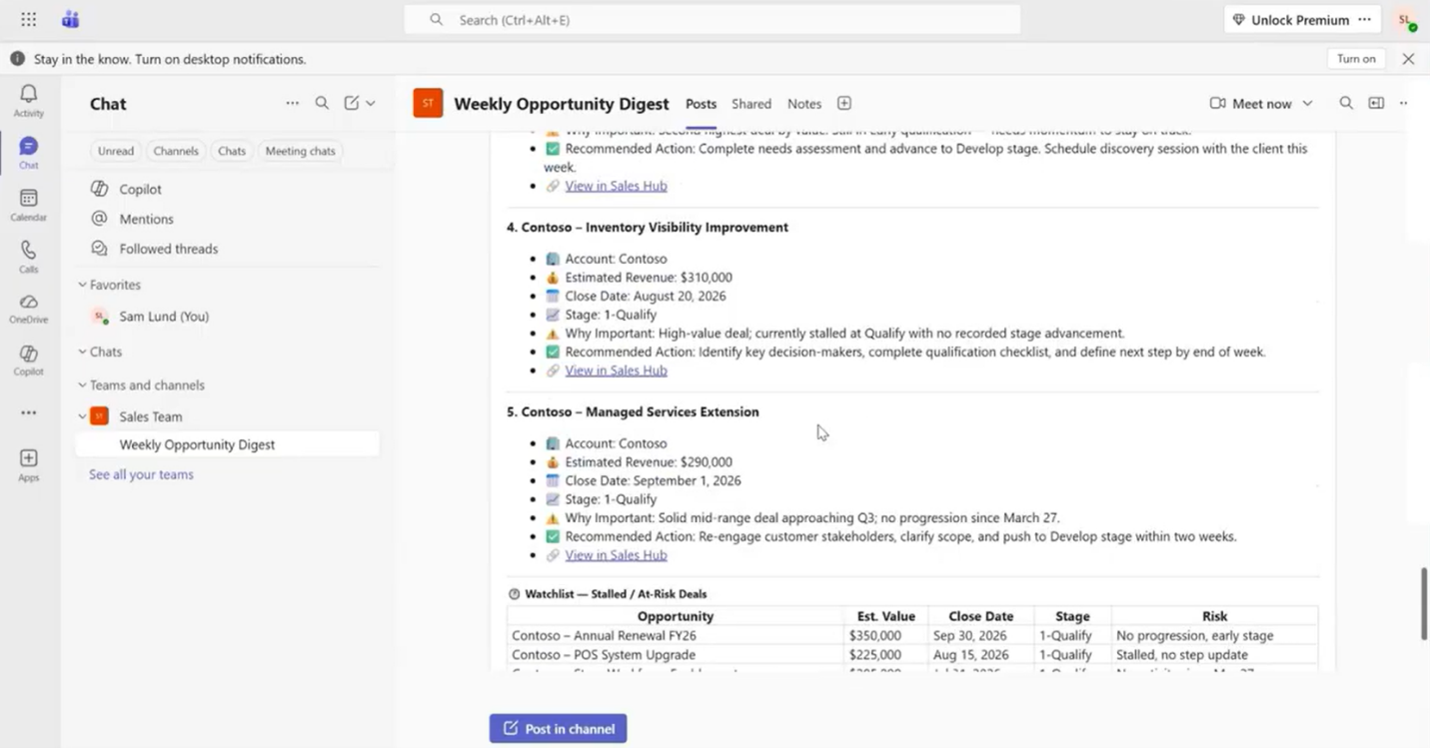
That's a very different experience from simply asking an AI chatbot to summarize CRM data.
The agent is effectively becoming an intelligent layer between the sales team and Dataverse. It can interpret the question, determine what data matters, reason over that data, and produce an actionable result.
Demo: Dataverse MCP in Visual Studio Code — Sample Queries and Use Cases
For developers, the same MCP connection opens another set of possibilities.
In Visual Studio Code, GitHub Copilot can connect to the same Dataverse MCP server used by the Copilot Studio agent. Developers can ask questions about records and schema without leaving their development environment.
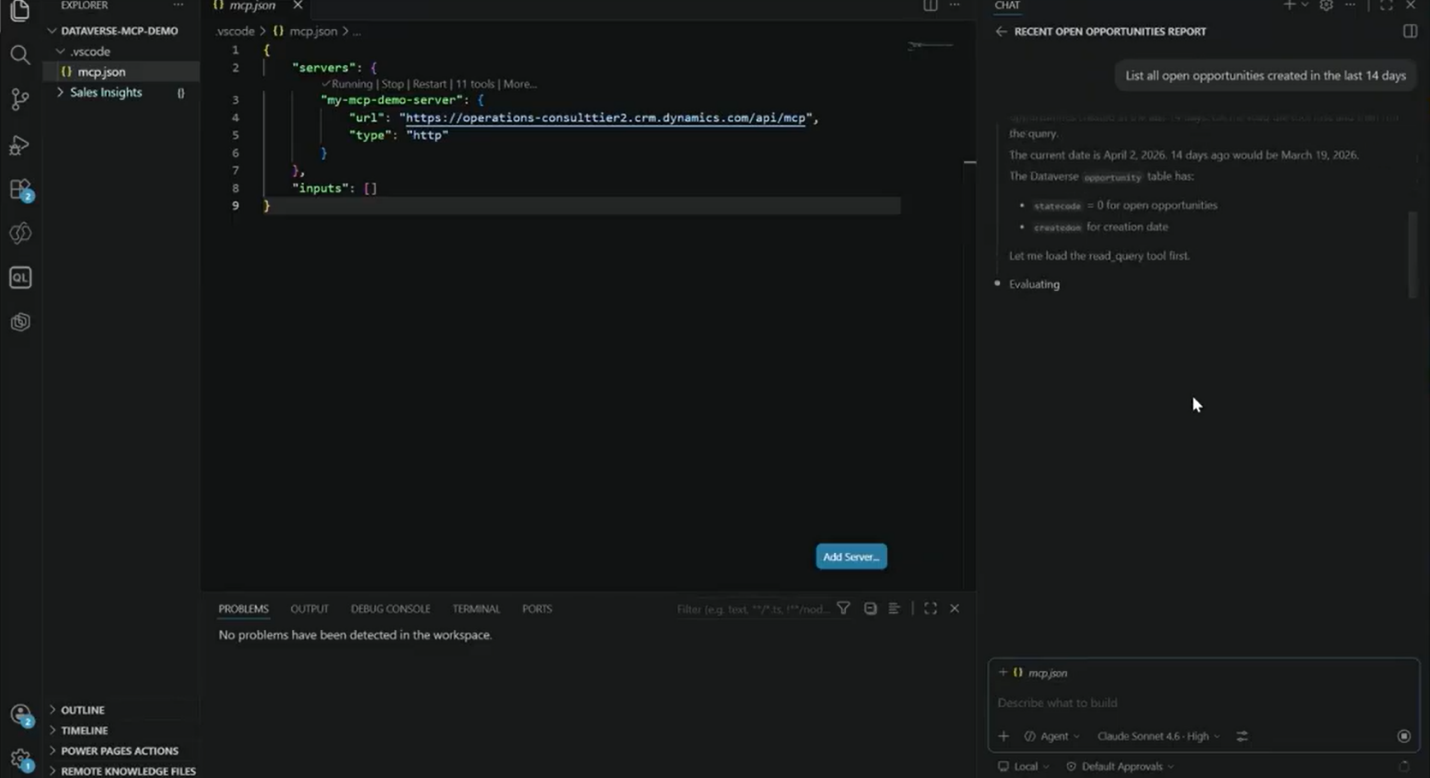
For example, a developer can ask:
- What opportunities have been created or modified recently?
- What information is available in the opportunity table?
- What fields are required to create an opportunity?
- What are the relevant record IDs?
- How should a particular Dataverse field be used in code?
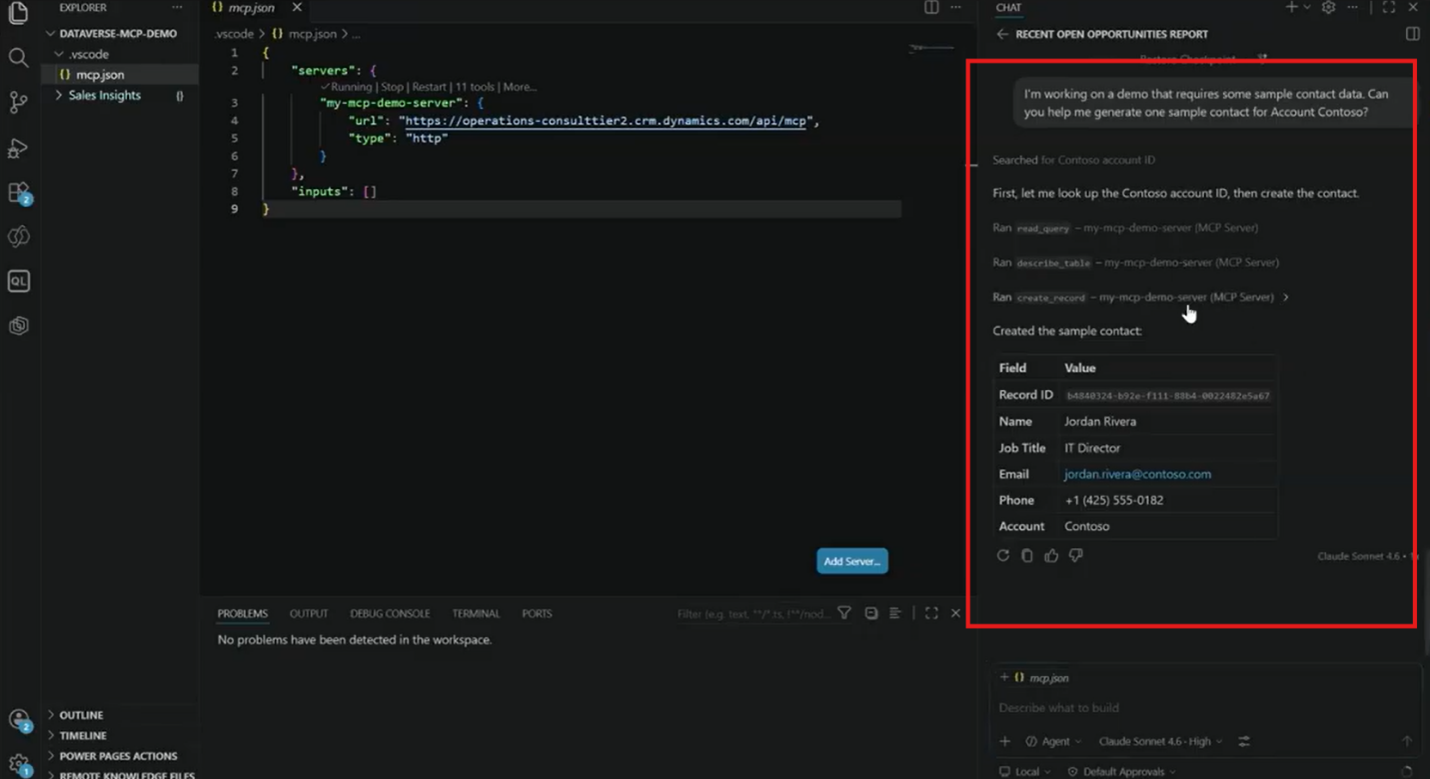
Let’s use the MCP connection to create sample data in a development environment. Instead of manually entering records for testing, the developer can ask GitHub Copilot to generate them.
And there's another useful developer experience: connecting Copilot Studio to Visual Studio Code. Agents can be pulled into local files, represented in YAML, placed into source control, and modified over time. Developers can then use GitHub Copilot to suggest changes to an agent's instructions before pushing those changes back to Copilot Studio.
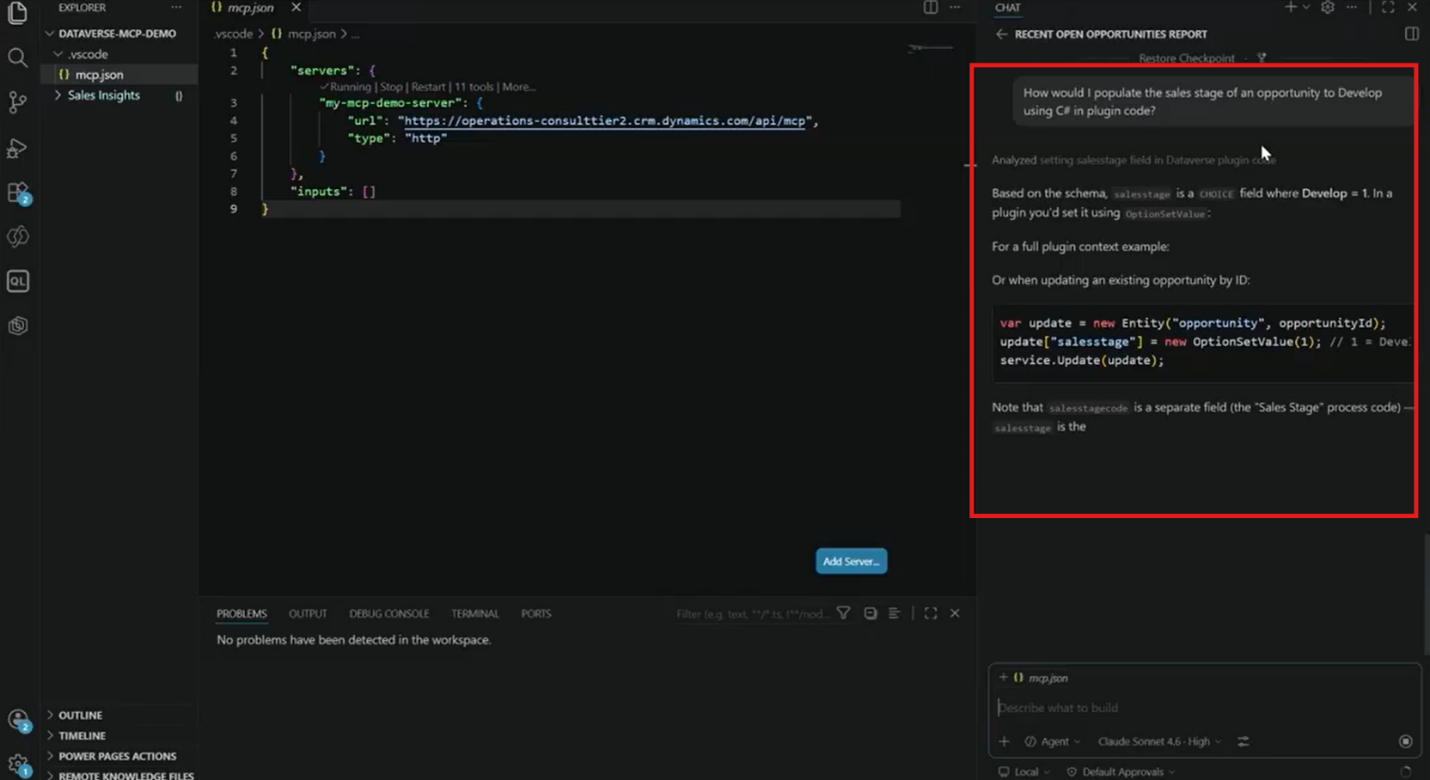
This creates an interesting bridge between low-code and professional development. Copilot Studio can provide the accessible agent-building experience, while Visual Studio Code provides source control, development workflows, and AI-assisted refinement.
That's ultimately what makes Dataverse MCP so compelling: it isn't limited to one user type or one development environment.
Get More from MCP with Stoneridge Software
MCP has the potential to change how organizations interact with their business applications—but the technology itself is only one piece of the puzzle.
The biggest opportunity comes from identifying the right business processes, determining where agents can genuinely add value, configuring the right data and tools, and designing the right balance between AI reasoning and predictable automation.
That's where Stoneridge Software comes in.
If you want to get the most out of MCP, Copilot Studio, and your Microsoft business applications, talk to the Stoneridge experts today!

Under the terms of this license, you are authorized to share and redistribute the content across various mediums, subject to adherence to the specified conditions: you must provide proper attribution to Stoneridge as the original creator in a manner that does not imply their endorsement of your use, the material is to be utilized solely for non-commercial purposes, and alterations, modifications, or derivative works based on the original material are strictly prohibited.
Responsibility rests with the licensee to ensure that their use of the material does not violate any other rights.