














How to Choose the Right Microsoft Tools for the Right Jobs
Microsoft’s technology stack has undergone a radical transformation, from a handful of productivity apps to a sprawling, AI-powered ecosystem that supports everything from task automation to enterprise-grade app development.
Not too long ago, building software meant wrangling complex code and manual data memory management. Now, Microsoft offers tools that break down that complexity and let users across your company establish business processes. This includes:
- The low-code revolution: The Power Platform lets anyone build apps, automate workflows, or analyze data with no coding required.
- Cloud-first mindset: Microsoft Azure provides you with scalable infrastructure and security frameworks that grow with your business.
- AI everywhere: It’s impossible to look anywhere and not see AI in today’s tech landscape. Copilot is embedded in tools throughout the Microsoft stack, including in the Power Platform, ERP/CRM systems, and productivity tools like Word, Excel, PowerPoint, and more.
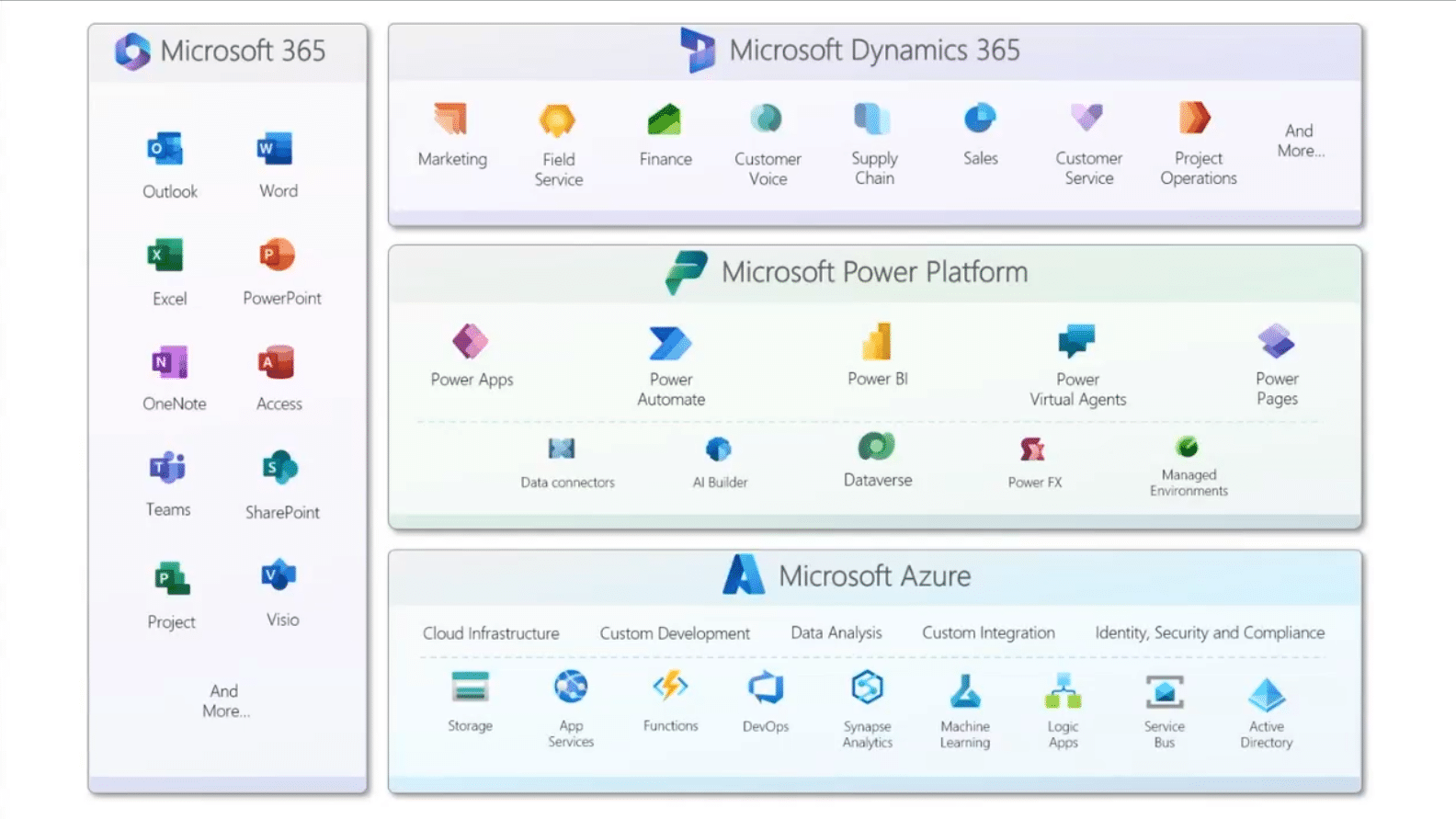
With so many options available – and the attached licensing considerations – it can be hard to navigate what tools your team needs to use to establish new processes or optimize existing ones.
Let’s simplify your decision-making process and explore how Microsoft’s tools align with the different and unique roles, needs, and how you can find the best tool for the right jobs.
Think About Who is Doing the Work
Prior to choosing a solution, it’s important to understand your team. This includes understanding their skill sets, knowing their roles, and finding out what processes they complete on a daily, weekly, or monthly basis. Having this understanding will allow you to line up your users with the proper tool.
Microsoft’s ecosystem is designed to support a wide spectrum of users:
End Users
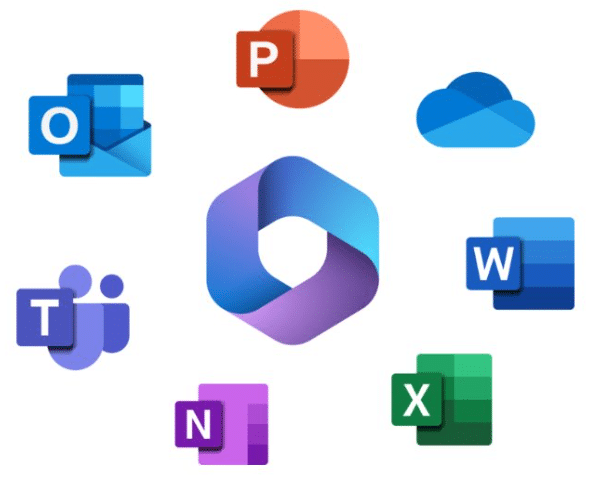
End Users play a vital role in your business. As the final consumers of your product or service, their needs and feedback shape design and functionality decisions. Whether your end users are your customers or internal team members, several key Microsoft tools fit their unique needs, such as:
- Excel: Quick and easy reporting, budget tracking, and financial analysis.
- Word: Creating important documents like reports, speeches, internal memos, and organizational content.
- Teams and SharePoint: Collaborate, communicate, and work with your team across embedded applications in a centralized location.
- Power BI: Advanced reporting, automated data collection, and more powerful visualization capabilities.
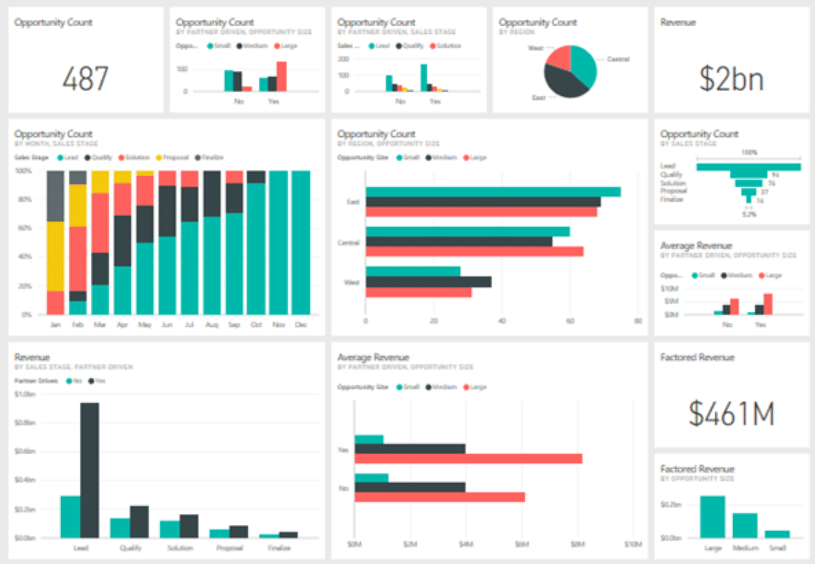
These tools work well for end users because they allow for quick turnaround times and are often tools, they are already using every day. Sometimes, the answer to which tool you need to accomplish a work task is the most obvious one.
Citizen Developers
Microsoft has made it easy for “citizen” developers to build applications and automate workflows that can help your organization run smoothly. By empowering employees without extensive coding or programming experience to do this, you cut costs and save valuable time.
When it comes to selecting Microsoft tools that empower citizen developers to improve processes, you could choose:
- Power Apps: Citizen developers can create custom applications that empower your team to streamline organizational tasks.

- Power Automate: Your team members can automate time-consuming, repetitive workflows to focus their efforts on their most important tasks.

- Copilot Studio: With Copilot Studio, you and your team can create AI-powered agents to help you perform routine tasks, provide customer support, or automate processes like report generation or data collection.

- Power BI: This tool allows you to create powerful and actionable reports and visualizations by simply uploading your data, selecting a design, and putting it on a dashboard. You can also set it up to update automatically.
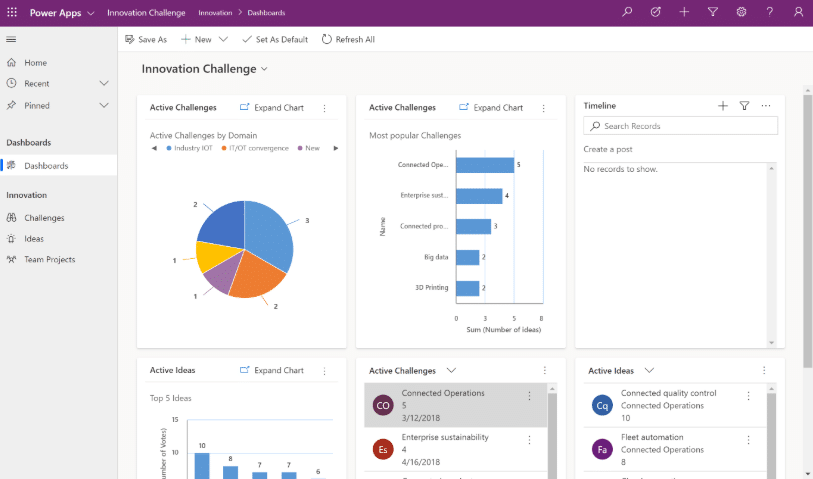
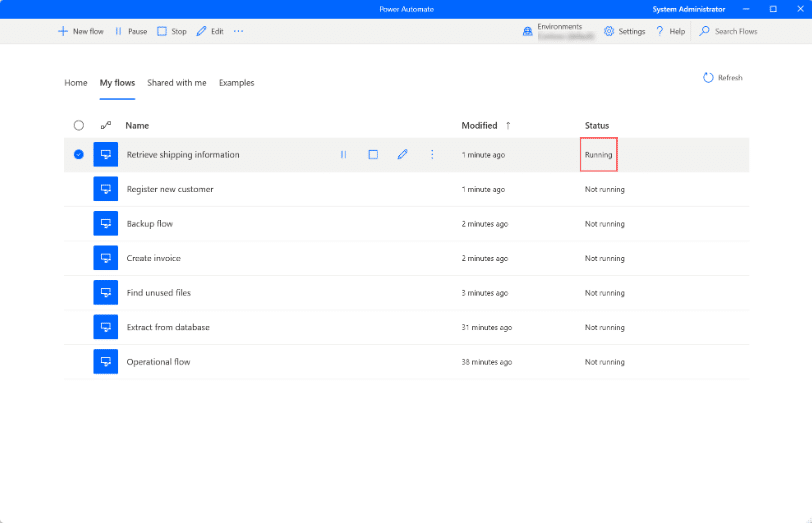
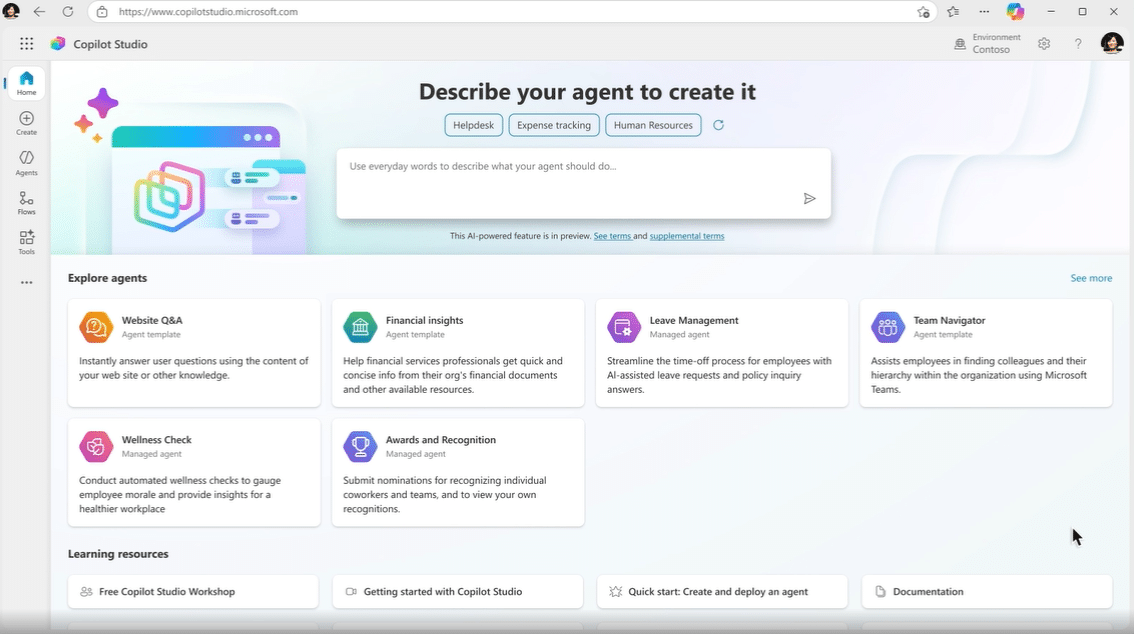
Citizen developers are grassroots innovators within your company. Although they may require some training, the cost is minuscule when compared to hiring professional developers.
Professional Developers
Despite the innovations for citizen developers listed above, there will still be times when you need a professional. Luckily, Microsoft also has tools that empower software engineers or coders to maintain and optimize digital systems using multiple programming languages and development frameworks.
Unlike citizen developers, they work with more complex architectures, scalable systems, and enterprise-grade technologies. Some Microsoft tools for professional developers include:
- Azure Functions: This serverless compute service lets developers run small pieces of code in response to events such as processing data from IoT devices, running backend logic, or assisting with integrations.
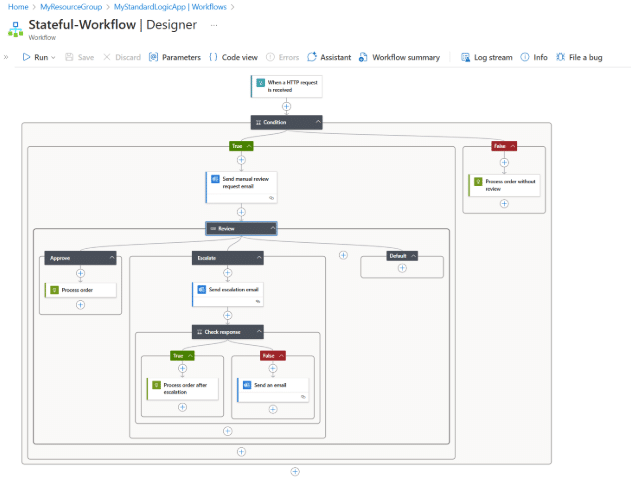
- Logic Apps: Like Power Automate – but more complex – Logic Apps let you automate B2B processes, integrate legacy systems with cloud services, and build and strengthen workflows.

- Visual Studio: Microsoft’s flagship Integrated Development Environment is designed to support your entire software development cycle from writing and debugging code to testing, deploying, and maintaining applications.
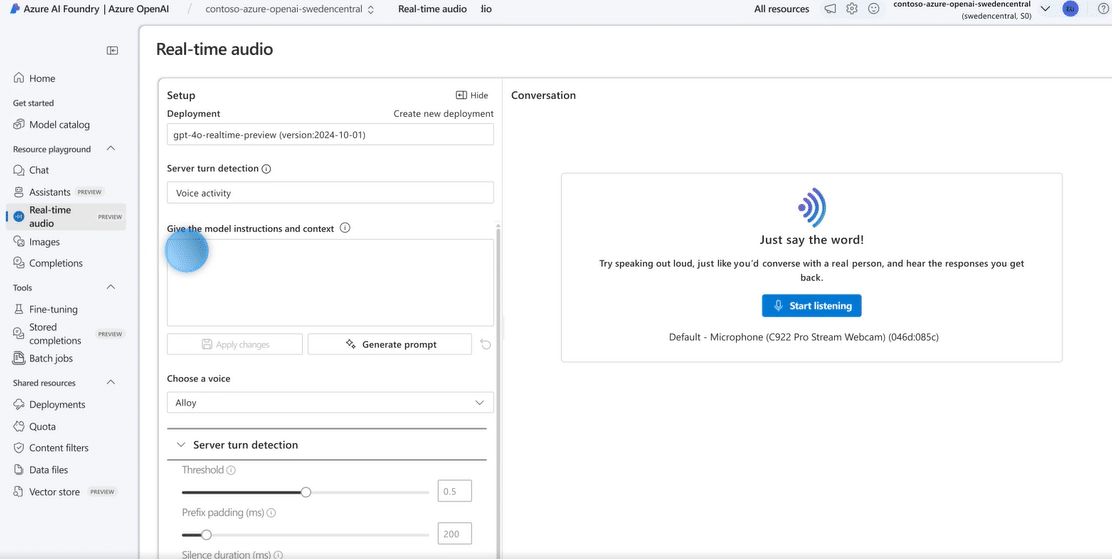
- Azure OpenAI: Developers gain access to powerful language models that understand, generate, and analyze text. This could include adding natural language search to apps, generating summaries, or building virtual agents.

IT Admins and Cybersecurity Experts
IT professionals span a wide range of roles within organizations, from network administrators and help desk technicians to systems engineers and cloud architects. Protecting your digital assets is paramount, and they are on the front lines of that.
If you want to empower your IT team, here are some Microsoft tools to consider:
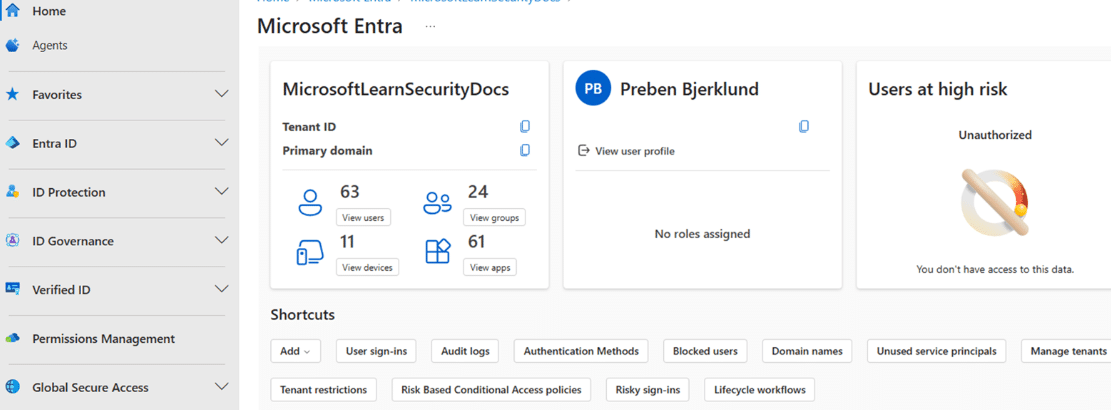
- Microsoft Entra (Azure AD): A family of identity and network access tools that ensure only the right people can access the networks and data sources pertinent to their jobs. It is essential for organizations operating in multi-cloud environments with zero-trust security.

- Defender: Antivirus software that also provides threat detection, endpoint security, cloud security, and identity protection.
- Intune: This tool strengthens cloud-based endpoint management to secure devices that have access to your system. It also supports hybrid and remote work.
Use Case: Matching Tools to Business Needs
At the end of the day, you simply need to figure out what the business needs are for your users and then find the software tools that empower them to do their jobs effectively. Let’s provide an example: Let’s say your organization wants to streamline inventory tracking. You could:
- Use Excel to create a quick tracking spreadsheet
- Build a Power App to create a mobile-friendly interface for warehouse staff
- Automate inventory updates with Power Automate
- Scale the backend with Azure SQL
- Add AI-driven forecasting using Azure OpenAI
Although different types of employees will use different tools, the Microsoft suite allows them to work together as part of a holistic solution.
Citizen and Professional Developers Working Together = Supercharged Innovation
One important thing to keep in mind is that you don’t have to choose between citizen and professional developers. Microsoft’s diverse range of solutions fosters a partnership between the two that will pay huge dividends for your business. Essentially, each team within your business has its role to play:
- Professional developers create secure, scalable foundations, reusable components, APIs, and connectors.
- Citizen developers build on top of that with business-specific logic and tailored solutions that fit your business processes and workflows.
- IT and cybersecurity experts ensure governance, compliance, and data protection.
Final Thoughts: Start With the Problem, Then Find the Tool
Having technology is great, but it means nothing if you don’t know what problem you’re going to solve with it. Be sure to pinpoint exactly what you need before implementing any tools in your environment. Also, be sure to get input from your team on what features and functionalities they would like to have access to.
Once you identify the problem, you can then find a Microsoft tool to help you find a solution. Here are a few key takeaways:
- Match tools to users and tasks: Find out exactly what your users need and then identify the tools that will get the job done.
- Blend Citizen and Pro Developers: Remember, it’s not a competition. Having both will strengthen your systems.
- Use AI and Automation to Scale Smarter: The more processes you can automate or recruit the assistance of AI for, the more your team is free to focus on tasks that add more value.
- Lean on the Power Platform for Speed and Flexibility: Even seasoned developers are embracing the Power Platform. It includes a built-in integration with Copilot, a long list of connectors, and Dynamics 365 ERP/CRM readiness.
Talk to the Stoneridge Experts Today to Get Started!
Our team at Stoneridge is well-versed and highly knowledgeable about tools across the Microsoft stack. We can also help you pinpoint exactly what your business needs are and then find the right tools to help you address them.
Reach out to us today to learn more.

Under the terms of this license, you are authorized to share and redistribute the content across various mediums, subject to adherence to the specified conditions: you must provide proper attribution to Stoneridge as the original creator in a manner that does not imply their endorsement of your use, the material is to be utilized solely for non-commercial purposes, and alterations, modifications, or derivative works based on the original material are strictly prohibited.
Responsibility rests with the licensee to ensure that their use of the material does not violate any other rights.