














Troubleshooting Data Entity Errors in Dynamics 365 Finance & Operations
If you’ve spent any real time developing in Dynamics 365 Finance & Operations, you’ve probably run into this gem while building a data entity:
The “BuildTask” task returned false but did not log an error:
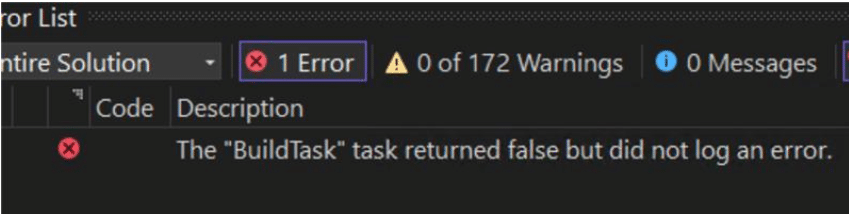
No stack trace. No helpful message/error. Just Visual Studio shrugging at you.
The only clues were a wall of Best Practice (BP) warnings, most notably:
BP Rule: DataEntityFieldNamePropertyCheck
The data entity has an array field which contains invalid characters
Fields like BAddress1, SAddress2, etc on a custom entity.
At first glance, these look like harmless BP warnings. In reality, this particular rule can cause hard metadata validation failures that abort the build entirely, leaving you with the dreaded generic BuildTask error.
Why The BuildTask Error in D365 F&O Happens
DataEntityFieldNamePropertyCheck is part of Microsoft.Dynamics.AX.Framework.DataEntityRulesBut for data entities, certain metadata rules run during metadata validation, before X++ compilation.
The Correct Solutions
1) Rename the Data Entity Fields Away from Numbers and Underscore
2) BP Suppressions File
<YourModel>\AxIgnoreDiagnosticList\<YourModel>_BPSuppressions.xml
<?xml version="1.0" encoding="utf-8"?>
<IgnoreDiagnostics>
  <Name>SSI_BPSuppressions</Name>
  <Items>

    <Diagnostic>
      <DiagnosticType>BestPractices</DiagnosticType>
      <Severity>Warning</Severity>
      <Moniker>DataEntityFieldNamePropertyCheck</Moniker>
      <Path>dynamics://DataEntityView/XYX</Path>
      <Justification>
        Legacy outbound integration requires numbered entity fields.
      </Justification>
    </Diagnostic>

    <Diagnostic>
      <DiagnosticType>BestPractices</DiagnosticType>
      <Severity>Warning</Severity>
      <Moniker>DataEntityDuplicateLabelChecker</Moniker>
      <Path>dynamics://DataEntityView/XYX</Path>
      <Justification>
        Labels managed externally by integration contract.
      </Justification>
    </Diagnostic>

    <Diagnostic>
      <DiagnosticType>BestPractices</DiagnosticType>
      <Severity>Warning</Severity>
      <Moniker>DataEntityRelationPropertyChecker</Moniker>
      <Path>dynamics://DataEntityView/XYX</Path>
      <Justification>
        Entity intentionally omits standard relations.
      </Justification>
    </Diagnostic>
  </Items>


Under the terms of this license, you are authorized to share and redistribute the content across various mediums, subject to adherence to the specified conditions: you must provide proper attribution to Stoneridge as the original creator in a manner that does not imply their endorsement of your use, the material is to be utilized solely for non-commercial purposes, and alterations, modifications, or derivative works based on the original material are strictly prohibited.
Responsibility rests with the licensee to ensure that their use of the material does not violate any other rights.