














Maintain and Access Your Historical Dynamics GP Data with Popdock
Taking the lead in transitioning from an on-premises ERP system like Dynamics GP to a cloud-based system like Dynamics 365 Business Central is a major milestone for your organization.
While benefits like easy scalability, lower infrastructure costs, and access to a quickly evolving suite of Microsoft tools and integrations are clear, there is still one major concern organizations have:
“What happens to all of our historical GP data?”
If your company is running Dynamics GP, you likely have years, or even decades, of financial and operational data, as well as customer history, stored inside GP. This data isn’t something you can afford to lose either. It’s essential for audits, accurate reporting, trend analysis, customer service, and important day-to-day decision-making.
In this blog, we will show you a secure and cost-effective solution to this issue by combining Microsoft Azure, Business Central, and Popdock by eOne Solutions. This combination enables you to store your entire GP history in Azure and display it directly within Business Central, eliminating the need for a costly and time-consuming data migration.
Why Historical ERP Data Can Be a Big Hurdle During Cloud Migrations
When helping clients move to the cloud, clients commonly ask us several questions about their data:
- Should we copy all GP data into Business Central?
- Should we keep old servers running just to look up historical transactions?
- How do we continue creating reports that blend historical and current data?
Simply put, businesses need access, but they also need cost control, and this solution provides both.
The Problem with Other Methods
When organizations make the move to the cloud, they often consider three less-than-ideal options. Let’s break them down and see why they can be inadequate for your business.
Migrating all GP Data to Business Central
Migrating the full GP database into Business Central is technically possible—but very inefficient and expensive. GP environments accumulate years of tables, transaction details, attachments, and SmartList objects that would inflate Business Central’s storage size and hurt performance.
This could lead to significant downtime and potentially data loss as well, which will cost your organization a lot of money in the long run.
Running GP Servers Indefinitely
On the opposite end, maintaining SQL servers, remote desktop servers, and a full GP environment just to look up historical data comes with a laundry list of issues, including:
- Ongoing hardware and licensing costs: Servers break down and need to be serviced and replaced, and licensing costs go up every year. This could also include the cost of insuring servers, both for their physical integrity and to protect against cyberattacks.
- IT overhead: Maintaining physical servers in addition to running your system on the Microsoft Cloud means you will likely have to pay an outside IT firm to service and fix your servers. This can be very costly over time.
- Swivel-chair inefficiencies (switching between systems): Human errors happen, and they are more likely to happen if users are constantly switching between systems. Important bits of data are likely to get lost in the shuffle of a busy work schedule, resulting in issues throughout your organization.
Losing Access to and Not Migrating GP Data to Business Central
This option is obviously a non-starter. Your GP data is vital to your business, and it simply wouldn’t survive without that data.
Why a Combination of Azure, Business Central, and Popdock is the Solution
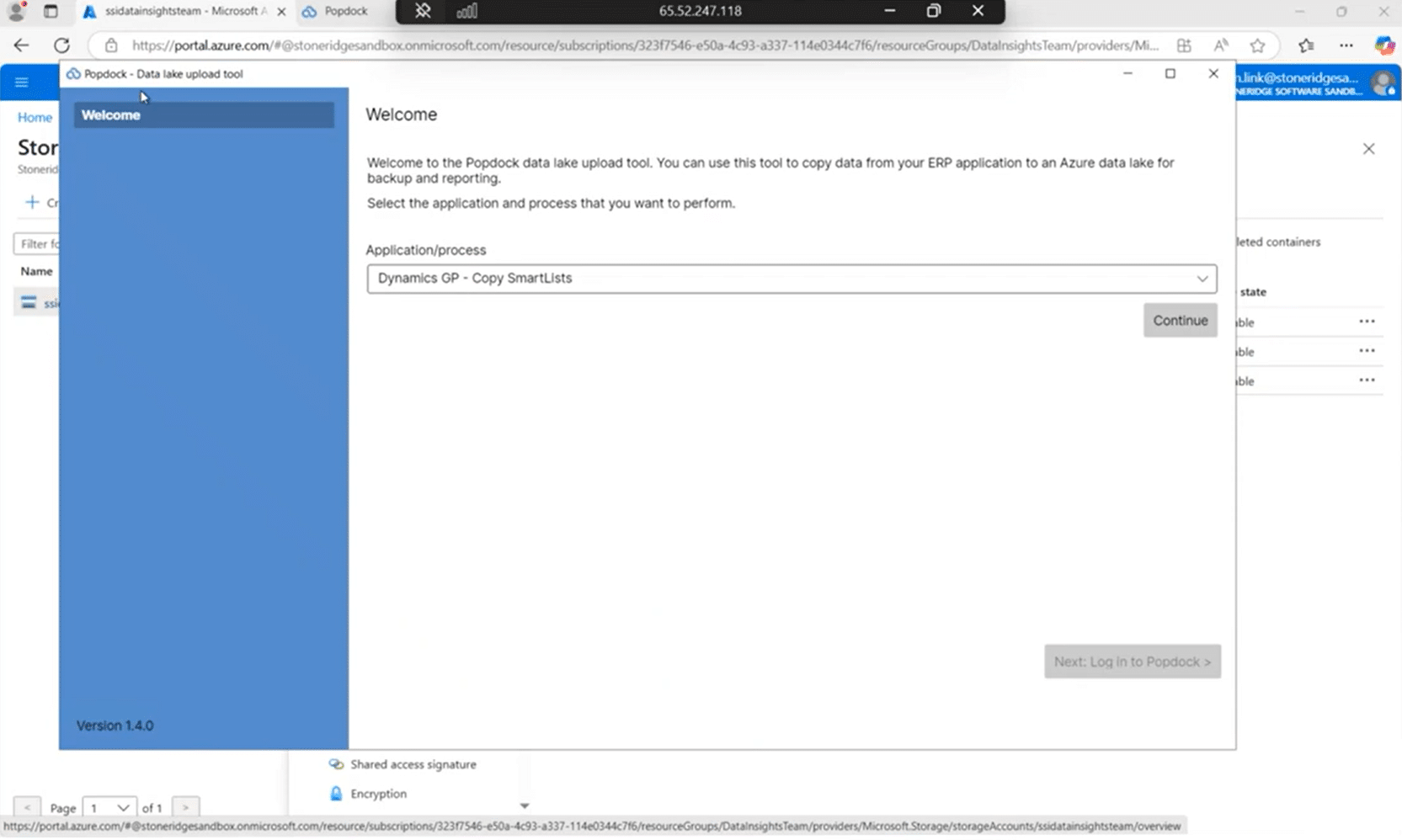
Simply put, it eliminates all of the drawbacks highlighted above and gives you a central, secure place to store GP data and retrieve it as if it were already housed in Business Central. This includes:
Avoiding a Lengthy and Costly Data Migration
By dismissing this step in the process, you can ensure that your Business Central system stays up and running once implemented and won’t be shut down by a large data migration. All of your GP data will be accessible with a few clicks.
Eliminating Hardware Costs and Limiting Licensing Costs
Saying goodbye to your physical servers will save you money in the long run and centralize the storage of your data with state-of-the-art security systems at Microsoft. This means no more maintenance, insurance, or break/fix server costs.
Additionally, with Business Central, your licensing costs are more budget-friendly, as they are paid per user, per month and require less add-ons.
Removing External IT Expenditures
When you run a Microsoft cloud-based solution, your system is protected by a team of tremendous experts and top-of-the-line cybersecurity tools at Microsoft. And the kicker with that is the cost for that protection is built into your license costs. No more paying for expensive outside IT companies.
Limiting System Switching
Having your data readily accessible through a Business Central integration is much faster than having to migrate between two different systems with different interfaces. With the cloud-based combination, your data is readily available in a few clicks.
How it All Comes Together
Let’s now turn our attention to detailing how these tools work in tandem to help you preserve and access your historical GP data.
Archiving GP Data in Azure Data Lake: Low Cost, High Security
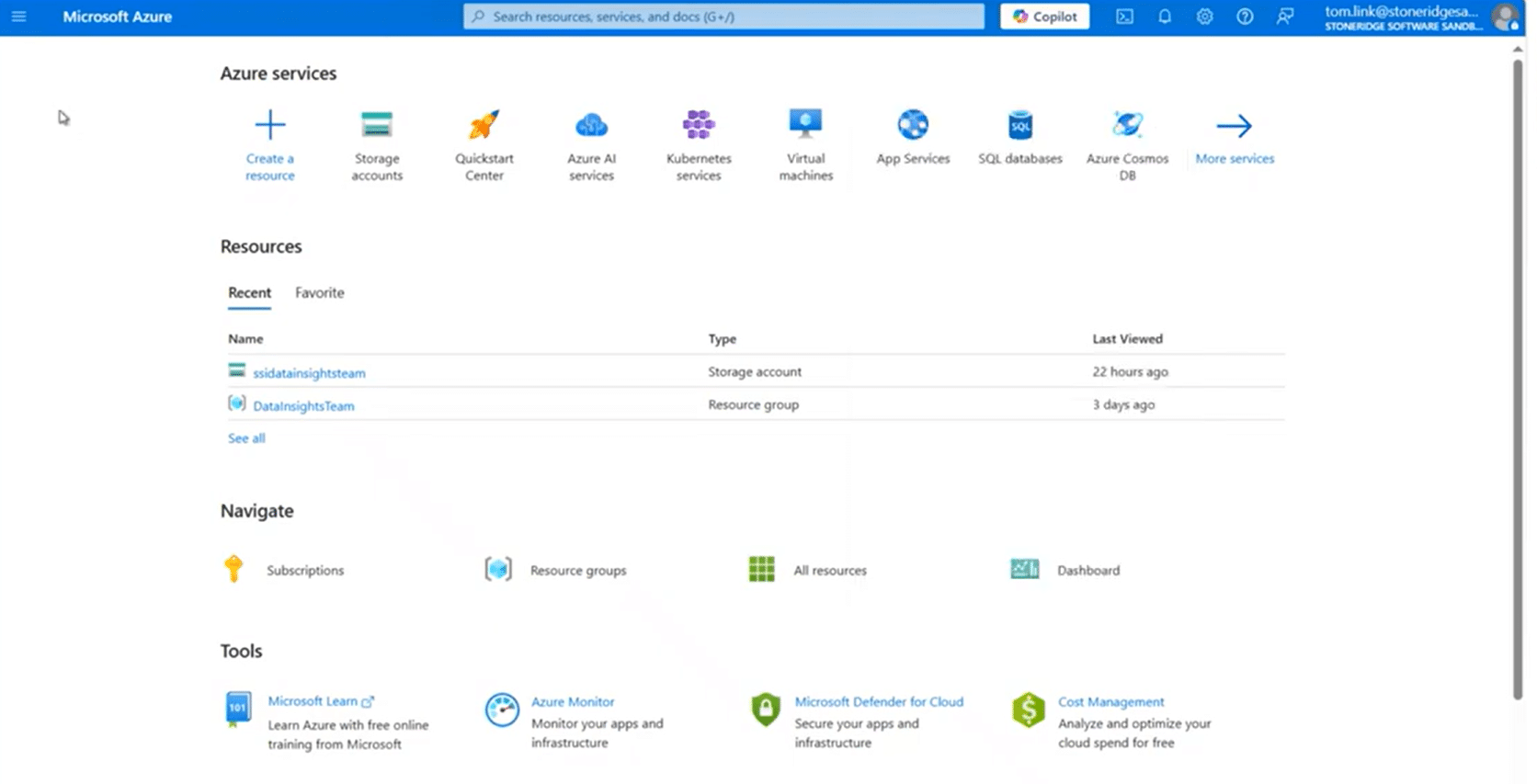
Azure Data Lake is the backbone of the solution and provides you with a simple, cloud-native solution that is beneficial in several ways:
- Extremely low storage cost: typically $10–$20 per month for up to a terabyte of data
- Secure, compliant, Microsoft-managed infrastructure
- Flexible structure for storing all GP companies, tables, and SmartLists
This structure keeps historical GP data safe, accessible, and extremely inexpensive to maintain.
Popdock: The Bridge Between Your Legacy Data and Business Central
While Azure stores your data, Popdocks enables you to utilize it. It has several key capabilities and tools that make it a brilliant solution:
The Popdock Extract Tool
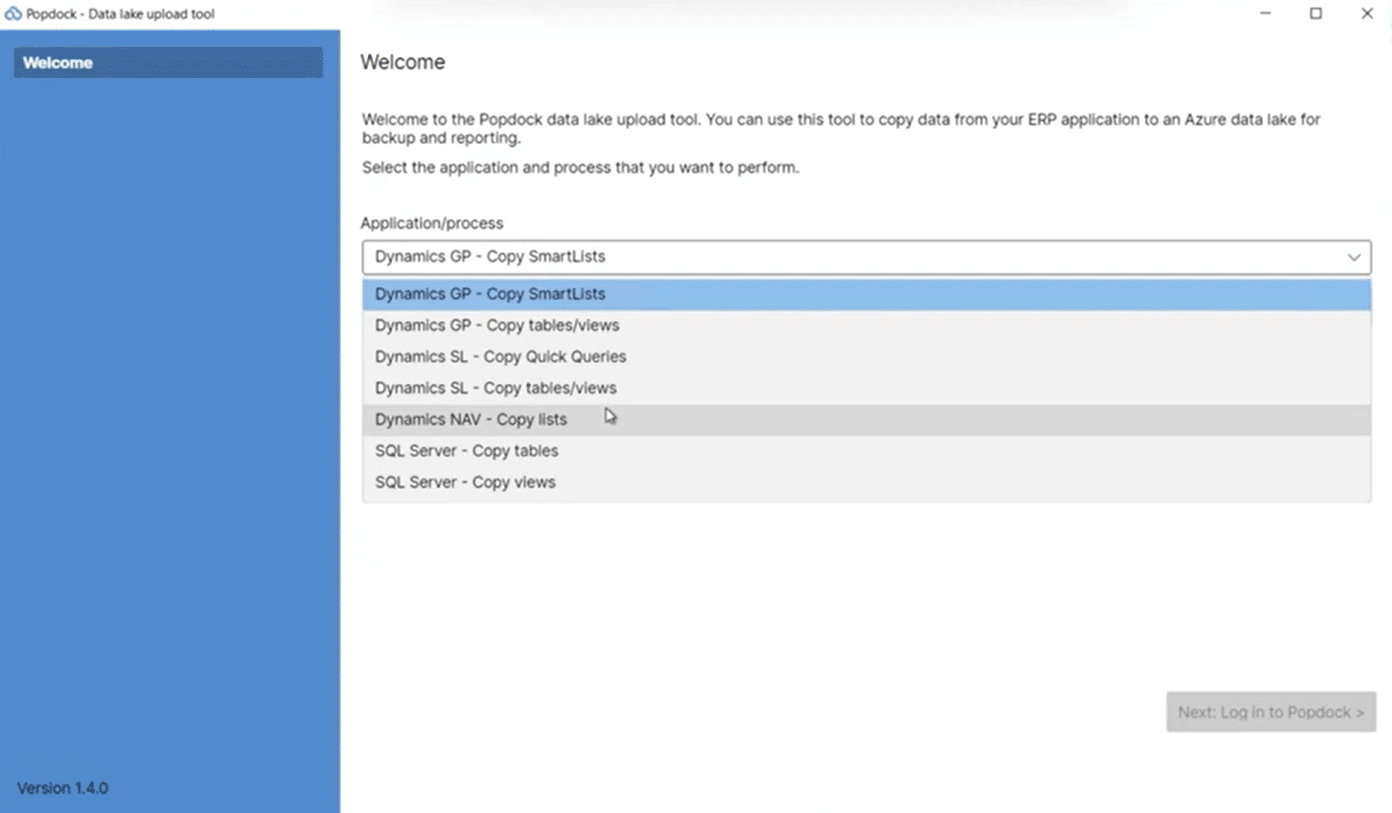
This tool takes data from your Dynamics GP system and puts it directly into Azure Data Lake.
- It connects to your Azure Storage account and to your GP SQL databases
- It uploads full archives and specific views pertinent to your organization.
- It captures SmartList objects and stores them in Azure, preserving the integrity and formatting of your SmartLists. It can also extract non-GP SQL data for organizations that want broader visibility.
We have helped several clients implement this solution and find that there is typically two extraction cycles:
- A test extract, useful during project planning to make sure the data is transferring over properly and to get users comfortable with the user interface prior to go live
- The production cutover extract, which is completed during go-live, so it is ready for you and your team to use.
Once the data lives in Azure Data Lake, Popdock becomes the viewing and interaction engine—surfacing GP history anywhere it’s needed.
Inside the Popdock Portal: Lists, Connectors, Widgets, and Security
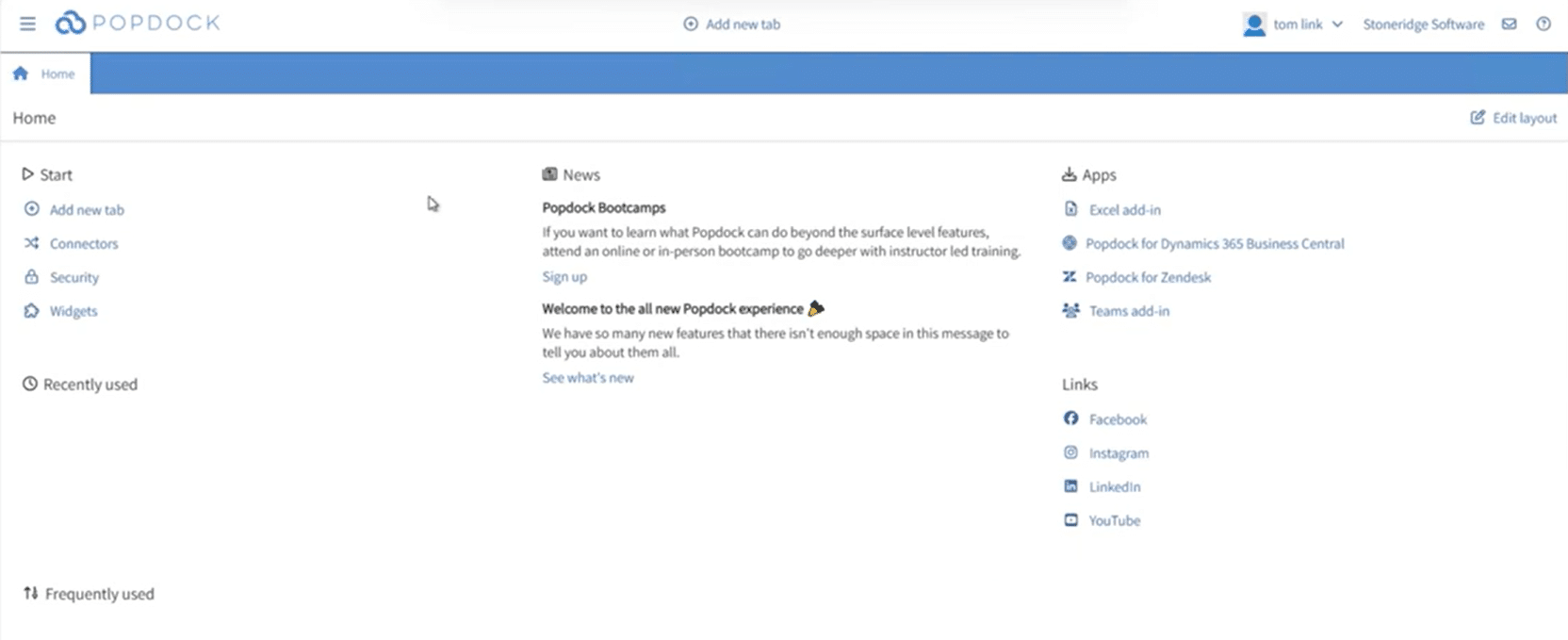
The Popdock portal is the control center for managing your data connections and experiences. It houses several highly important tools, including:
Connectors
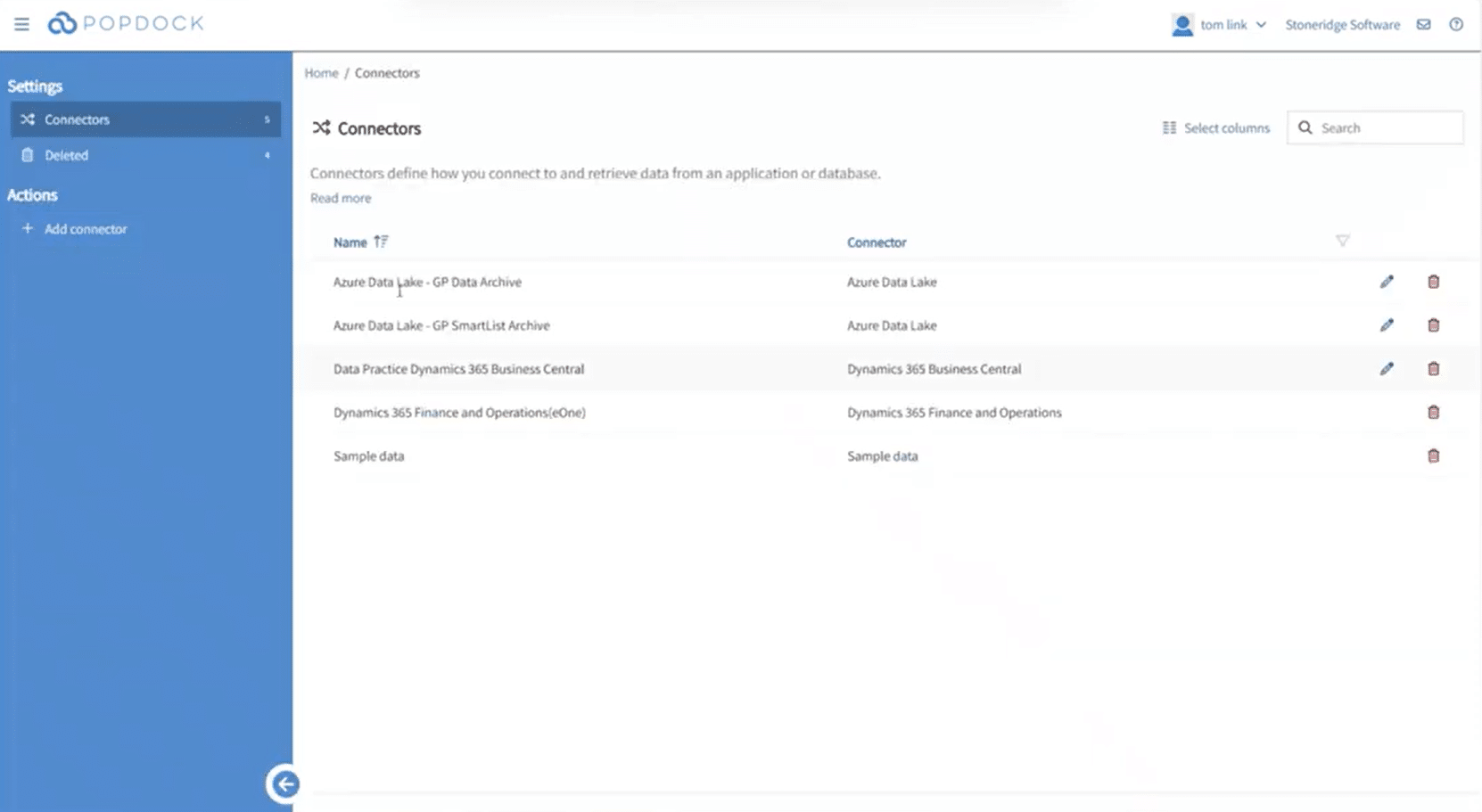
Popdock doesn’t just connect GP to Business Central, it can also bridge the gap between other systems, such as:
- Dynamics 365 Finance & Operations – If you are upgrading to the D365 Enterprise system
- D365 Customer Engagement Apps such as D365 Sales or other CRM systems
- Additional systems supported by Popdock’s extensive library of over 50 connectors
Each connector links Popdock to a different system or dataset, enabling unified reporting and a centralized view for you and your team.
Lists
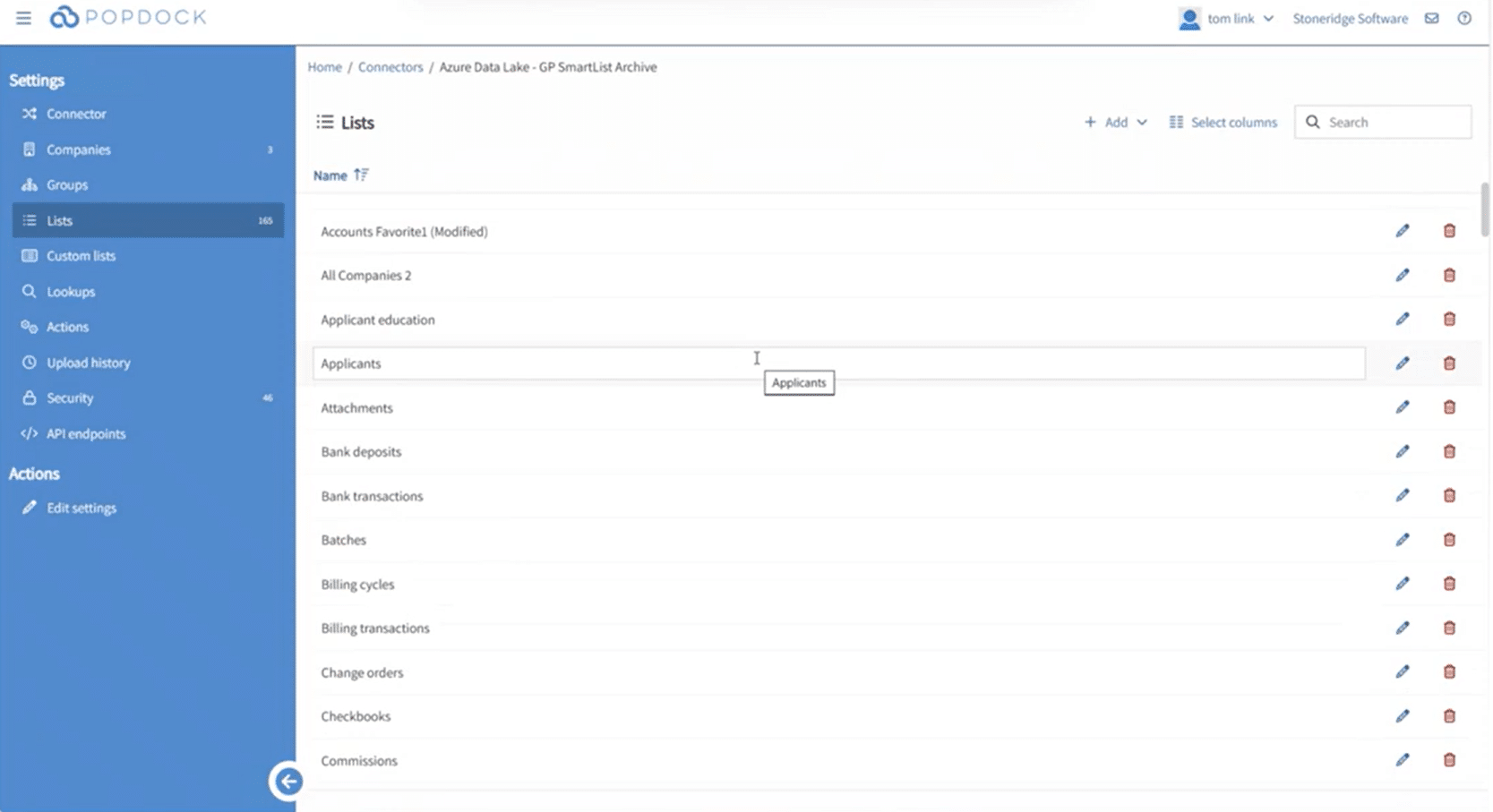
Connecting Popdock to GP SmartLists is the heart of the user experience. For example, if you have 165 SmartLists from GP and use Popdock to move them to Azure Data Lake, you can access those lists while retaining the familiarity of SmartLists in GP. Once in Business Central, Popdock lists behave like next-generation SmartLists and support:
- Unlimited filters
- Grouping
- Exporting to Excel or PDF through Excel’s add-in
- Saving favorites and formats
Widgets
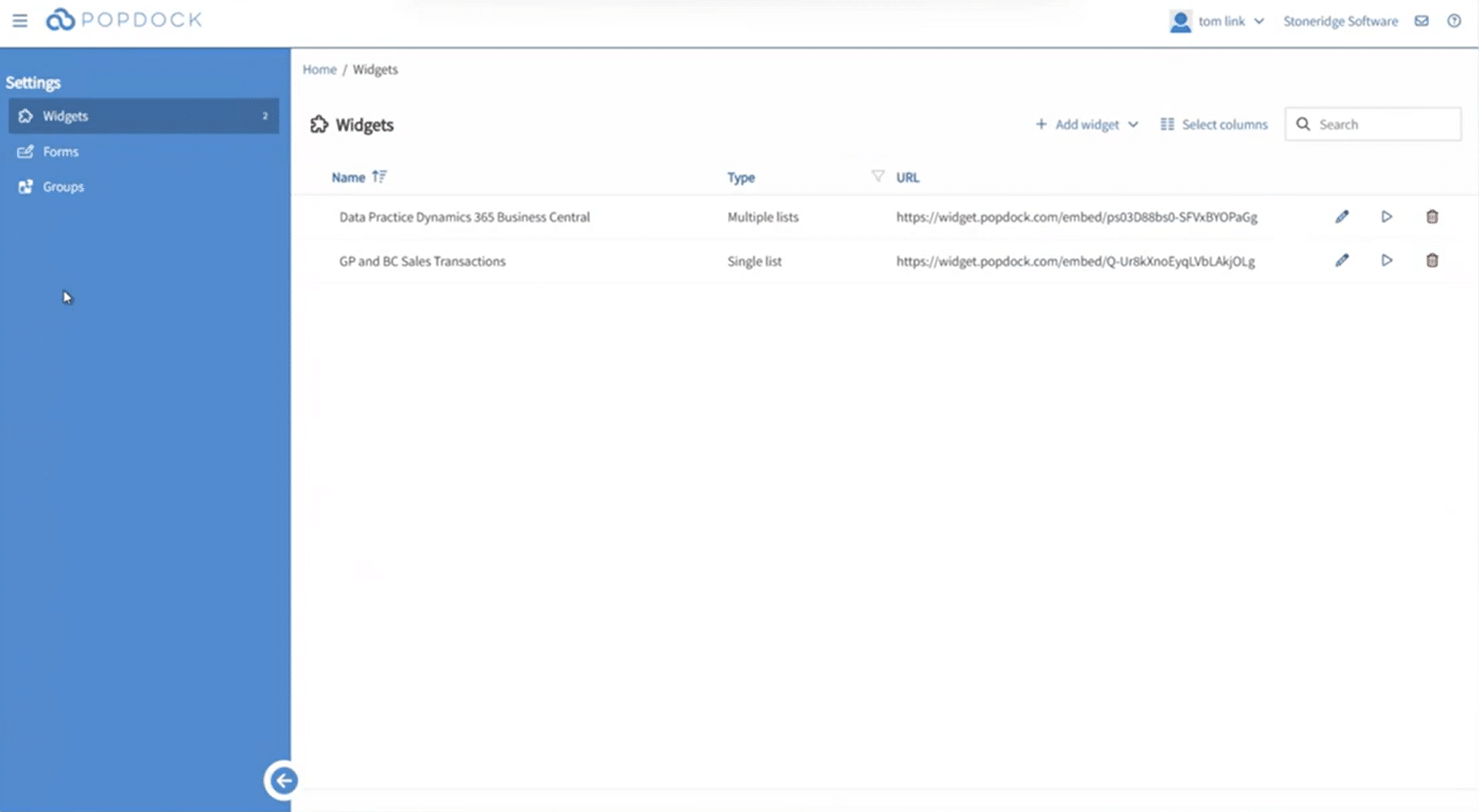
Widgets allow you to publish Popdock lists directly into Business Central without writing code. There are two main types:
- The Standard Popdock Widget: This widget displays any Popdock list inside Business Central. You can use it to view GP sales transactions, compare GP and BC data side-by-side, and give end users filterable, SmartList-like access to Azure data.

- Custom Widgets: You can also create your own widgets that serve a variety of purposes unique to your company. For example, let’s say you use Popdock’s merged list feature to create a list that combines GP historical sales transactions with Business Central live transactions. You can then create a widget that embeds that combined list into Business Central wherever you want it to go. In the case of this list, you might want to put it on the Customer Card.


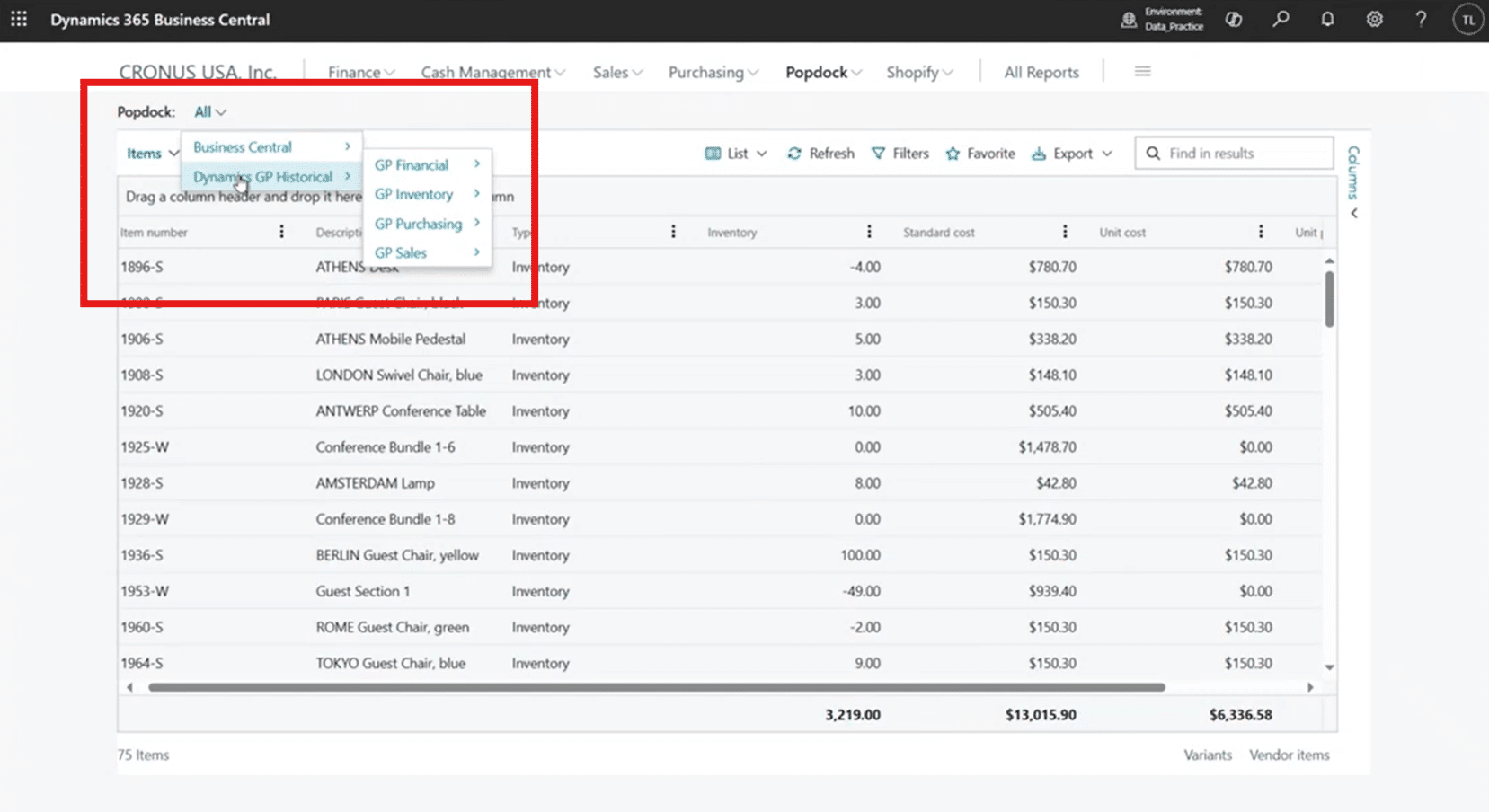
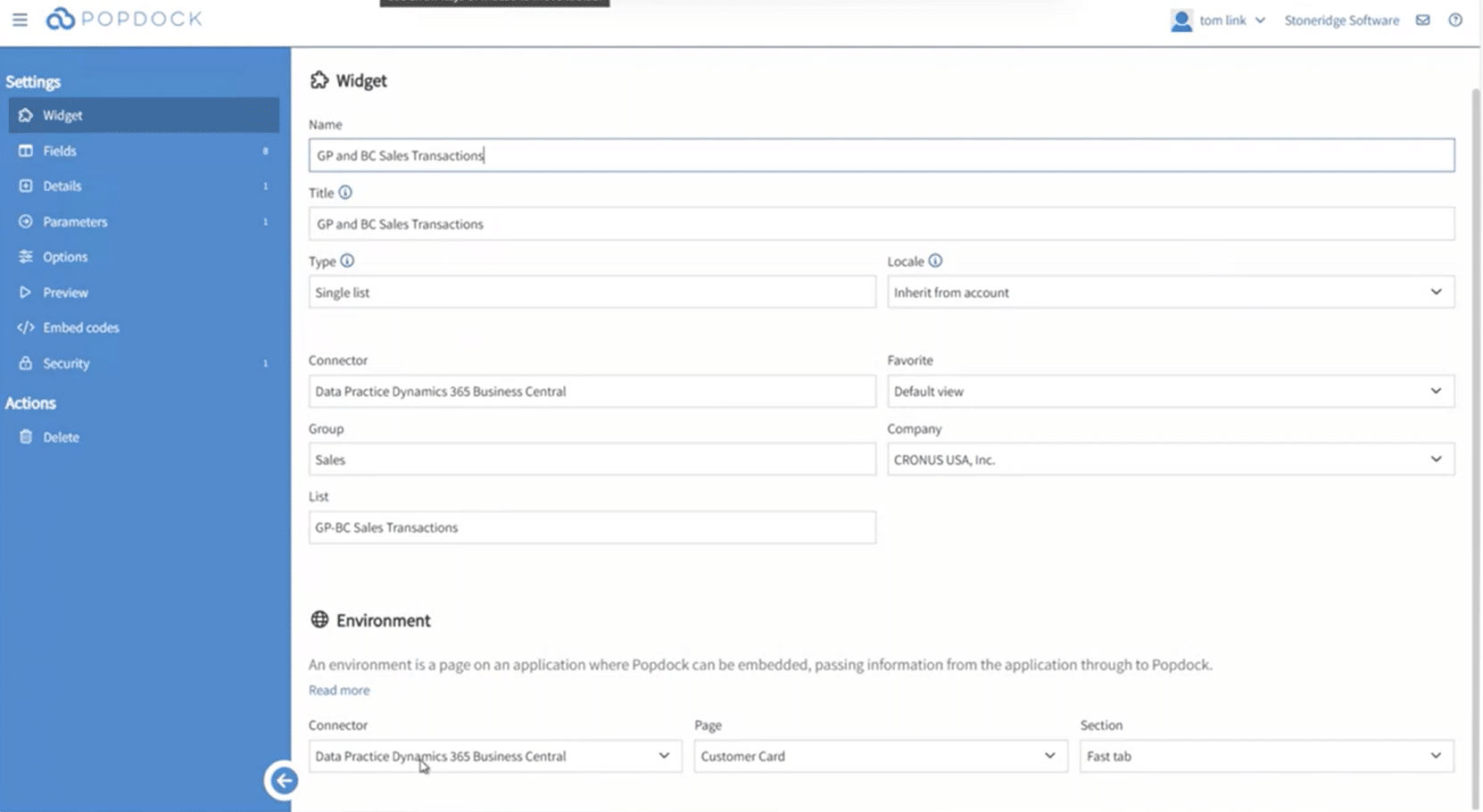
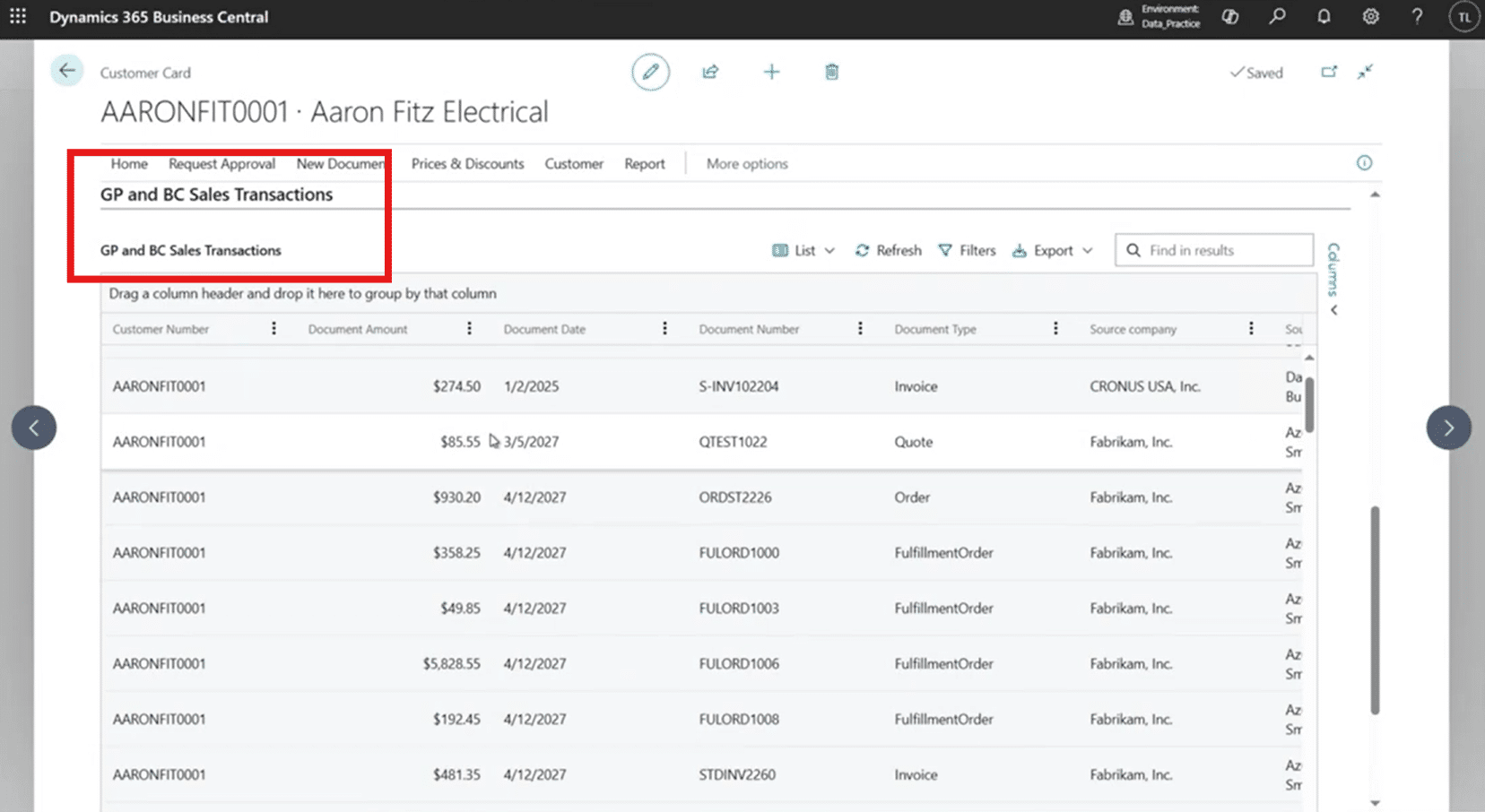
These widgets combined can show you several key data points on a single page in Business Central, including:
- Active BC transaction history
- Archived GP transaction history
- Line-level details for both
This eliminates the amount of time you spend moving between systems and eliminates artificial boundaries created by legacy systems and upgrades to improve service quality.
Security Controls
The solution’s security is layered and robust, and comes with several great features:
- Azure storage accounts can be restricted to specific IP addresses (such as the Popdock portal)
- Popdock can limit access by user, role, or API credentials
- Virtual networks ensure only approved networks can access Popdock
This gives your organization enterprise-grade protection over its data, allowing you and your team to focus on value-added work.
Using Popdock Data Models in Power BI
Popdock does more than surface GP data in Business Central—it can also serve as a data modelling engine that feeds Power BI. You can do basic graphing in Popdock, but having the ability to transfer that data to Power BI unlocks an entirely different level of data visualization.
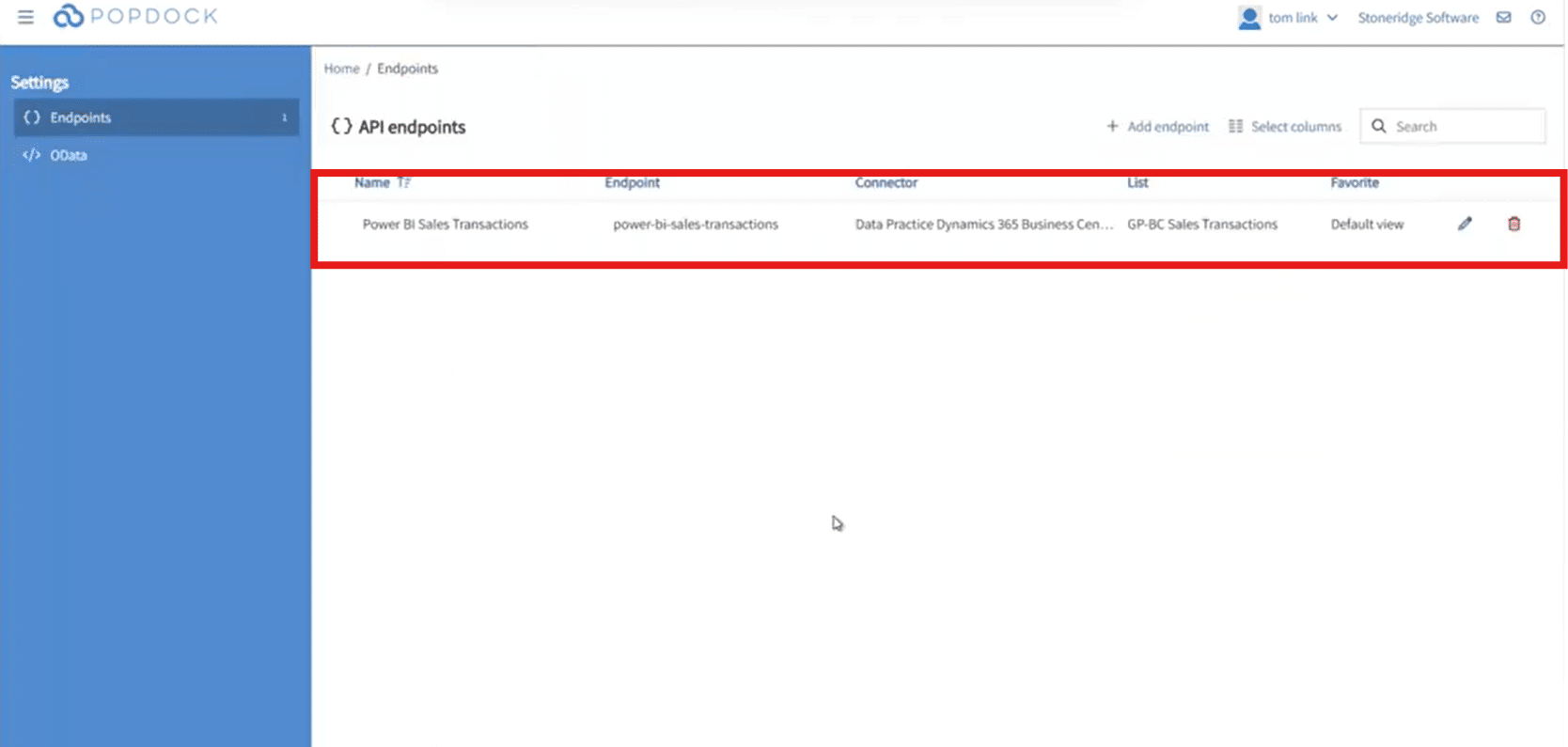
You can create an endpoint, which exposes a list (such as a merged sales transaction list) to Power BI through a secure URL. This means:
- You model your data once in Popdock
- Power BI consumes the same structure
- Users get dashboards combining GP history and Business Central activity
- No rebuilding data models.
- No complex ETL processes.
- No recreating relationships in Power BI.
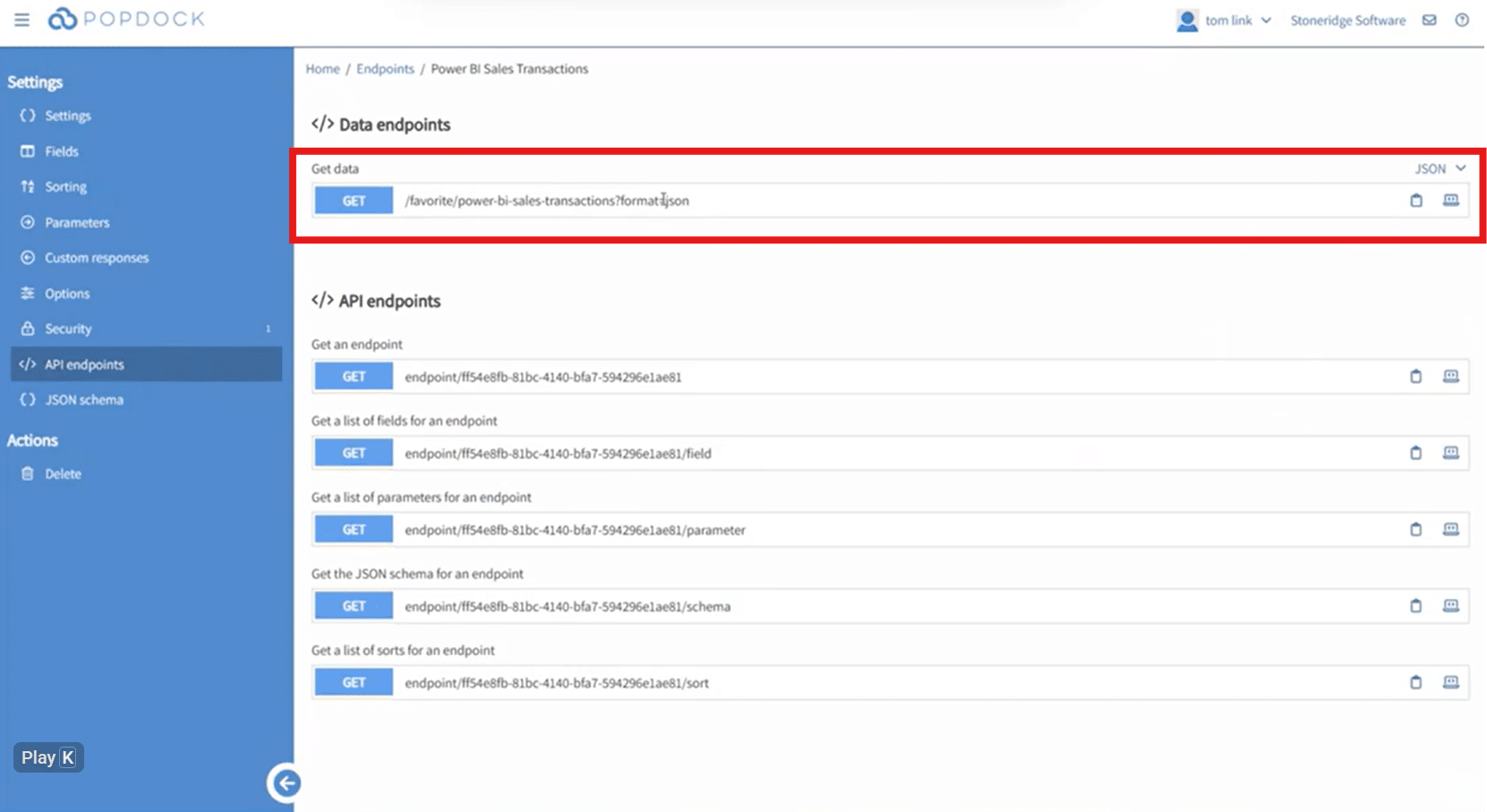
This dramatically shortens the time it takes for you and your team to gain access to insights that will help you all do your jobs more effectively and efficiently.
Why This Approach Addresses Your Biggest Fear: Losing GP Data
By combining Azure Data Lake and Popdock, organizations transitioning from Dynamics GP to Business Central can take advantage of several key benefits to help their business, including:
- Cost efficiency in terms of saving on storage, server maintenance/replacement, additional licensing, and IT.
- Full retention of GP data, including SmartLists, full tables, and custom views.
- Modern, unified access, meaning you can access your GP data in Business Central, Power BI, or Popdock – with smart filtering, exporting, grouping, and merging capabilities.
- Greater security and control through IP restrictions, user-based access, and virtual network isolation.
- Future-proof architecture that scales with you as you add more systems or data sources and supports long-term reporting needs for companies that are moving to the cloud.
Above all, your historical ERP data will remain usable, powerful, and part of your daily workflow.
Talk to the Stoneridge Team to Get Started with Business Central and Popdock!
While cloud transitions come with hurdles and headaches, worrying about your data shouldn’t be one of them. Stoneridge Software has a smart and engaged team of experts who can help you get started on your cloud transition.
Reach out to Stoneridge today to learn more.

Under the terms of this license, you are authorized to share and redistribute the content across various mediums, subject to adherence to the specified conditions: you must provide proper attribution to Stoneridge as the original creator in a manner that does not imply their endorsement of your use, the material is to be utilized solely for non-commercial purposes, and alterations, modifications, or derivative works based on the original material are strictly prohibited.
Responsibility rests with the licensee to ensure that their use of the material does not violate any other rights.