















D365 Customer Engagement Wave 2 2026: New Features and Functionalities
Imagine updating a sales opportunity without clicking through a single screen.
You tell your CRM what you want, and it checks the details, flags that your close date has already passed, and asks whether you’d like to fix it. That capability is no longer just a demo-stage idea. It’s part of the Dynamics 365 Customer Engagement Wave 2 2026 release, which brings AI agents, natural-language tools, and practical upgrades to the people who sell to, support, and serve your customers. Here’s what’s coming to Dynamics 365 Sales, Customer Service, Field Service, Customer Insights – Journeys, and Power Apps—and why it matters to your organization.
A Quick Note on How Microsoft Is Releasing Features
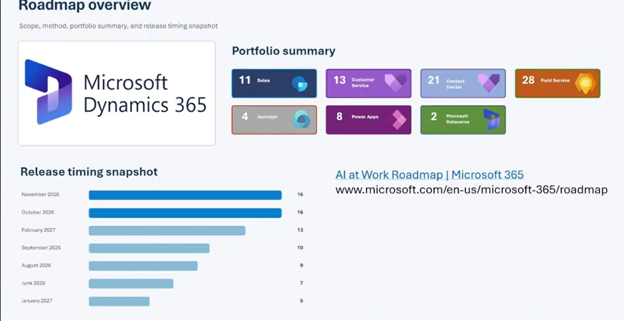
If you’ve relied on Microsoft’s release plans and release notes to see what’s coming, the process is changing. Microsoft is retiring its release plans and moving to an “always-on” model with continuous feature updates. The roadmap website will show which features are rolling out and when.
The shift reflects the pace of AI development: waiting for a scheduled release can delay access to useful improvements. You can still count on Stoneridge Software to bring you the highlights twice a year. We’ll continue publishing our April and October wave webinars and related content, so you can focus on the features that matter without digging through every roadmap update.

Dynamics 365 Sales: Less Clicking, More Selling
Copy Opportunities
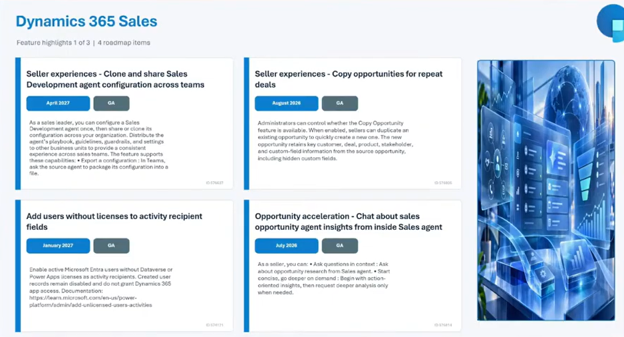
You’ve asked for this one for years. You can now clone an opportunity to create a new one, out of the box. It’s already generally available.
Smarter, Easier Sales Agents
- Clone agents for other teams: If you’ve configured a sales development agent, you can copy that configuration for other teams. You get faster rollouts and consistency without rebuilding each agent by hand.
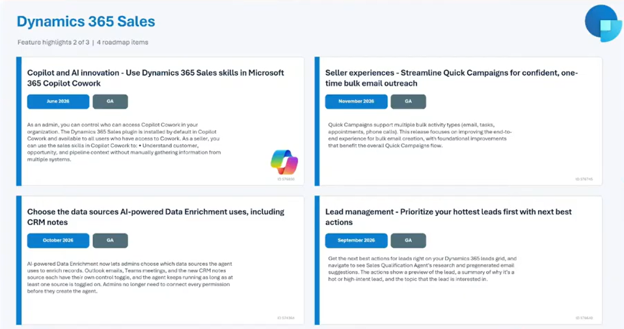
- Sales qualification agent: On your lead list, AI provides a summary of why a lead should be a priority, along with next-best actions. You point it toward the types of leads that make sense for your company during setup.
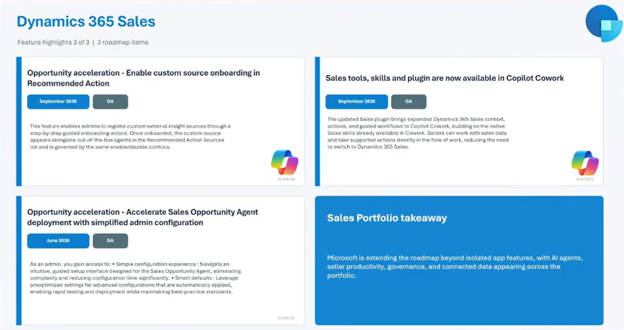
- Easier setup for the sales opportunity agent: Setting up Microsoft’s prebuilt agents used to be fairly complex. It’s now much simpler. Here’s the path:
- Open your app settings in Dynamics 365 Sales.
- Go to the Dynamics 365 AI Hub.
- Review the first-party agents available out of the box.
- Pick the agent you want, then configure it.
Update Your CRM with Natural Language
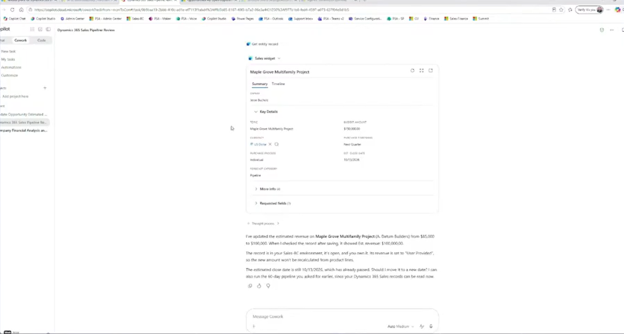
The Sales skill in Cowork within Microsoft 365 Copilot lets you update records by chatting or speaking into the microphone. Follow these steps:
- Open Copilot chat and ask it to update a specific opportunity. The demo used an opportunity called “Multifamily Maple Grove project” and requested an estimated revenue of $100,000.
- Copilot finds the record and shows you a summary of the opportunity.
- Copilot asks for your approval. Approve the change.
- The estimated revenue
- Copilot points out that the estimated close date has already passed and asks if you’d like to change it.
- Reply in plain language with a new date.
- Copilot updates it and even notes that the date falls on a Sunday, suggesting a weekday instead.
You get fewer clicks, fewer hunts for the right field, and a helpful second opinion on your data.
Dynamics 365 Customer Service: Smarter Triage and Better Coaching
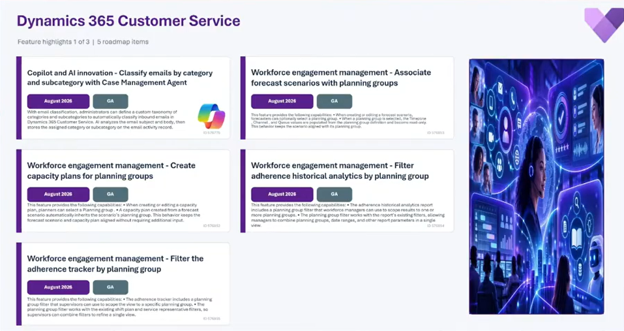
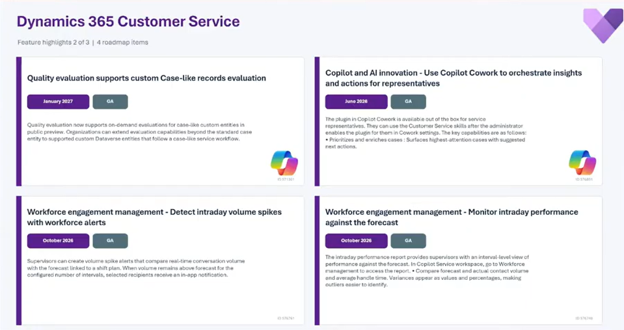
- Case management agent: It already helps create and update cases when customers reach out. Since August, it can also classify incoming emails, triaging each message before deciding what to do and making sure it reaches the right team member or turns into a case.
- Quality evaluation agent: After a customer conversation ends, it provides insights and coaching opportunities your managers can use right away. It’s also getting enhancements for case-like and custom entities.
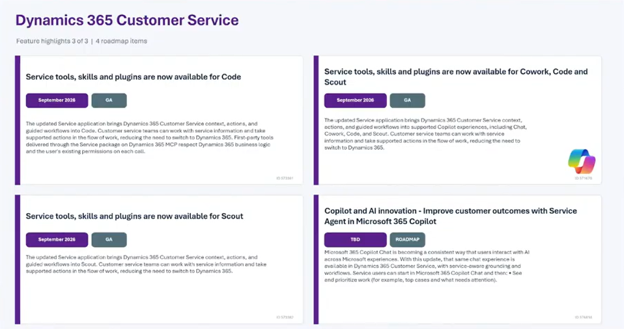
- Cowork for customer service: Your service team gets the same natural-language skill your sellers get.
- Better Copilot chat (no date yet): Today’s chat experience in customer service isn’t great. Improvements are on the roadmap, including better integration with Microsoft 365 Copilot. There’s no release date yet.
Field Service: The Biggest Wave of Updates
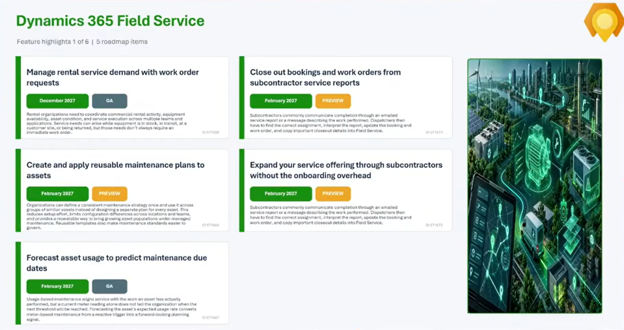
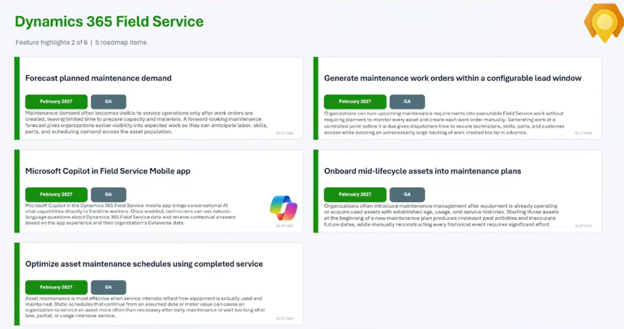
Dynamics 365 Field Service has the most updates in this wave. We counted 28 on the roadmap. Here are the ones that stood out.
AI Agents for Field Service
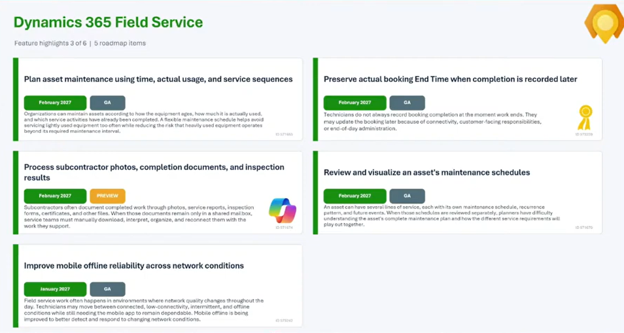
- Scheduling operations agent: If you’ve used Resource Scheduling Optimization (RSO), this will feel familiar. It optimizes routes for multiple technicians at once. Here’s how it works:
- Open the schedule board.
- Select Suggest schedule at the top of the schedule board to open the scheduling agent.
- Select one or more technicians.
- Choose your settings, such as maximizing utilization or front-loading high-priority work.
- Set your date range.
- Choose the work orders you want to schedule.
- Let the agent generate a suggested schedule. It’s fast.
- Review and apply the results.
- Subcontractor agent (preview, anticipated February 2027): Subcontractors tend to send invoices, photos, and updates by email. This AI-assisted closeout tool reviews those emails, grabs attachments, and updates work orders, which cuts dispatcher effort in closing out bookings. If you rely on subcontracted labor, this could be a big time-saver.
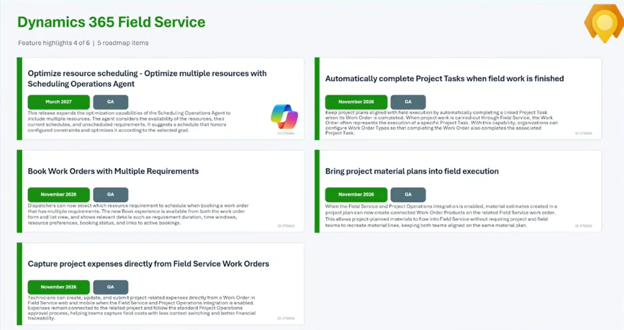
Better Tools for Your Technicians
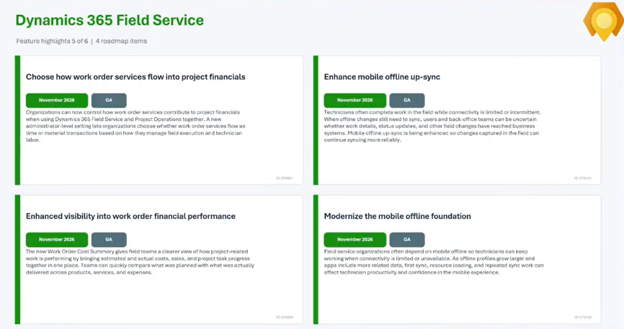
- Copilot chat in the Field Service mobile app: Frontline workers can use natural language to ask questions, mark tasks complete, and close out work orders without tapping through screens.
- Accurate end times: Technicians forget to mark when a job ends. A new setting preserves when work was actually completed, so your work order records stay accurate.
- Improved mobile offline: Better upsync means more data can be available to technicians in places with no connectivity, such as concrete buildings, hospitals, and remote locations. Staying connected isn’t always an option, so offline remains important.
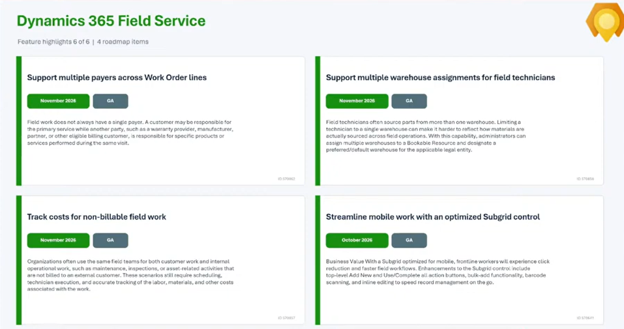
- Multiple warehouses per technician: Technicians can now be assigned more than one warehouse, while still having a preferred default.
Coming Later
- Rental service demand management: Manage rental service demand with work order requests, initially connecting to Finance and Operations (and Project Operations). It isn’t expected until December 2027, but it’s worth planning around if you offer rentals.
- Asset maintenance forecasting: Forecasting around asset maintenance schedules is also on the roadmap.
Customer Insights – Journeys and Other Dynamics 365 Updates
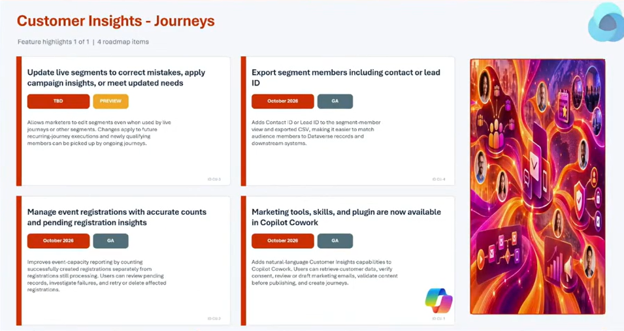
- Cowork for Customer Insights – Journeys: Marketers can use natural language to retrieve customer contacts and create audience segments.
- Visual refreshes: Expect updated styling, refreshed summaries on forms and views, and a revamped mail app in Dynamics 365.
Power Apps: A Smarter Connection to Copilot and a Fresh Look
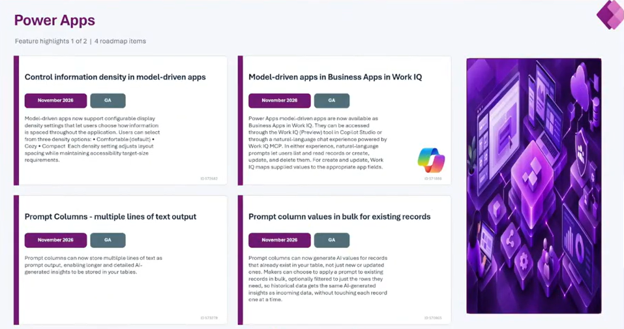
Power Apps updates affect nearly everything your team touches in Dynamics 365, since your model-driven apps run on it. Two changes stand out.
Your Model-Driven Apps Join Copilot’s Work IQ
From here on, all model-driven apps will be available as business apps in Copilot’s Work IQ. Work IQ is the intelligence layer that connects Copilot to your Microsoft 365 apps and data. This means both your users and your AI agents can interact with your Dynamics apps using natural language. Instead of navigating to a record or screen, your team can ask for what they need, right where they’re already working with Copilot. It’s the same “tell the system what you want” shift you saw in the sales demo, now extended across your model-driven apps.
A Visual Refresh Across Your Apps
You’ll also notice a more polished look and feel:
- Updated UI styling: The interface gets a visual refresh that affects all of your applications.
- Refreshed summaries on forms and views: Give the summaries your team uses to understand records quickly a cleaner, updated look.
- Upgraded mail app: If your users work with the mail app inside Dynamics, they’ll see a refreshed design.
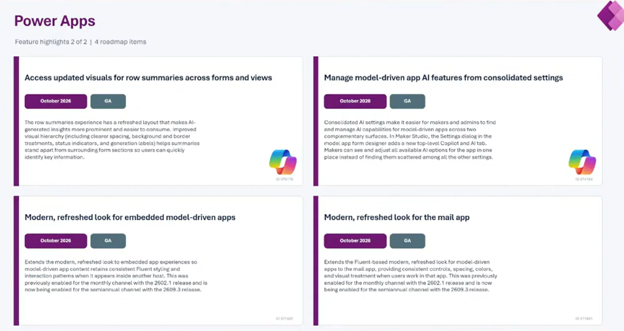
These aren’t flashy AI features, but a cleaner, more consistent interface makes your apps easier to use and can help with user adoption. Give your team a heads-up before the changes arrives so nobody is surprised by a new look on a Monday morning.
What This Means for You
The same pattern runs through these updates: you describe what you want, and the system does more of the work. Agents are also becoming more proactive by identifying what needs attention and asking for approval before acting. For sellers, support representatives, dispatchers, and technicians, that means less time on administrative work and more time serving customers.
Make the Most of What’s Next with Stoneridge Software
New features only deliver value when they’re set up well. Stoneridge Software can help you decide which agents fit your teams, configure them, connect them across your Microsoft solutions, and test them safely before rolling them out.
If you want to implement, integrate, and get more value from the new features and AI capabilities in your Microsoft solutions, contact Stoneridge Software today. Let’s make your CRM do more of the work.

Under the terms of this license, you are authorized to share and redistribute the content across various mediums, subject to adherence to the specified conditions: you must provide proper attribution to Stoneridge as the original creator in a manner that does not imply their endorsement of your use, the material is to be utilized solely for non-commercial purposes, and alterations, modifications, or derivative works based on the original material are strictly prohibited.
Responsibility rests with the licensee to ensure that their use of the material does not violate any other rights.