















Power Platform for Manufacturing: How You Can Punch Up Production
Manufacturers today face a constant balancing act: improving efficiency, delivering faster, and maintaining exceptional customer experiences—all while managing complex operations across production, sales, and distribution.
Yet many organizations are still relying on disconnected systems, manual processes, and outdated reporting methods that slow decision-making and limit visibility. The Microsoft Power Platform addresses these issues, providing greater transparency, faster decision-making, and a measurable return on investment across your business.
In this blog we'll walk through some common challenges manufacturers face today and how the Power Platform addresses them effectively.
Common Challenges for Manufacturers
To illustrate these challenges, we’ll use an example of a manufacturing client we worked with that was struggling with disconnected systems and a lack of clear, real-time insights into its operations. This led to some key issues, including outdated production line reporting, order tracking challenges, and frustrated distributors.
Let’s dive more into what those challenges look like in the real world:
Disconnected Systems and Fragmented Data
Critical data lives in multiple systems that don’t communicate effectively, such as:
- ERP systems tracked order creation
- Production teams maintained spreadsheets and whiteboards, prone to human error
- Customer service relied on emails for updates – with photos and attachments sent back and forth in a chaotic way
- Distributors had no direct visibility into order status or return requests
This lack of integration resulted in a lack of a single source of truth, jumbled data, and disjointed processes.
Manual Reporting Slows Decision-Making
Production supervisors were manually tracking throughput, downtime, and quality:
- Reports were only available at the end of the day
- Bottlenecks and defects were discovered too late
- Leadership had limited visibility into plant performance
- Continuous improvement efforts were reactive instead of proactive
Without real-time insights, missed targets, wasted materials, and unplanned downtime became common.
Limited Visibility Across Order Tracking and Distributor Experience
Order management was equally fragmented:
- Order updates were entered manually across multiple systems
- Sales teams had no real-time visibility into delivery timelines
- Customer service spent hours responding to status inquiries
- Distributors relied on email and phone calls for updates
The result was inefficiency, frustration, and slower customer response times.
Simply put, their processes had become outdated in every aspect of their operations. This not only increases the negative view of external stakeholders (customers, vendors, suppliers, etc.) but it would also make the workday much harder for your team members, who work hard to ensure your organization’s success.
Manufacturers need to find a way to connect people, systems, and data so everyone is working on the same page and communicating effectively. Microsoft Power Platform provides the foundation.
Power BI’s Impact – From Static Reports to Real-Time Insights
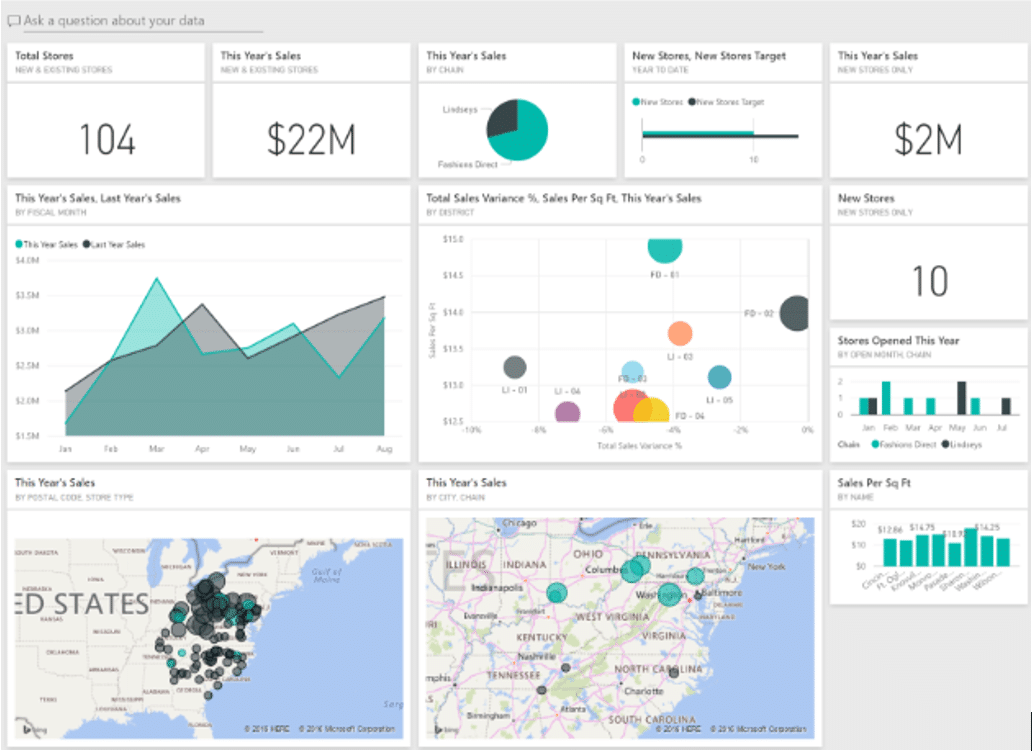
This manufacturer needed a way to connect people, systems and data. They were battling common challenges such as:
- Manual, delayed production reporting
- Limited visibility across lines and shifts
- Discovering bottlenecks far too late
- Making decisions based on outdated or unclean data
One of the most immediate transformations came from implementing Power BI as the manufacturer’s production intelligence hub.
Power BI turned disconnected machine and operational data into real-time, actionable insights that could then be used to drive informed decision-making.
How Power BI Increased Real-Time Production and Visibility and Enabled Faster Corrective Actions
Power BI helped the manufacturer jump over these hurdles through:
- Live Dashboards: To help with real-time tracking of throughput rates, downtime and machine performance, and quality of performance.
- A Unified Data Model: Power BI pulls data from PLC systems, IoT devices, ERP, MES, and manual data-entry points to provide a unified view that gives your entire team greater visibility into:
- Overall performance
- Quality trends
- Defect rates
- Overall equipment effectiveness
- Cost per unit metrics
- KPIs
- Proactive Alerts: Supervisors receive instant alerts when production has dropped below thresholds, and quality issues get flagged instantly, allowing same-day correction action instead of end-of-the-week recovery.
- Roles-Based Views: Defining specific and meaningful roles within your organization makes sure that operators, managers, and executives are aligned on performance while focusing on the tasks that are more important to them.
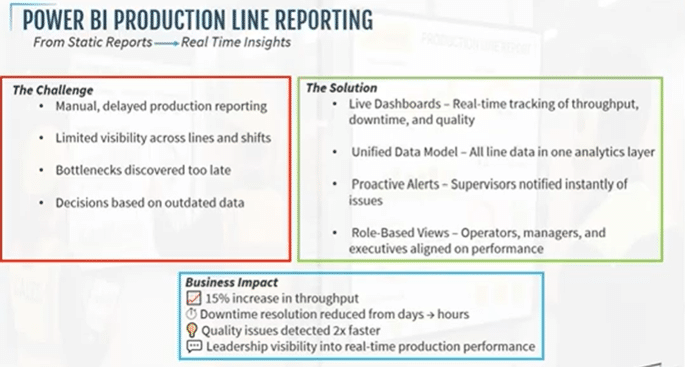
Business Impact from Power BI
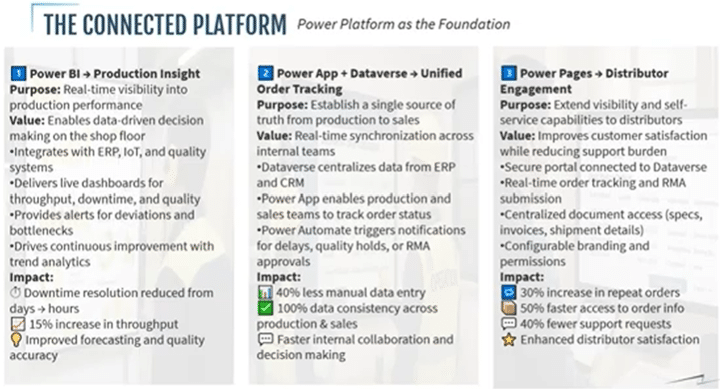
- Downtime resolution reduced from days to hours
- Throughput increased by 15%
- Quality issues are detected twice as fast – leading to significant reductions in scrap and rework costs
- Increasing accountability and alignment for every stakeholder through shared live visibility into performance
Through Power BI, this manufacturer transformed production reporting from manual, backwards processes into a real-time, intelligent system that let them make faster, smarter, and more confident decisions at every level of the organization.
Power Apps, Power Automate, and the Dataverse: Connecting Systems
Power Apps, in combination with the Dataverse, come into play in helping manufacturers with several challenges, including:
- Fragmented systems and manual updates
- Missed deadlines and bottlenecks
- Limited visibility from order to delivery
- Inconsistent or duplicate data across departments
- Reactive customer communication
While Power BI delivers insight, Power Apps and Dataverse are the operational backbone that connects production to ERP solutions like Sales and Customer Service.
Dataverse Centralizes Business-Critical Data
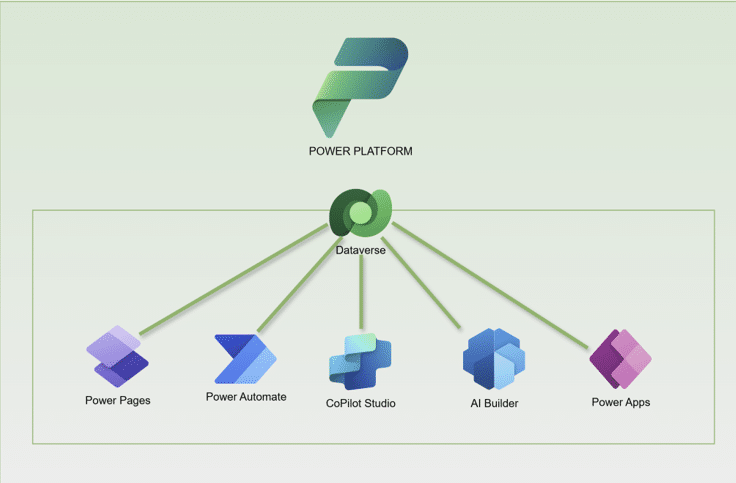
Dataverse stores and connects every detail of sales, customer, and production data and makes it visible to all relevant stakeholders. This includes data on:
- Sales orders
- Production status updates
- Quality records
- Shipment and delivery data
- Customer and distributor information
- And more
Power Apps Enables Real-Time Operational Workflows
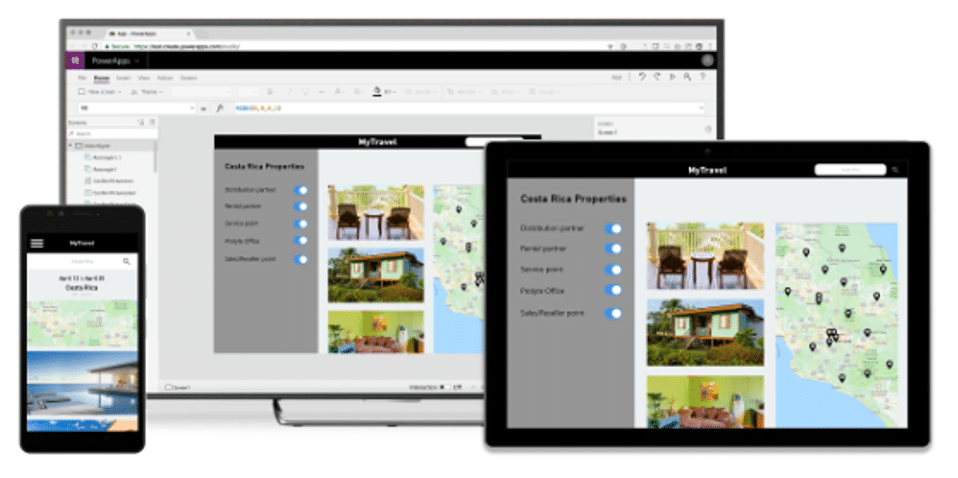
Creating custom power apps helped this manufacturer address several key challenges within production, sales, and customer service, such as:
- Updating production status instantly: This ensures that whoever is next up in the production line knows when they need to take over.
- Logging completions and attach quality photos: Reviewers know who completed a task and can verify quality instantly. Simultaneously, customer service reps can also view order information before a customer potentially reaches out with an issue or question.
- Tracking order progress from start to delivery: Managers gain visibility into production times and can track delivery timelines and expectations to ensure that deadlines are being met.
Power Automate Improves Efficiency and Accuracy
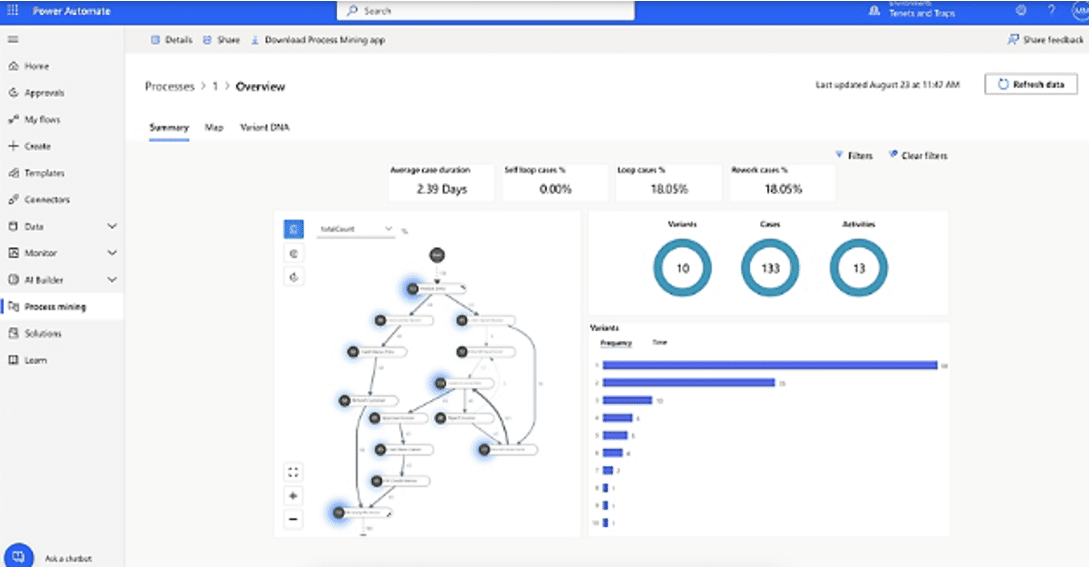
By deploying Power Automate workflows, the manufacturer was able to set up automatically triggered alerts to keep their team informed. This allowed them to keep timelines on track and increase customer satisfaction. Triggers can be configured or suited to individual process or business needs.
Common examples of triggers include:
- Production delays occur
- Quality holds are identified
- Orders are completed or shipped
This eliminated time-consuming manual coordination and reduced human error.
Business Impact from Power Automate
The combined implementation of Power Apps, Power Automate, and Dataverse has several significant benefits:
- 40% faster order-to-delivery visibility
- 50% fewer manual data updates
- 25% improvement in customer satisfaction
- Improved coordination across departments through increased access to accurate, real-time data
Power Pages: Empowering Distributors with Self-Service
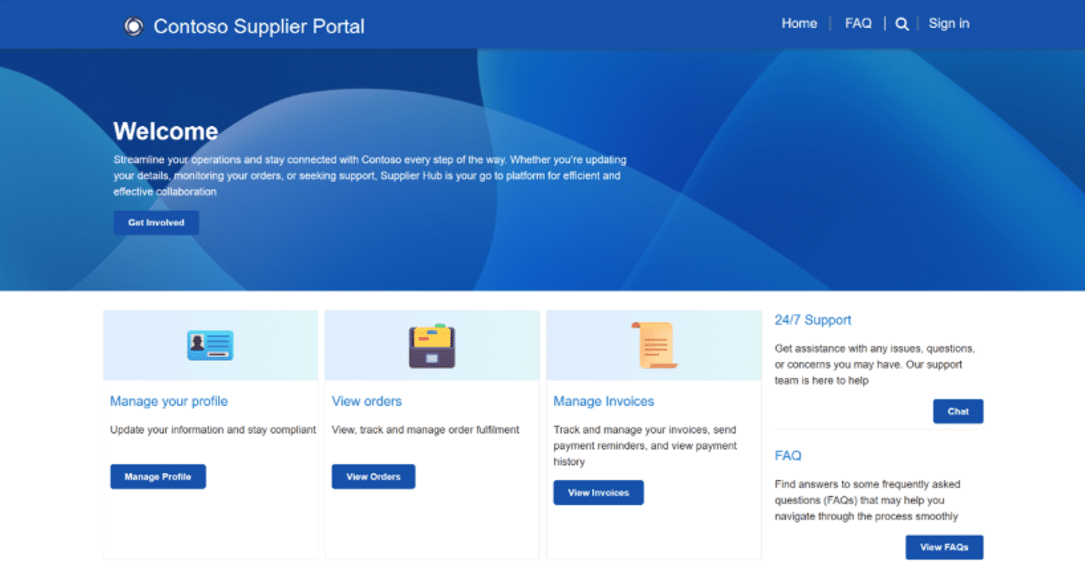
As was the case with this manufacturer, far too often, there is little to no centralized distributor visibility into order or shipment status. This, coupled with manual, email-based RMA and support processes, makes it difficult to share product specs, price lists, and invoices, leading to inconsistent customer experiences and brand perception.
To address this, they used Power Pages to create a self-service portal for distributors that connects their new, all-encompassing decision with key stakeholders from outside of the organization. This significantly improved external collaboration and customer experience in several ways:
Distributors Gained Real-Time Order Visibility and More Effective Service Processes
Through the Power Pages portal, distributors saw several key benefits:
- Details, details, details: Distributors could now track status and shipment details, view delivery times, and get delivery status updates without having to contact customer support.
- Self-Service Options for Repeat Processes: Distributors could track orders, submit RMAs, upload defect photos, submit return requests, and provide structured reason codes. Not only does this allow distributors to resolve their own issues, but it takes pressure off your customer service team.
- Through Power Automate, these return requests and defect photo uploads would automatically flow to the appropriate response department.
- Centralized documentation Access: Distributors could access critical information at any time, including product specifications, pricing documents, invoices, technical documentation, and more.
- Configurable Permissions: You can provide users who work for the distributors with role-based access and even design branding for each one.
All of this information is pulled automatically from the Dataverse and automatically flows into the portal.
Business Impact from Power Pages
- 50% faster access to order information
- 40% reduction in inbound support requests
- 30% increase in repeat orders
- Higher distributor satisfaction and engagement
Power Pages transformed distributor relationships into a modern, connected experience.
Bringing it All Together for Manufacturers with the Power Platform
The true power of Microsoft Power Platform lies in how these solutions work together to create a fully connected ecosystem, as each component plays a critical role:
- Power BI provides insight
- Power Apps and Dataverse provide control
- Power Pages provides engagement
Together, they connect production, sales, customer service, distributors, and leadership. This results in faster decisions, improved efficiency, and stronger relationships. When your entire organization is moving in the same direction and is on the same page, that will lead to an improvement in performance. In turn, that will lead to greater customer satisfaction and increased profits.
Modern Manufacturing Starts with Connected Data
If you're ready to modernize your manufacturing operations, improve visibility, and unlock the full potential of Microsoft Power Platform, the team at Stoneridge Software can help.
Our experts specialize in designing, implementing, and optimizing Power Platform solutions tailored specifically for manufacturers.
Contact Stoneridge Software today to start transforming your operations.

Under the terms of this license, you are authorized to share and redistribute the content across various mediums, subject to adherence to the specified conditions: you must provide proper attribution to Stoneridge as the original creator in a manner that does not imply their endorsement of your use, the material is to be utilized solely for non-commercial purposes, and alterations, modifications, or derivative works based on the original material are strictly prohibited.
Responsibility rests with the licensee to ensure that their use of the material does not violate any other rights.